Explore tools for editing recordings after capture. Compare transcript editing, social clips and visual effects without confusing them with recording. Record a short sample with the microphone, speakers and screen layout you normally use. Check the original tracks, transcript and edited export. Include setup, upload and correction time in your comparison.
Research guide. Vendor information and third-party reports are distinct from our own test results. See how we evaluate tools. We may earn a commission from qualifying purchases through affiliate links. Affiliate disclosure.
Creators switch from Riverside for three concrete reasons:
- Post-production depth: Riverside excels at local multitrack recording, but the gap shows up after capture , editing depth, clip generation, and brand polish are where it falls short.
- Repurposing speed: Moving to a repurposing-first workflow requires AI-driven clipping, automated variant exports, and storyboard prompts that Riverside does not offer natively.
- Modular flexibility: The 2026 industry trend favors one capture tool paired with a specialist AI editor, not a single all-in-one platform, illustrating why understanding a content publishing workflow is essential.
Pro Tip: Keep Riverside for capture , its local recording buffers per participant and resists packet loss. Then route your files into whichever editor below matches your output goal.
Table of Contents
- How these Riverside alternatives compare across key workflow dimensions
- How collaboration and team permissions differ across these tools
- Which platforms and devices each tool actually supports
- What support looks like when something breaks
- How steep the learning curve actually is for each tool
- Red flags and questions to ask before you switch tools
- Use the directory to compare workflow options, then confirm current features and terms with the provider.
- Key Takeaways
How these Riverside alternatives compare across key workflow dimensions
| Tool | Best For | Editing Model | Recording | AI Features | Exports | Free Tier | Platform |
|---|---|---|---|---|---|---|---|
| Descript | Podcast editors needing transcript edits | Text-based | None (import) | Transcription, overdub, speaker labels | captions, 16:9/9:16 | 1 hr/month transcription | Web, Mac, Windows |
| Runway | Short-form social, generative effects | Generative AI | None | Generative effects, frame-level AI | 9:16/16:9/1:1 | Limited credits | Web, Mac |
| VEED | Fast social clips and captions | Browser timeline | Browser capture | Auto-captions, clip generation | all social ratios | Watermarked exports | Web |
| Kapwing | Template-based social resizing | Browser timeline | None | Auto-subtitles, background removal | 1:1/9:16/16:9 | Watermarked | Web |
| Jasper | Script and caption generation | Text generation | None | Script AI, caption automation | Text/copy output only | 7-day trial | Web |
Pricing and free-tier traps to know: VEED and Kapwing both watermark exports on free plans, limiting their suitability for client-facing work without upgrading. Jasper’s free tier is a 7-day trial, not a permanent plan. Descript’s free tier caps transcription at a limited monthly quota. As Airtape warns, free setups frequently trade cost for reliability , budget for a small paid tier when your output quality matters. No single free tool replicates Riverside’s combined recording and editing capabilities.
How collaboration and team permissions differ across these tools
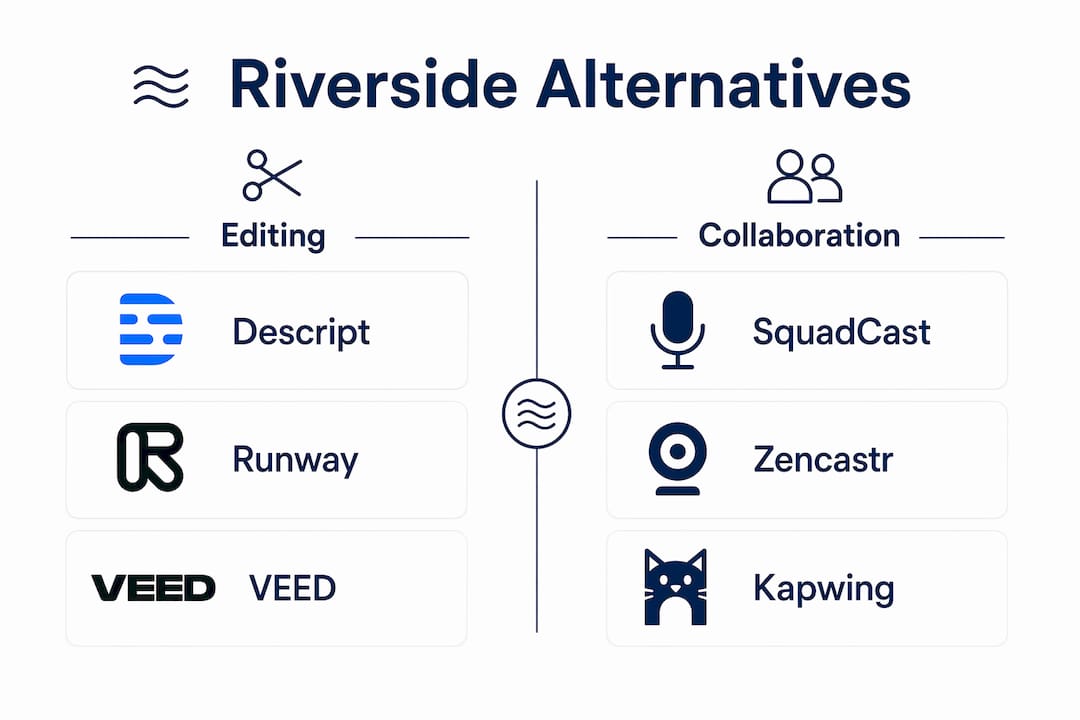
Descript offers the most granular team controls: you can assign editor, commenter, or viewer roles per project, and SquadCast (Descript’s companion recorder) supports multi-guest sessions with separate track downloads. VEED and Kapwing both support shared workspaces with link-based collaboration, though neither offers role-based permission controls on free plans. Runway’s collaboration is project-level sharing without fine-grained permissions. Jasper supports team workspaces with brand voice settings shared across users, which is useful for content teams maintaining caption consistency.
Which platforms and devices each tool actually supports

What support looks like when something breaks
Descript offers email support on paid plans and a detailed help center; live chat is available on higher tiers. VEED provides live chat on Pro and Business plans, with email-only on free. Kapwing’s support is email-based across all plans, with response times typically within one business day. Runway offers a community Discord and email support, with priority response on paid plans. Jasper provides live chat and email on all paid tiers, plus an active user community. None of these tools offer phone support, so if real-time troubleshooting is critical to your workflow, factor that in before switching.
How steep the learning curve actually is for each tool
Descript has the steepest initial curve of the five , the text-based editing model is unfamiliar to creators used to timeline editors, but most users report fluency within two to three sessions. VEED and Kapwing are the fastest to learn: both use drag-and-drop browser interfaces that require no prior editing knowledge. Runway demands more time because its generative AI tools involve prompt-based controls that behave differently from standard clip editors. Jasper is straightforward for anyone comfortable with AI writing tools, though getting consistent output requires learning its brand voice and template system. The workflow-first principle applies here too: pick the tool whose model matches your output, not the one with the most features.
Red flags and questions to ask before you switch tools
Before committing to any of these Riverside competitors, run through this checklist:
- Does the free tier watermark your exports? VEED and Kapwing do. Test on a paid trial before going live.
- Does it support your language and accent for transcription? Descript’s transcription accuracy varies by accent , test a real clip before relying on it for overdub.
- What happens to your files if you cancel? Confirm the data-export and retention policy in writing.
- Is the recording browser-based or local? Browser-based recorders tie quality to your live connection; local recording buffers are more resilient to packet loss.
- Does the tool handle your required export aspect ratios? Jasper produces text only , it needs a separate editor to reach a finished video.
A practical scoring rubric: measure time-to-first-publish, transcription accuracy on your own accent, export aspect-ratio variety (1:1, 9:16, 16:9), and team-permission granularity. Score each tool against those before you migrate your full library.
Explore related tools and workflow guides

Use the directory to compare workflow options, then confirm current features and terms with the provider.
Key Takeaways
The strongest Riverside alternatives in 2026 are workflow-specific: Descript for transcript editing, Runway for generative effects, VEED or Kapwing for social clips, and Jasper for script and caption generation.
| Point | Details |
|---|---|
| Switching driver | Creators leave Riverside for post-production depth and repurposing speed, not recording quality. |
| Free-tier traps | VEED and Kapwing watermark free exports; Descript caps free transcription at one hour per month. |
| Modular workflow | Pairing Riverside for capture with a specialist AI editor is the dominant 2026 team setup. |
| Local vs. browser recording | Local recording buffers resist packet loss; browser-based recorders tie quality to the live connection. |
| TechVideoBlog | Use the directory to compare workflow options, then confirm current features and terms with the provider. |