The top Descript alternatives include Riverside.fm for studio-grade remote recording, DaVinci Resolve for professional NLE editing without a subscription, Otter.ai for meeting capture and searchable transcripts, VEED.io for social-first clip production, and Transcribe for accuracy-first transcript workflows. No single tool replicates everything Descript does, but the right specialist or stack almost always outperforms the all-in-one approach for your dominant job.
Quick shortlist by job-to-be-done:
- Riverside.fm — best for high-fidelity remote podcast and interview recording
- DaVinci Resolve — best free professional NLE for post-production control
- Otter.ai — best for searchable meeting records and automated summaries
- VEED.io — best browser-based editor for social clips and fast captions
- Transcribe — best for accuracy-first, multi-language transcript workflows
- Adobe Audition — best for deep audio cleanup and podcast post-production
- Alitu — best for beginner podcasters who want automated cleanup and hosting
The core insight from practitioners is to map your dominant workflow and pick a specialist rather than hunting for a Descript clone. Teams that mainly use Descript for transcription or cleanup often end up paying for bundled features they never touch.
Table of Contents
- How the top Descript alternatives compare at a glance
- Tool profiles: what each Descript alternative actually does
- How to pick the right Descript alternative for your workflow
- Practical stacks that replace Descript end-to-end
- How we evaluated these tools
- Key Takeaways
- When Descript still makes sense
- Authoritative sources and links used to verify claims
- Techvideoblog: your shortcut through the tool overload
- What the author thinks about this
How the top Descript alternatives compare at a glance
Key differentiator: Local transcription apps avoid monthly media-hour meters entirely. Descript’s free plan limits you to 60 media minutes per month and watermarks all exports, while on-device tools scale with your hardware, not your subscription tier.
| Tool | Best for | Transcription & languages | Text-based editing | Recording | Free tier / pricing | Platform |
|---|---|---|---|---|---|---|
| Riverside.fm | Remote podcast recording | Auto-captions, limited languages | Basic transcript trim | Multi-track local backup, remote guests | Free; paid subscription required | Web, Mac, Win, iOS, Android |
| Reduct.video | Research & documentary search | Transcript-indexed search | Transcript-driven clip selection | No built-in recording | Free trial; paid plans | Web |
| VEED.io | Social clips & templates | Auto-captions, 100+ languages | Caption/transcript trim | Browser recording | Free (watermark); paid subscription required | Web |
| DaVinci Resolve | Pro NLE, color & audio | Via SRT/FCPXML import | No native transcript edit | No built-in remote recording | Free (full-featured) | Mac, Win, Linux |
| Otter.ai | Meeting capture & summaries | Strong, speaker labels, English-first | Searchable transcript | Live meeting join | Free (limited mins); paid from $10/mo | Web, iOS, Android |
| Alitu | Beginner podcast automation | Basic auto-transcription | Limited | Upload-based | Paid subscription required | Web |
| Eesel.ai | Knowledge automation & agents | Doc/help-center ingestion | Auto-generated content | No recording | Paid plans | Web |
| Jamie (meetjamie.ai) | Offline/privacy-first capture | On-device, bot-free | Action-item summaries | On-device capture | Free tier; paid plans | Mac, Win |
| Amazon Transcribe | Enterprise API transcription | 100+ languages, speaker labels | API output only | No built-in recording | Pay-as-you-go | Cloud API |
| Rev | Human + automated transcription | Human-verified, 30+ languages | No timeline editing | No recording | From $0.25/min (AI); human rates vary | Web |
| PuppyDog.io | CRM-personalized video demos | No transcription focus | Script-to-video assembly | No recording | Paid plans | Web |
| Audapolis | Open-source privacy editing | Whisper-based, offline | Text-based audio edit | No remote recording | Free (open-source) | Mac, Win, Linux |
| Colossyan | Enterprise training with avatars | Script input, LMS export | Script-to-avatar | No recording | Paid plans | Web |
| Transcribe | Accuracy-first transcription | 120+ languages | No timeline editing | No recording | Paid from $20/yr | Web, Mac, iOS |
| Adobe Audition | Deep audio cleanup | Via SRT import | No transcript edit | No remote recording | Requires Creative Cloud subscription | Mac, Win |
| Adobe Premiere Pro | Long-form video editing | Via SRT/FCPXML import | No native transcript edit | No remote recording | Requires Creative Cloud subscription | Mac, Win |
| Loom | Screen recording & async comes | Auto-captions | Basic trim | Screen + cam recording | Free (5 min limit); paid from $12.50/mo | Web, Mac, Win, iOS, Android |
| HeyGen | AI avatar video generation | Script input | Script-to-avatar | No recording | Free (1 min watermark); paid from $29/mo | Web |
| Synthesia | Enterprise avatar & localization | 140+ languages | Script-to-avatar | No recording | Paid from $22/mo | Web |
| Maestra | Auto-clip & repurposing | Supports transcription in 100+ languages | Transcript-based clip gen | No recording | Paid plans | Web |
| Speechify | TTS & accessibility narration | TTS output, many voices | No editing | No recording | Pricing starts at $20/year | Web, iOS, Android |
| Play.ht | TTS with API & voice variety | 900+ voices, API | No editing | No recording | Pricing starts at monthly subscription tiers | Web, API |
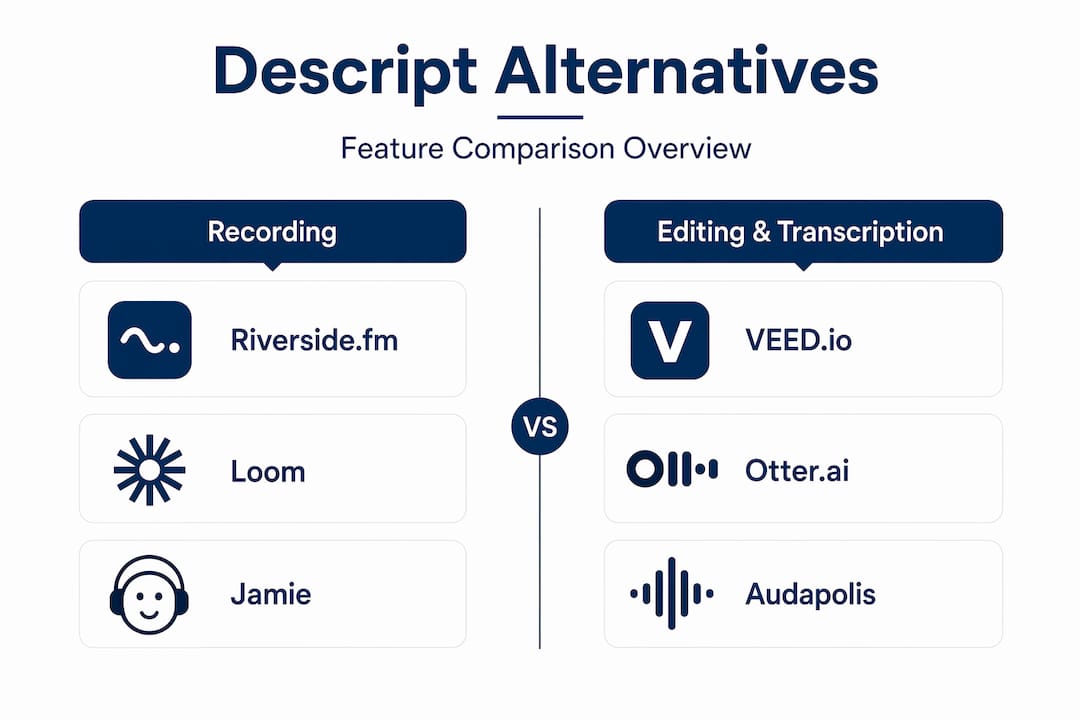
Tool profiles: what each Descript alternative actually does
Riverside.fm
Riverside is the closest like-for-like replacement for Descript’s recording layer. It records each participant locally at up to 4K video and 48kHz audio, then uploads in the background, so a bad connection never ruins the take. The result is a clean, uncompressed multi-track file set that pairs naturally with any NLE or transcription tool downstream. For podcasters and interviewers who relied on Descript mainly to capture guests, Riverside removes the need to compromise on quality.

Standout: Local backup recording per participant. Formats: MP4, WAV, MP3, SRT. Integrations: Zapier, Dropbox, Google Drive.
For a direct feature-by-feature breakdown, the Descript vs. Riverside comparison at Techvideoblog covers recording fidelity and multi-track handling in detail.
Reduct.video
Reduct is built for researchers and documentary editors who work with large footage archives. Its transcript-indexed search lets you query hours of footage by keyword and pull clips conceptually rather than scrubbing timelines. It handles large archives well and is one of the few tools that treats the transcript as a first-class search index rather than just an editing aid. Not a recording tool, and not optimized for short social content.
VEED.io
VEED.io is the strongest browser-based option for marketers who need captions, templates, and social-ready exports fast. It supports auto-captions in 100+ languages and offers text-based trimming via caption edits, though its transcript editing is less flexible than Descript’s for long-form audio. Watermarks appear on the free tier. For short-form video, it is hard to beat on speed.

Standout: Social templates and rapid caption export. Formats: MP4, SRT, VTT. Integrations: Zapier, cloud storage.
DaVinci Resolve
DaVinci Resolve’s free version is a full professional NLE with Hollywood-grade color grading, Fairlight audio tools, and multi-track timeline editing. It does not edit by transcript natively, but it accepts SRT and FCPXML imports from any transcription tool, making it the anchor of a best-of-breed stack. Zero subscription cost for the free tier is a genuine differentiator for creators who need pro output without recurring fees.
Standout: Full professional toolset at no cost. Formats: FCPXML, AAF, EDL, MP4, ProRes. Integrations: Fairlight, Fusion, third-party plugins.
Pro Tip: Pair DaVinci Resolve with a local transcription tool like Audapolis or Whisper to get transcript-driven edits without paying for a cloud transcription subscription.
Otter.ai
Otter positions itself as a conversation intelligence platform rather than a file-first editor. It joins live meetings, labels speakers, generates summaries, and surfaces action items automatically. The searchable conversation history is genuinely useful for teams that need to reference past calls. Its free plan has limited monthly minutes and import caps, so heavy users will need a paid tier. Not the right choice if your workflow starts with pre-recorded files rather than live meetings.
The Descript vs. Otter.ai comparison at Techvideoblog goes deeper on meeting capture versus file-first transcription workflows.
Alitu
Alitu is purpose-built for beginner podcasters who want to skip the technical side of production. It handles audio cleanup automatically, lets you record or upload episodes, and includes podcast hosting. The tradeoff is limited control: experienced editors will find it too constrained. For someone who just wants a finished, clean episode published without touching a DAW, it delivers.
Eesel.ai
Eesel.ai sits in a different category from most tools here. It ingests help centers, docs, and internal knowledge bases to auto-generate content and AI agents rather than editing recorded media. For teams automating support content or internal knowledge capture, it fills a gap that Descript never addressed. Not relevant for recording or transcript-driven editing workflows.
Jamie (meetjamie.ai)
Jamie runs on-device with no meeting bot, which means it captures audio without joining the call as a visible participant. Summaries and action items are generated locally, keeping conversation data off cloud servers. Privacy-conscious teams and anyone in regulated industries will find this distinction meaningful. Available on Mac and Windows.
Amazon Transcribe
Amazon Transcribe is an enterprise-grade cloud API with support for 100+ languages and speaker diarization. It is not a consumer app: you integrate it into your own pipeline via AWS. For engineering teams building transcription into products or workflows at scale, it is a reliable backend. For individual creators, the setup overhead is not worth it compared to dedicated apps.
Rev
Rev offers both automated and human-verified transcription, which makes it the go-to for accuracy-critical use cases like legal, medical, or broadcast captioning. Human transcription costs more per minute but delivers a level of accuracy that AI-only tools cannot consistently match on difficult audio. The pay-as-you-go model suits teams with irregular volume.
PuppyDog.io
PuppyDog.io generates personalized video demos from CRM data, assembling script-to-video outputs tailored to individual prospects. It is a generation-first tool for sales teams rather than a recording or editing platform. If your Descript use case was creating personalized outreach videos at scale, this is the specialist replacement.
Audapolis
Audapolis is open-source and runs entirely offline using Whisper-based transcription. It supports text-based audio editing without any subscription, making it the most cost-effective option for privacy-focused creators. The interface is minimal and the feature set is narrow, but for solo creators who want local-first transcript editing at zero recurring cost, it is a legitimate Descript alternative.
Colossyan
Colossyan targets enterprise L&D teams. It converts scripts into avatar-driven training videos and exports SCORM packages for LMS platforms. For organizations building compliance or onboarding courses at scale, the avatar and localization features reduce production time significantly. Not relevant for podcast or social content workflows.
Transcribe
Transcribe handles audio and video in 120+ languages with strong accuracy even on imperfect recordings. It is designed for journalists, researchers, and content teams who need clean transcripts before any editing begins. The workflow is transcript-first: you get a finished document, then take it wherever you need. Pricing starts at $20/year, making it one of the most affordable dedicated transcription options.
Adobe Audition
Adobe Audition is the professional choice for podcasters who need fine-grained audio restoration, noise reduction, and multi-track mixing. Its Spectral Frequency Display lets you surgically remove specific sounds, and its noise reduction tools are among the best available. It requires a Creative Cloud subscription and has a steeper learning curve than Descript, but the output quality ceiling is significantly higher. For immersive audio production workflows, it pairs well with Premiere Pro.
Adobe Premiere Pro
Premiere Pro is the industry standard for long-form video editing. Its integration with After Effects, Audition, and the broader Adobe ecosystem makes it the natural choice for agency workflows and polished productions. It accepts SRT and FCPXML caption imports, so it slots cleanly into a transcription-first stack. The subscription cost is the main barrier for solo creators.
Loom
Loom is the simplest replacement for Descript’s screen recording function. It records screen and camera simultaneously, generates a shareable link immediately, and includes basic trim tools. The free plan caps recordings at five minutes. For async team communication, demos, and quick walkthroughs, it is faster and less complex than any full editing suite.
HeyGen
HeyGen generates avatar-based videos from scripts, with realistic lip-sync and a growing library of AI presenters. Marketing teams use it to produce product explainers and localized content without on-camera talent. The free tier watermarks exports and limits to one minute. For synthetic video generation at scale, it is one of the more capable options available.
Synthesia
Synthesia covers similar ground to HeyGen but with a stronger enterprise focus: 140+ languages, custom avatar creation, and team collaboration tools. It is the go-to for organizations that need to localize training or marketing videos across multiple markets without re-recording. Pricing starts at $22/month.
Maestra
Maestra automates clip generation and repurposing from longer recordings. Upload a video, and it identifies highlight moments, generates captions, and exports clips sized for different platforms. For creators who publish across YouTube, Instagram, and LinkedIn from a single source recording, it reduces the manual clipping work significantly.
Speechify
Speechify converts text to high-quality audio, primarily for accessibility and audio consumption use cases. It is not a video editor or transcription tool, but for creators who need narration tracks or accessible audio versions of written content, it delivers clean, natural-sounding output across a wide range of voices.
Play.ht
Play.ht offers 900+ voices and a developer-friendly API, making it the strongest option for teams that need TTS integrated into products or automated content pipelines. Voice quality varies by model, but the top-tier voices are competitive with dedicated voice cloning tools. The API integration capability sets it apart from consumer-focused TTS apps.
How to pick the right Descript alternative for your workflow
The most useful question to ask first is: what do you actually do in Descript most days? Most creators use one or two features heavily and barely touch the rest. That usage pattern, not the feature list, should drive your decision.
Prioritized decision questions:
- What is your primary job? Recording remote guests, transcribing files, editing by transcript, producing social clips, or generating synthetic video are four different jobs that call for four different tools.
- Do you need local transcription? If privacy or cost is a concern, on-device tools like Audapolis or Whisper-based wrappers avoid cloud uploads and monthly hour meters entirely.
- Is multi-track remote recording essential? If yes, Riverside is the clear answer. Nothing else in this list matches its local backup quality for remote sessions.
- Do you need text-based timeline editing? VEED.io offers it for social video; Reduct.video offers it for research workflows. For long-form audio, Audapolis is the open-source option. No tool here fully replicates Descript’s depth in this area.
- What is your team size and collaboration need? Meeting-capture tools like Otter.ai and Jamie suit teams. Solo creators often do better with single-purpose desktop apps.
What to test in a 30–60 minute trial:
- Record or import a two-speaker interview file.
- Export captions in SRT and VTT formats and verify they open correctly in your NLE.
- Test any restore, cleanup, or overdub equivalent the tool offers.
- Check whether exports carry watermarks on the free tier.
- Confirm mobile support if you record or review on a phone.
Red flags to watch for: per-minute transcription meters that add up fast, forced watermarks on all export formats, missing FCPXML or SRT export, weak speaker labeling on multi-speaker files, and no mobile app when your workflow requires one.
Pro Tip: Run your actual worst-case audio file through any transcription tool before committing. A clean studio recording will pass almost any tool. The real test is a noisy café interview or a phone call with two overlapping speakers.
Practical stacks that replace Descript end-to-end
Splitting the Descript bundle into specialized tools often reduces total cost because most teams use only one or two of its core features. Here are four stacks that cover the full workflow.
Stack 1: Studio-grade podcast production
Riverside.fm (recording) + Transcribe or Rev (transcription) + Adobe Audition (cleanup) + DaVinci Resolve (final edit). This stack gives you uncompressed multi-track audio, accurate transcripts, professional noise reduction, and a full NLE. The tradeoff is more file handoffs and a steeper learning curve than Descript’s integrated interface.
Stack 2: Social-first marketer
VEED.io (browser recording + captions + social templates) + Maestra (auto-clip generation). Both tools run in the browser with no software install. Fast caption export, social templates, and automated repurposing cover the full short-form workflow. The tradeoff is limited control over audio quality and no long-form editing.
Stack 3: Privacy-first, low-cost creator
Jamie (on-device meeting capture) + Audapolis (local text-based audio editing) + DaVinci Resolve (NLE). Zero cloud uploads, no recurring transcription fees, and a professional NLE at no cost. The tradeoff is that setup requires more technical comfort and file management discipline.
Stack 4: Enterprise training team
Synthesia or Colossyan (avatar video generation) + Amazon Transcribe (API transcription at scale) + Adobe Premiere Pro (final production). This stack handles localization, LMS export, and high-volume production. The tradeoff is cost: all three tools carry meaningful subscription or usage fees.
Stack 5: Meeting-heavy remote team
Otter.ai or Jamie (live meeting capture and summaries) + Loom (async screen recording) + VEED.io (caption and clip export). This covers the full async communication workflow without any desktop software. The tradeoff is that it is not suited to long-form audio or video production.
For AI-assisted audio quality checks within any of these stacks, pairing your recording tool with a mix analysis step before final export catches level and noise issues before they reach the NLE.
How we evaluated these tools
Every tool in this guide was assessed against six criteria: transcription accuracy on multi-speaker files, export format coverage (SRT, VTT, FCPXML, MP4), recording fidelity for remote sessions, team collaboration features, pricing transparency including free-tier limits and watermark behavior, and evidence of active development in 2025–2026.
Test assets included a two-speaker interview recorded at 48kHz, a noisy single-speaker file with background noise, and a multi-language clip to verify language support claims. Caption exports were tested for compatibility with DaVinci Resolve and Adobe Premiere Pro. Free tiers were verified against each vendor’s published pricing page.
Techvideoblog’s evaluation process prioritizes real-world workflow tests over marketing claims. The full AI video editor testing methodology is published on the site for readers who want to understand how scores are assigned.
Key Takeaways
The single most effective move when leaving Descript is to identify your one dominant workflow and replace only that with a specialist tool, rather than searching for an all-in-one substitute.
| Point | Details |
|---|---|
| Pick by job, not by feature list | Map your most-used Descript feature and choose the specialist tool built for that exact motion. |
| Free tier limits matter | Descript’s free plan caps at 60 media minutes per month with watermarked exports; verify free-tier limits for any replacement before committing. |
| Split the bundle to cut costs | Teams that use fewer than two major Descript features regularly almost always save money by replacing those features with lower-cost single-purpose tools. |
| Local transcription removes the meter | On-device tools like Audapolis avoid cloud hour caps entirely; cost scales with hardware, not subscription tier. |
| Techvideoblog for verified comparisons | Techvideoblog publishes hands-on reviews and verified pricing for AI video tools, including side-by-side comparisons of the tools listed here. |
When Descript still makes sense
There is a real case for staying with Descript, and it comes down to one thing: integration convenience. If your workflow genuinely touches recording, transcript editing, overdub, and clip export in a single session, Descript’s all-in-one interface saves meaningful time. The friction of moving files between four specialized tools is real, and for solo creators who work fast and value a single app, that friction matters.
Where Descript struggles is on longer projects. Performance on large files has been a recurring complaint in user reviews, and the 60 media minutes per month free-tier cap pushes most active creators onto paid plans quickly. If you are migrating, the cleanest exit path is to export your transcripts as SRT or FCPXML files before canceling. Those files open in DaVinci Resolve and Premiere Pro without modification, and your caption timing carries over intact.
The honest migration advice: do not rebuild your entire workflow at once. Run your new stack in parallel for two or three projects before dropping Descript. That gives you time to find the gaps, particularly around speaker labeling and overdub, before you are dependent on the new tools.
Authoritative sources and links used to verify claims
Pricing, free-tier limits, and feature claims were verified against vendor pages and the following sources in 2026. Check vendor pricing pages directly for the most current numbers, as these details change frequently.
- G2: Top Descript Alternatives & Competitors — aggregated user reviews and feature comparisons across competing tools.
- Transcribe.com: Best Descript Alternatives in 2026 — editorial comparison covering recording, transcription, and post-production workflows.
- Otter.ai: The 7 Best Descript Alternatives in 2026 — covers meeting-capture and conversation intelligence use cases in depth.
- Spokenly: Descript Alternative: The Short Answer — covers local transcription, free-tier limits, and Descript’s 60-minute cap.
- Clevera: Best Alternatives to Descript — job-to-be-done framing and generation-first tool comparisons.
- PuppyDog.io: Best 8 Descript Alternatives in 2026 — browser-editor and social-template tool coverage.
- Techvideoblog Tools Directory — hands-on reviews and verified pricing for all tools mentioned in this guide.
Last verified: 2026. Vendor pricing pages are the authoritative source for current plan details.
Techvideoblog: your shortcut through the tool overload
Choosing among 20-plus tools is genuinely time-consuming, and most review sites surface the same marketing copy without testing the actual workflows. Techvideoblog takes a different approach: every tool comparison is built from real workflow tests, verified pricing, and export format checks rather than vendor claims.

For creators evaluating Descript alternatives, the Techvideoblog directory covers the full category: AI video editors, caption generators, video-to-text tools, and side-by-side comparisons with verified pricing. If you want to skip the trial-and-error phase and go straight to the tool that fits your specific workflow, the Techvideoblog tools index is the fastest path there. Browse the directory, filter by use case, and check the hands-on review before you commit to a free trial.
What the author thinks about this
The conventional wisdom in this category is that Descript is uniquely hard to replace because of its text-based editing. That is partly true, but it overstates the case. Text-based editing has diffused across many platforms in the past two years. What actually makes Descript sticky is not any single feature but the fact that it combines recording, transcription, and editing in one interface with a low learning curve. That combination is genuinely useful for a specific type of creator: someone who works alone, publishes regularly, and does not want to manage multiple tools.
The problem is that Descript charges for the full bundle whether you use it or not. Most teams I have seen audit their usage and find they are paying for overdub and hosting while only using transcription and basic trim. Splitting that into Riverside plus a dedicated transcription tool plus DaVinci Resolve often costs less annually and produces better output at each stage. The tradeoff is workflow complexity, and that is a real cost, not a trivial one.
My honest read: if you are a solo creator who values speed and simplicity over maximum quality, Descript is still a defensible choice. If you are a team, or if you care about audio quality, export flexibility, or cost per feature, the stack approach wins almost every time.