A video idea generator uses AI and trend signals to produce hook-first, platform-ready concepts in seconds, pulling from your niche, keywords, and format preferences. It works best for YouTubers who need to scale ideation without staring at a blank page, but the output is a draft, not a finished plan. Every idea still needs a human pass for accuracy, originality, and fit with your channel.
TL;DR:
- AI video idea generators produce plausible concepts quickly but require human verification to avoid factual errors and plagiarism.
- Using the tools effectively depends on defining niche, format, and constraints upfront, and generating multiple variants for variety.
- Ideas should be scored based on audience fit, distinctiveness, search relevance, production feasibility, and measurable outcomes before filming.
- The quality of titles, thumbnails, and scripts must reinforce the original promise to maximize discoverability and viewer engagement.
- Fact-check all claims and statistics from generated ideas, especially on sensitive topics, since these tools predict plausible content rather than verified facts.
Table of Contents
- How AI video idea generators work
- How to use a video idea generator effectively
- How to score generated ideas before you commit
- Turning a chosen idea into a discoverable video
- Limitations and the human-review checklist
- How we test idea tools and why it matters
- When to trust AI ideation versus your own instincts
- Find tested tools that fit your workflow
- FAQ
- Sources
How AI video idea generators work
These tools take a handful of inputs and turn them into structured concepts you can act on right away. Most ask for your niche, a few seed keywords, a tone (educational, comedic, dramatic), and a target format before generating anything.
Behind the scenes, a generator blends several data sources to shape its suggestions:
- Trend signals pulled from search and social platforms to surface what’s gaining traction right now
- Search data that maps common queries to video topics with built-in SEO relevance
- Social signals from comments, shares, and engagement patterns on similar content
- Past upload history, when connected to your channel, to avoid repeating topics and to spot gaps
The output usually includes a working title, a hook line, a thumbnail prompt, a loose script outline, and sometimes platform-specific variants (a Shorts cut versus a long-form treatment of the same idea). That range is useful, but it comes with a catch: generators produce plausible-sounding ideas, not verified ones. A tool might suggest a “surprising fact” about your niche that sounds credible and is simply wrong, which is why the idea stage and the publishing stage need different levels of scrutiny.
For a broader look at which tools handle this well, our AI video generators category page breaks down the options by feature set.
How to use a video idea generator effectively
Getting usable output starts before you type a single prompt. Here’s the sequence that tends to produce ideas worth filming rather than ideas worth skipping.
- Define your niche and constraints first. Specify your audience, your typical video length, and any production limits (no studio lighting, solo filming, a two-day turnaround).
- Choose a format and tone. Decide if you’re generating for Shorts, longform, a tutorial series, or a POV style, and set feasibility rules so the tool doesn’t suggest a drone shoot you can’t execute.
- Run multiple prompt variants. Ask for five to ten ideas per prompt, then tweak the keyword or tone and run it again; variety matters more than volume from a single pass.
- Save every batch to a content calendar. Even rejected ideas are useful later when a trend resurfaces.
- Pre-filter for audience fit and search relevance. Cut anything that doesn’t match what your actual subscribers watch, not just what sounds clever.
- Seed future prompts with your own data. Use YouTube Analytics and the Trends tab to feed real content gaps back into the generator instead of relying on generic trend lists.
Pro Tip: Keep a running document of your three best-performing titles and feed their phrasing style back into new prompts; generators respond well to concrete examples, not just abstract tone descriptions.
If you’re building specifically for short-form, our best AI tools for YouTube Shorts guide covers tools tuned for that workflow.
How to score generated ideas before you commit
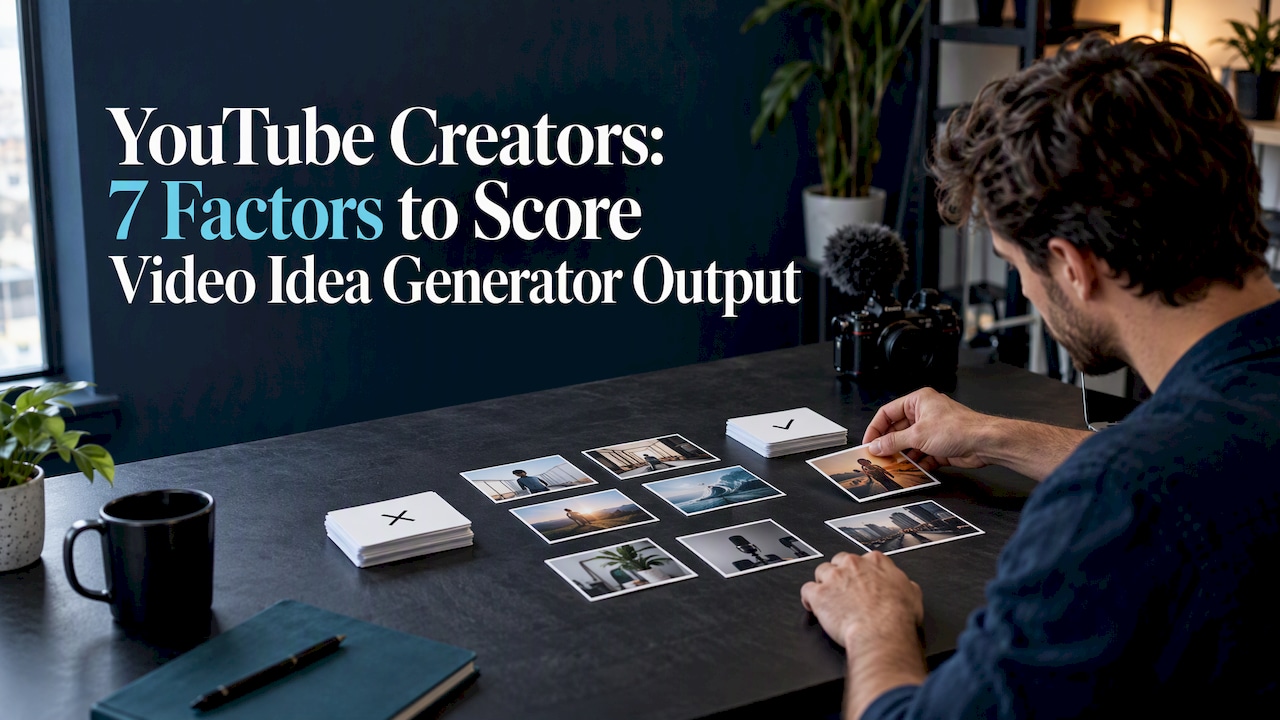
A generator can hand you twenty ideas in a minute, which means the real work shifts to filtering. We score each idea against seven factors before deciding what gets filmed:
- Audience fit: does this match what your actual subscribers search for and watch?
- Distinctiveness: is there an angle here that separates it from the ten other videos on this topic?
- Clarity of the promise: can a viewer tell exactly what they’ll get within the first five seconds of the title?
- Hook strength: does the opening line or thumbnail concept create a real reason to click?
- Search relevance: does the phrasing match how people actually query this topic?
- Production feasibility: can you shoot and edit this with your current setup and timeline?
- Measurable viewer outcome: will you know, from analytics, whether this idea worked?
Ideas scoring well across most of these move to the calendar; anything weak on three or more factors gets reworked or dropped.
After publishing, the scoring doesn’t stop. YouTube’s own guidance on impressions and CTR draws a clear line between packaging and content: a low click-through rate on high impressions points to a weak title or thumbnail, while strong CTR paired with poor retention points to a pacing or hook problem in the edit itself. Checking both numbers together, rather than judging an idea by total views, tells you which half of the idea needs fixing next time.
Turning a chosen idea into a discoverable video
An idea only matters once it becomes an upload people actually click on and watch. That means the title, thumbnail, and script all need to reinforce the same promise the idea made in the first place.
- Write the title around the specific promise, not a vague version of it; “I Tried X for 30 Days” beats “My Experience With X.”
- Design the thumbnail to echo the title, using one clear visual focal point rather than three competing elements.
- Build a short script or shot list: open with the hook, state the promise in the first 10 to 15 seconds, deliver on it in the body, then close with a clear call to action.
- Adjust for platform: Shorts need the hook in the first two seconds and a tight loop; long-form can afford a slower build but needs a stronger mid-video retention beat; episodic content needs a recap hook tying back to the series.
- Run a pre-publish feasibility check: confirm you have the footage, the b-roll, and the time to finish editing before the idea goes on the calendar as “ready.”
Limitations and the human-review checklist
AI-generated ideas carry real risks if you publish them unchecked. The biggest ones are factual errors dressed up as confident statements, accidental plagiarism when a generator echoes a specific creator’s exact phrasing, and claims that sound authoritative but aren’t backed by anything.
Before filming, run every AI-suggested idea through a short check:
- Fact-check any specific claim, statistic, or historical detail against a primary source
- Rewrite borrowed phrasing transformatively rather than lifting a generator’s exact wording
- Flag anything touching news, health, finance, or legal topics for extra scrutiny or expert review
- Credit any source you draw from directly in the video description
Google’s own guidance on generative AI content is direct about this: generative tools predict plausible text, not verified facts, so treat every output as an unverified draft until a human checks it.
Pro Tip: Treat any AI-generated statistic as a placeholder until you’ve found the primary source yourself; a confident-sounding number is not the same as a correct one.
How we test idea tools and why it matters
We test video idea generators hands-on, with repeatable workflow runs rather than a read-through of marketing pages. That means running the same prompt structure across multiple tools, scoring output on idea relevance, hook quality, time to a usable result, and how easily it slots into an existing editing workflow.

We repeat each test to check consistency rather than relying on a single lucky output. For detailed breakdowns by tool, our best AI tools for YouTube page and how we test AI tools page cover the full methodology.
When to trust AI ideation versus your own instincts
AI ideation earns its place when you need volume: seasonal content batches, topic discovery across a niche you’re still mapping, or filling gaps between your signature series. It’s the wrong tool for anything that depends on your specific voice, a branded recurring format, or a sensitive subject where a wrong fact does real damage. Speed from a generator is only worth something when your judgment decides what actually airs.
— H
Find tested tools that fit your workflow
Picking a good idea is half the job; filming it with the right tool is the other half, and our directory runs every one through real workflow tests before it earns a spot.

- Browse the full tools index for tested options across categories
- Check best AI video tools for our current top picks
- See best AI avatar tools if your next video leans on a virtual presenter
If you’re also fact-checking how an idea might surface in AI search results, BabyLoveGrowth’s AI Overview Checker is a useful companion for seeing how your topic reads in AI-generated summaries.
FAQ
What inputs does a video idea generator need to work well?
A generator works best with a defined niche, a few seed keywords, a target format (Shorts, longform, tutorial), and a tone preference. The more specific the inputs, the less generic the output, since vague prompts tend to produce vague, interchangeable ideas.
How do I know if a generated idea is actually good?
Score it against audience fit, distinctiveness, hook strength, search relevance, and production feasibility before committing to film it. An idea that scores poorly on three or more of these factors usually needs reworking rather than filming as-is.
Can AI video idea generators replace a content strategy?
No, they speed up ideation but don’t replace judgment about your channel’s voice, sensitive topics, or branded series. Treat generated ideas as a starting list to filter, not a finished plan to upload.
How do I check if an AI-generated video idea contains false information?
Fact-check any specific claim or statistic against a primary source before filming, since generative tools predict plausible-sounding text rather than verified facts, according to Google’s guidance on AI content. This matters most for news, health, finance, and legal topics.
Should I use different scoring criteria for Shorts versus long-form ideas?
Yes, Shorts benefit from weighting hook strength and distinctiveness higher, since YouTube’s discovery system relies more on relative watch time for short videos. Long-form ideas should weight clarity of the promise and expected viewer outcome higher, since absolute watch time matters more there.