HeyGen Review
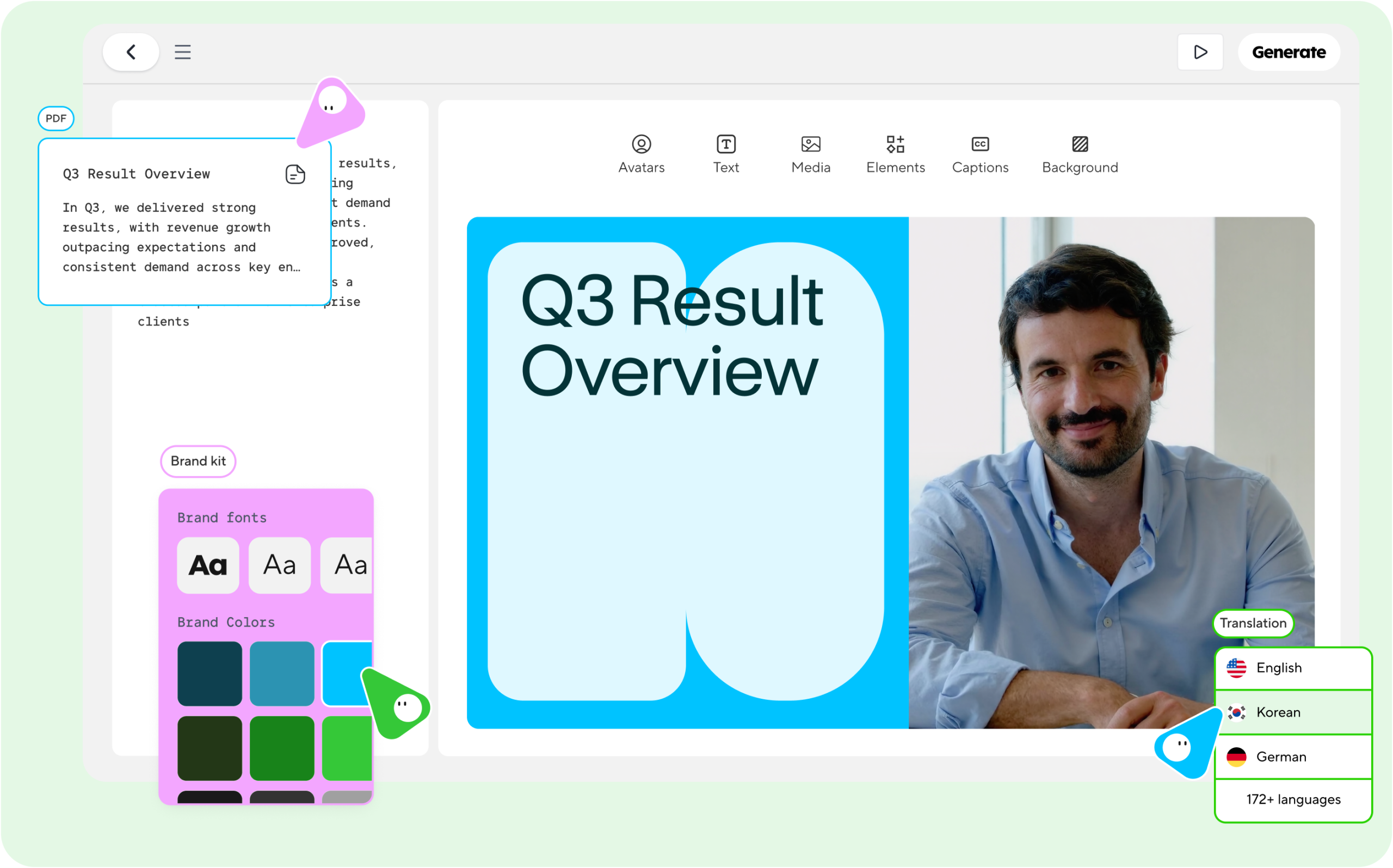
Short answer: HeyGen is best for creators, freelancers, and small teams that need realistic avatar videos, custom looks, video translation, or camera-free talking-head content. It is not a full editor. In our workflow, HeyGen saves filming time, but still needs CapCut, Submagic, or another editor for b-roll and final assembly.
Reviewed by: Hank Cai
Basis: owner use, pricing research, privacy/security review, community feedback
Disclosure: This page has no affiliate links. The HeyGen links here are plain links to heygen.com; TechVideoBlog earns nothing if you buy through them. That does not change our verdict, pricing notes, user objections, or client-work caveats.
Quick verdict
HeyGen is a strong avatar tool, not a complete video production suite.
HeyGen works best when the bottleneck is recording a person on camera. For YouTube explainers, LinkedIn thought leadership, sales follow-up videos, training intros, and multilingual avatar content, it can remove hours of filming and retakes.
The catch is workflow. HeyGen can create the presenter layer, but it does not replace a real timeline editor when you need b-roll, sound design, tight cuts, screenshots, captions, or brand pacing.
Best fit
- Camera-free creator videos
- Avatar-led training content
- Video translation and localization
- Sales, onboarding, and internal updates
Pricing and limits
HeyGen pricing is mostly about minutes, export quality, and team needs.
HeyGen’s free tier is useful for testing avatar quality, but paid plans are where creators get usable exports and longer videos. Credits are HeyGen’s single currency across features: how many credits a video uses varies by AI model, duration and complexity. Monthly subscribers’ unused credits roll over for one more month; annual subscribers’ credits accumulate until their annual renewal date; credits expire after cancellation. Verify the checkout page before buying because AI video plans and credit limits change often.
| Plan | Price | Monthly credits | Best for |
|---|---|---|---|
| Free | $0 | No credit allocation; up to 3 videos per month (up to 1 minute each), plus limited trial access to premium features such as Avatar IV, Video Agent and lip-sync translation, and 30+ languages | Testing avatar quality before paying |
| Creator | $29/mo monthly, or $24/mo billed annually | 600 credits per month (per Tooliverse’s HeyGen data sheet; HeyGen’s own pricing page states the dollars but does not print the Creator credit count) | Solo creator avatar workflow: watermark removed, voice cloning, 175+ languages |
| Pro | From $49/mo; higher tiers scale with credits | 1,000 credits per month at $49, up to 100,000 credits per month at $4,300. All Pro tiers include the same features; only the credit allocation changes | Advanced individuals and higher-volume publishing |
| Business | $149/mo plus $20/seat/mo | Credit packs can be bought one-off or auto-reloaded; team collaboration and brand controls | Shared brand workflow across a team |
| Enterprise | Custom (contact sales) | Custom allocation | Sensitive client or corporate work: DPA, security review, custom terms, training exclusion |
Pricing checked 2026-11-21 on HeyGen pricing (vendor FAQ text, read directly) and cross-checked against Tooliverse’s HeyGen data sheet. The vendor pricing grid itself is JavaScript-rendered, so the dollar figures above rest on HeyGen’s own FAQ text plus that secondary read. There is no permanent free plan beyond the Free tier above; the old page’s pricing had no dollar figures at all.
Owner experience
What heavy use shows about HeyGen
Heavy usage
TechVideoBlog owner Hank Cai has used HeyGen since January 2025 on an annual paid plan, creating 200+ avatar videos and custom looks for his own YouTube workflow.
Biggest win
The main value is time saved. Compared with traditional filming and editing, HeyGen can save 10+ hours per avatar-led video when the content does not require heavy b-roll.
Main pain
Render times and queue waits can interrupt creative flow during busy periods. HeyGen also still needs a separate editor for b-roll and final assembly.
Third-party human feedback
What creators and reviewers tend to praise and complain about
| Source type | Repeated praise | Repeated complaint | What it means |
|---|---|---|---|
| Reddit and creator forums | Realistic avatars, fast presenter videos, and strong novelty for camera-shy creators | Pricing, credit limits, render time, and deepfake or consent concerns | Use HeyGen for approved presenter workflows, not sensitive impersonation or unreviewed client claims |
| YouTube reviews | Many demos show strong lip sync, good templates, and practical localization workflows | Reviewers often still edit final videos outside HeyGen | Treat HeyGen as the avatar layer inside a bigger stack |
| Review sites | Ease of use and professional-looking avatar videos are frequent positives | Some users want more control, more minutes, or lower cost | Budget around the real monthly output volume, not just the entry price |
What other people are saying
What other people are saying
HeyGen is one of the best-reviewed avatar tools anywhere. On G2 it holds 4.8 out of 5 from 1,978 reviews, and Tooliverse’s consensus is 8.90 out of 10 across 3,150 verified reviews. The quotes below are verbatim from G2 reviewers, with their names, roles and review dates as published. The pattern across them matches what this page already says: lip-sync and avatar realism are the strengths; the credit meter and occasional render quirks are the costs.
Oğuzhan ., independent software developer — G2, August 16, 2026 (4.5/5)
“What stands out most about HeyGen is the exceptional realism of its AI avatars and the precision of the lip-sync technology. The UI/UX is very clean and intuitive, making the onboarding process effortless even for beginners.”
Joseph A., content creator — G2, August 12, 2026 (5/5)
“HeyGen drastically reduces the time that I used to take recording my own voice for videos. HeyGen avatars recite scripts that I write with precision and clarity.”
Craig H., director — G2, August 16, 2026 (3.5/5)
“The ease of producing realistic content makes HeyGen an outstanding system. Being able to start on a free tier and then moving to a paid subscription is also great to dip your feet into this without risk.”
His complaint, in his own words on the same review, is that the agent “does not always listen to your instructions” and fixing its mistakes costs time and money — a fair warning for anyone planning prompt-driven videos.
Sources: HeyGen reviews on G2 (quotes read directly, November 21, 2026) and HeyGen on Tooliverse (8.90/10 across 3,150 verified reviews). Tooliverse also reports the most-cited strengths as near-human lip-sync (245 reviews) and fast renders, and the most-cited weakness as credits getting costly at high volume (112 user reports).
Client-work safety
HeyGen can be client-ready, but consent and policy checks matter.
| Check | Status | Why it matters |
|---|---|---|
| Commercial use | Paid tiers recommended | Client work should use a paid plan and reviewed licensing terms |
| AI training and data use | Enterprise excluded by default in local research; non-enterprise opt-out may require contact | Sensitive client footage or likeness data needs a DPA/security review |
| Avatar and voice consent | High priority | Never create avatars or voice content without permission from the person or client |
| Final review | Required | Human review is needed for claims, brand accuracy, pronunciation, and legal-sensitive scripts |
This is not legal advice. For sensitive client work, verify HeyGen’s current terms, privacy, security, and consent requirements before uploading assets.
Alternatives
The best HeyGen alternative depends on the video job.
| Alternative | Choose it if | Internal link |
|---|---|---|
| Synthesia | You need more corporate training structure and enterprise-style avatar workflows | Synthesia Review |
| Colossyan | You need training, compliance, and learning-content workflows | Colossyan Review |
| D-ID | You need fast talking-photo or API-driven avatar output | D-ID Review |
| Submagic | You need captions and b-roll polish after the avatar video | Submagic Review |
FAQ
Common questions
Is HeyGen worth it for creators?
HeyGen is worth it if camera recording is slowing you down. It is strongest for avatar-led explainers, YouTube segments, LinkedIn posts, sales videos, and localization. It is less useful if your videos need heavy b-roll, timeline editing, or cinematic scenes.
Can HeyGen replace a video editor?
No. HeyGen can replace some filming and presenter work, but it does not replace a full editor. Most creators will still need CapCut, Submagic, VEED, Premiere, or another editor for b-roll, captions, sound, pacing, and final assembly.
Is HeyGen safe for client work?
HeyGen can be used for client work if you have permission for all likeness, voice, brand, and script assets. Sensitive work should use the right plan, reviewed terms, and a clear approval process. TechVideoBlog has not yet used HeyGen for client work.
What is the best HeyGen alternative?
Synthesia is the closest alternative for corporate avatar videos and training workflows. Colossyan is another strong training-focused option. D-ID is better for talking-photo and API use cases. Submagic is not an avatar replacement, but it is useful for polishing HeyGen outputs.
How much does HeyGen cost?
As checked November 21, 2026 on heygen.com/pricing: Free is $0 for up to 3 short videos a month. Creator is $29 a month, or $24 a month billed annually. Pro starts at $49 a month and scales with credits, up to 100,000 credits a month at $4,300. Business is $149 a month plus $20 per seat per month. Enterprise is custom. Credits roll over one month for monthly subscribers and accumulate until renewal for annual subscribers.
Who should skip HeyGen?
Skip HeyGen if you need cinematic generative video, complex timeline editing, advanced b-roll, or manual control over every cut. It is also not the right tool if you cannot verify consent for the avatar, voice, or client assets.
Sources and methodology
How this page was built
This page combines official pricing, terms, privacy or help pages, TechVideoBlog owner experience where available, local research data, and third-party user feedback. The three quotes in “What other people are saying” are verbatim from G2 reviewers (names, roles and dates as published, read November 21, 2026); the G2 aggregate (4.8/5, 1,978 reviews) and Tooliverse consensus (8.90/10, 3,150 verified reviews) were read the same day. Other third-party comments on this page are summarized as patterns, not treated as verified facts. Pricing was checked November 21, 2026.