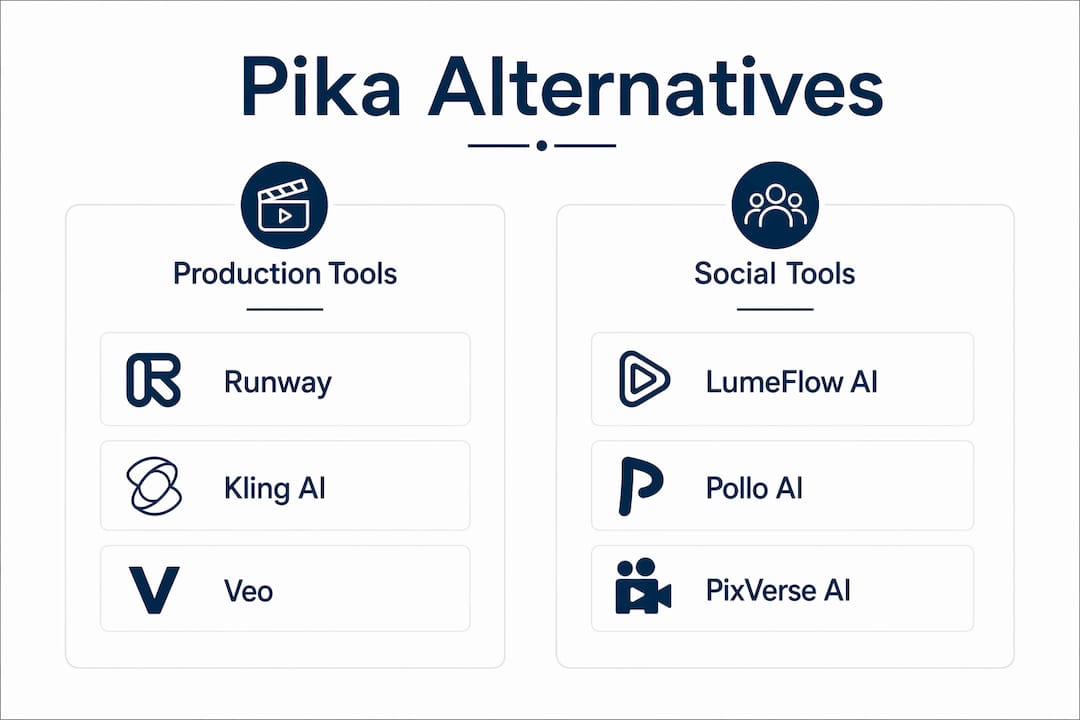
If you need a quick shortlist: Runway for production-grade creative control, Kling AI for motion realism, LumeFlow AI for cinematic stylization with a generous free tier, HeyGen for avatar-led marketing, and InVideo for template-driven social content. Each one fills a specific gap Pika leaves open.
The fastest decision tree: if your deliverable is a polished social clip under 10 seconds, start with LumeFlow AI or Kling AI. If you need talking-head or localized video, go straight to HeyGen or Synthesia. If you want a full editing suite with model control, Runway is the answer. Native audio matters? Veo and Hailuo AI both generate synchronized sound, cutting your post-production loop significantly.
Free-tier shape matters as much as quality. Kling AI resets credits daily, benefiting creators with regular production routines. Runway provides 125 lifetime credits without refresh. LumeFlow AI offers a small free coin allotment; the paid entry is $4.99/month for 500 coins. Know your cadence before you commit.
Table of Contents
- How the top Pika alternatives compare at a glance
- What Pika does and why creators look for something else
- Top Pika alternatives, broken down by workflow
- How to choose the right alternative for your workflow
- How Techvideoblog tests and evaluates these tools
- Which tools have the strongest community and ecosystem support
- What to expect from customer support across these platforms
- Scalability and batch processing across these platforms
- Key Takeaways
- When switching from Pika is worth the effort
- Techvideoblog’s tool directory saves you the trial-and-error
- Sources and further reading
How the top Pika alternatives compare at a glance
| Tool | Best For | Free Tier | Price (entry paid) | Output Quality | Max Duration | Commercial Rights | Speed |
|---|---|---|---|---|---|---|---|
| LumeFlow AI | Cinematic stylized shorts | small free coin allotment | $4.99/month | High | Varies by model | Check plan | ~30–60s render |
| Kling AI | Realistic motion, narrative clips | 166 credits (daily reset) | $6.99/month | Very high | Up to 10s+ | Commercial on paid | ~1–2 min render |
| Runway | Production suite, editing | 125 lifetime credits | $12/month | Very high | Up to 10s (Gen-4) | Commercial on paid | ~45–90s render |
| Hailuo AI | Character animation, expressive motion | 200 credits (3-day validity) | $4.99/month | High | Short clips | Check plan | ~40–60s render |
| HeyGen | Avatar-led marketing, localization | 3 videos/month (up to 3 min) | $24/month | High (avatar) | Up to 30 min (paid) | Commercial on paid | ~3–5 min |
| Synthesia | Corporate training, internal comms | Limited trial | Higher tier | High (avatar) | Long-form | Enterprise license | ~3–5 min |
| InVideo | Social templates, marketing edits | 1 credit (limited days) | $28/month | Good | Short clips | Commercial on paid | ~3–8 min |
| Veo | Photorealistic hero clips with audio | Limited access | Not publicly listed | Cinema-grade | Varies | Check plan | Varies |
| PixVerse AI | Budget social clips | 60 credits/day | $8/month | Good | Short clips | Check plan | ~40–60 seconds render |
| Pollo AI | Quick ideation, social clips | 25 credits (7-day check-in) | $10/month | Good | Short clips | Check plan | ~45–70s render |
| Vidu AI | Physics-aware interactions | 20 coins + 5/day | $8/month | Good–High | Short clips | Check plan | ~30–90s render |
| Luma AI | Photoreal still-to-motion | 30 generations/month | — | Very high | Short clips | Commercial on paid | Moderate |
Pro Tip: Daily-reset credits (Kling, PixVerse) reward creators who generate every day. One-time allotments (Runway’s 125 lifetime credits) suit project-based workflows where you batch test once and decide. Watermarks on free tiers are nearly universal at lower resolutions — always run a paid test clip before committing to a platform for client work.
Model differences and prompt sensitivity mean no single table captures the full picture. A prompt that produces cinematic output on Kling may need significant reworking on Runway’s Gen-4.
What Pika does and why creators look for something else
Pika.art is a text-to-video generator that converts short prompts into stylized short clips, typically under 10 seconds, with visual effects and motion presets. It is genuinely fast and beginner-friendly, which is why it built a large early user base.
The friction points that push creators toward alternatives:
- Free-tier resolution cap: Pika’s free plan typically outputs at lower resolution with watermarks, while competitors in 2026 offer 1080p or higher on comparable free tiers.
- Short max clip length: Most free plan generations have short maximum clip lengths, limiting narrative or product-demo use cases.
- No native audio generation: Pika does not produce synchronized dialogue or sound effects natively, adding a post-production step.
- Credit model: Pika historically uses a one-time allotment rather than a daily reset, which can leave project-based creators with no credits mid-campaign.
- Prompt dependence: Pika’s output quality is highly sensitive to prompt phrasing, with limited physics or motion controls for creators who need predictable object behavior.
Two situations consistently push the search for a Pika replacement: needing clips longer than 5 seconds for a product demo, and needing native audio so the final cut does not require a separate lip-sync or voiceover pass.
Top Pika alternatives, broken down by workflow
Production-focused tools
Runway remains the strongest generalist for creators who need both generation and editing in one place. Its Gen-4 model supports text-to-video, video-to-video, and motion brush controls, with a model picker and director controls that no other platform matches at this price point. The 125 lifetime free credits are enough for a serious evaluation. Pros: model control, timeline editing, strong community. Cons: steeper learning curve, credits burn fast at higher quality settings. Entry paid plan at $12/month.
Kling AI leads on motion realism and physics handling as of mid-2026. Its daily credit reset means you get 166 free credits every 24 hours, which is genuinely useful for iterative work. The Kling review on Techvideoblog covers its storyboard tools and how prompt phrasing affects motion fidelity. Pros: realistic human motion, strong depth-of-field, daily credits. Cons: render times of 1–2 minutes per clip, watermarked free output. Paid entry at $6.99/month.

Veo (Google DeepMind) targets cinema-grade realism with native audio generation in its later versions. It is the right call for hero clips that need photorealism and synced sound in a single pass. Access is still limited for most creators, but it is worth monitoring for production pipelines.
Quick social and ideation tools
LumeFlow AI bundles multiple generation models (including Veo3 and Sora2 routing) into one dashboard, making it the most flexible entry point for creators who want to experiment without switching platforms. At $4.99/month for 500 coins, it is the lowest-cost paid entry on this list. Pros: model variety, cinematic motion presets, fast renders. Cons: coin costs vary by model, so high-quality generations burn credits faster than expected.

Hailuo AI excels at expressive character animation and dreamlike scene composition. The 200 free credits are valid for only three days, so plan your test sessions in advance. Pros: strong artistic composition, fast renders at ~40–60 seconds. Cons: free output capped at 768p with watermarks, credits expire quickly.
PixVerse AI offers 60 free credits per day, making it one of the most generous daily-reset options for social clip creators on a budget. Pros: affordability, social templates, fast rendering. Cons: free tier limited to 320p/560p, three free trials before credits kick in.
Pollo AI is built for quick ideation. The 25 free credits on a 7-day check-in model reward consistent use. Pros: fast generation (~45–70 seconds), accessible interface. Cons: free output capped at 720p with watermarks, limited editing controls.
Minimax and WaveSpeed AI both target high-volume social creators who need fast per-clip turnaround with minimal setup. Neither offers deep editing, but both are worth testing for creators running daily posting schedules.
Haiper AI, Krea, Lovart, Pixara.ai, and PixAI all sit in the stylized/art-directed tier. Haiper and Lovart lean into artistic effect libraries and style presets. Krea is strongest for image-to-motion workflows. PixAI specializes in expressive anime-adjacent styles. Pixara.ai focuses on clean social exports with minimal post-work.
Avatar and localization tools
HeyGen is the fastest avatar generator for marketing and sales use cases. Three free videos per month (up to 3 minutes each) is a real free tier, not just a trial. Pros: speed, localization support, strong lip-sync. Cons: $24/month entry is higher than most generative tools, and the avatar aesthetic differs from Pika’s cinematic style. See the Runway vs Synthesia comparison for a deeper look at avatar-led workflows.
Synthesia is the mature enterprise choice for corporate training and internal communications. It supports over 140 languages and includes an AI screen recorder and script generator. Pros: localization depth, collaboration features, professional avatar quality. Cons: pricing is higher, and the deepfake/misinformation risk is a real ethical consideration for teams.
Toki.ai and Cuty AI both offer script-first or conversational creation flows. Toki.ai suits creators who prefer planning scenes before generating. Cuty AI handles faceless video workflows and text-to-video in a unified dashboard, with a free plan for initial testing.
Business-video workflow tools
InVideo is the template-driven choice for social-first creators who want AI scripting, stock footage, and editing in one place. The free tier is limited (1 credit, time-restricted), so the $28/month paid plan is where it becomes genuinely useful. Pros: template library, social export presets, integrated editor. Cons: generation quality is good but not cinematic, and render times run 3–8 minutes.
Lumen5 converts scripts into social edits with marketing-focused templates. Animoto and Magisto automate montage creation for marketing teams. WeVideo adds cloud collaboration for distributed teams. None of these are direct Pika replacements for generative quality, but they fill the business-video workflow gap that Pika never addressed.
Deevid and Vidnoz AI both offer lightweight generation plus simple editing in one interface, making them solid starting points for creators who want a single tool rather than a generation-plus-editor stack.
AdsDrive targets performance marketers specifically, with ad-format exports and campaign integrations built in. If your primary deliverable is a paid social creative rather than an organic clip, AdsDrive is worth testing before defaulting to a generalist tool.
Specialist and utility tools
Segmind is a model-hosting and API platform for power users who need to route generations across multiple engines or build custom workflows. It is not a creator-facing tool in the traditional sense. Pricing can be high for smaller projects.
GoEnhance AI handles upscaling and frame enhancement for AI-generated clips, useful as a post-processing step after generation on any platform.
Freepik and Artist (Artlist) serve different needs. Freepik is a reference-image and asset library that feeds into generators. Artlist bundles licensed audio assets with generation workflows, making it the right call for creators who need music licensing and video generation in one subscription.
Dzine AI blends graphic design with motion generation, targeting creators who combine static design elements with short animated sequences.
Nim Video and Vidu AI round out the list. Nim Video is a template-driven editor for small teams. Vidu AI’s physics-aware parameters for object weight and collisions make it the most technically specific tool for creators who need believable physical interactions in their clips.
Sora is being sunset in 2026. Do not build a production workflow around it.
How to choose the right alternative for your workflow
- Define your deliverable format first. A 6-second Instagram Reel needs different tools than a 90-second product demo or a 10-minute training video.
- Check max clip length. Most free tiers cap at 3–5 seconds. If you need 10+ seconds, confirm the paid plan’s limits before signing up.
- Decide whether native audio is required. Tools like Veo and Hailuo AI generate synchronized sound. If you need it, filter your shortlist to those platforms first.
- Match the credit model to your production cadence. Daily-reset credits (Kling, PixVerse) suit creators who generate every day. One-time allotments favor project-based workflows. Credit cost per second varies by model and quality setting, so run a cost-per-clip calculation before committing.
- Confirm commercial licensing. Most platforms restrict commercial use to paid plans. Check the specific plan tier, not just the platform’s general terms.
- Test brand kit compatibility. If you need consistent color grading, logo placement, or font overlays, check whether the tool supports reference images or brand presets.
- Evaluate collaboration needs. WeVideo and Synthesia support multi-user projects. Most generative tools do not.
Red flags to watch during trial output: watermarks that persist at paid resolutions, export format limits (MP4-only with no ProRes option), non-commercial license clauses buried in free-plan terms, and inconsistent motion artifacts across similar prompts.
Suggested evaluation plan: run the same prompt, the same reference image, and the same target resolution (1080p) across three tools. Score each on motion realism, render time, and watermark behavior. That three-sample test surfaces platform-specific prompt sensitivity faster than any spec sheet.
How Techvideoblog tests and evaluates these tools
Every tool on this list was evaluated against two canonical test scenarios: a 10-second social short (single-subject, dynamic motion, no dialogue) and a 30-second product demo (multi-shot, brand-consistent, with or without native audio). Both scenarios used identical one-line prompts and the same reference image where the platform allowed image input.
Metrics used in evaluation:
- Visual fidelity: sharpness, color accuracy, and artifact frequency at 1080p
- Motion realism: natural movement, physics consistency, and camera smoothness
- Native audio sync: lip-sync accuracy and ambient sound quality where applicable
- Render time: wall-clock time from prompt submission to downloadable output
- Credit cost per clip: calculated at standard quality settings on each platform’s entry paid plan
- Ease of editing: availability of timeline controls, inpainting, and motion brush tools post-generation
“Switching from a generalist model to a physics-aware engine like Kling or Vidu requires more than copying your Pika prompts. Physics-aware models respond to motion and weight cues — phrases like ‘the object falls with momentum’ or ‘camera tracks left with slight inertia’ — rather than purely stylistic adjectives. Budget at least a half-day of prompt rework when migrating.” — Techvideoblog internal testing note
Reproducibility caveat: model drift, pricing changes, and credit policy updates happen frequently. All pricing figures in this article reflect publicly listed rates as of mid-2026. Check live pricing pages before committing.
Which tools have the strongest community and ecosystem support
Runway has the deepest creator ecosystem of any tool on this list. Its Wikipedia entry) reflects its position as a foundational AI video company, and its community includes active Discord servers, YouTube tutorial channels, and third-party plugin developers. The Runway community forum is a practical resource for prompt strategies and workflow templates.
Kling AI has grown a strong Reddit and Discord presence, particularly among creators focused on motion realism. Tutorials covering its storyboard tools and credit optimization are widely available on YouTube.
HeyGen and Synthesia both maintain formal knowledge bases, onboarding documentation, and active user communities. Synthesia’s enterprise focus means its ecosystem includes LMS integrations and HR platform connectors that most generative tools lack.
InVideo has a large tutorial library and an active Facebook community, which makes it one of the more approachable tools for creators new to AI-assisted editing. Lumen5 and Animoto similarly maintain template libraries and marketing-focused tutorial ecosystems.
For script-to-video workflows, tools like Toki.ai and Cuty AI are newer and have smaller communities, but their documentation is improving. Segmind’s ecosystem is developer-first, with API documentation and GitHub integrations rather than creator-facing tutorials.
What to expect from customer support across these platforms
Support quality splits cleanly by price tier. Enterprise-tier tools (Synthesia, HeyGen at higher plans) offer dedicated account managers and SLA-backed response times. Mid-tier tools ($8–$28/month) typically provide email support with 24–48 hour response windows and a help center. Free-tier users on most platforms are limited to community forums and documentation.
Runway’s support is responsive at paid tiers, with a well-maintained help center and active community moderation. Kling AI’s support is primarily documentation-based for lower tiers, with faster response at higher subscription levels.
PixVerse AI, Pollo AI, and Hailuo AI are newer platforms where support infrastructure is still maturing. Expect community-first responses rather than direct support tickets at entry pricing. Segmind, as a developer platform, provides technical documentation and API support but limited creator-facing assistance.
One practical note: for any tool where you plan to use commercial outputs for client work, confirm the support channel for licensing questions before you need it. A 48-hour response window is acceptable for creative feedback. It is not acceptable when a client deadline is at stake.
Scalability and batch processing across these platforms
For high-volume production, the credit model is the primary constraint. Daily-reset platforms (Kling AI, PixVerse AI) allow consistent daily output but cap total volume per day. One-time allotment platforms (Runway’s free tier) are not designed for batch production at scale. Subscription plans with monthly credit pools (LumeFlow AI, Hailuo AI, Pollo AI) are better suited to batch workflows where you generate 20–50 clips in a single session.
WaveSpeed AI is purpose-built for high-throughput short-clip generation, making it the strongest option for creators running daily social posting schedules across multiple accounts. AdsDrive adds campaign-level analytics on top of batch generation, which matters for performance marketers who need to track creative-to-conversion data.
Segmind’s serverless API is the right infrastructure choice for teams building automated generation pipelines. It handles model routing and scaling without requiring local GPU hardware, though the API pricing can be significant at volume.
For AI video generation at scale, the practical ceiling for most browser-based tools is 20–50 clips per day before credit costs or rate limits become a real constraint. Teams needing higher volume should evaluate API access (Segmind, Runway API) or enterprise plans (Synthesia, HeyGen) rather than scaling on consumer-tier subscriptions.
Key Takeaways
The right Pika alternative depends on your deliverable type, production cadence, and whether native audio is a hard requirement.
| Point | Details |
|---|---|
| Workflow fit beats raw quality | Match the tool to your deliverable: Runway for production, Kling for motion realism, HeyGen for avatar-led video. |
| Free-tier cadence shapes your workflow | Daily-reset credits (Kling, PixVerse) suit daily creators; one-time allotments (Runway) suit project-based testing. |
| Native audio cuts post-production time | Veo and Hailuo AI generate synchronized sound natively, eliminating a separate lip-sync or voiceover step. |
| Sora is being sunset in 2026 | Do not build a production workflow around Sora; migrate to Kling, Runway, or LumeFlow AI instead. |
| Techvideoblog as your research hub | Techvideoblog’s hands-on reviews and tool comparisons are the fastest way to shortlist and verify live pricing before committing. |
When switching from Pika is worth the effort
The migration cost from Pika to any alternative is real and often underestimated. Prompt rework alone can take half a day when moving to a physics-aware model like Kling or Vidu, because those engines expect motion and weight cues rather than stylistic adjectives. Credit model learning adds another variable: a creator used to Pika’s one-time allotment will need to adjust their production schedule to match a daily-reset platform.
That said, the case for switching is clear in three situations. First, if your deliverables require clips longer than 5 seconds with consistent motion quality, Pika’s free tier simply cannot serve that need. Second, if native audio is a requirement, no amount of Pika prompt engineering solves the problem. Third, if you are producing business video with brand controls, script review, and multi-format export, a specialist platform like Synthesia or a full suite like Runway will save more time than Pika’s simplicity gains.
Pika remains a legitimate choice for fast ideation and playful short clips where output quality is secondary to speed. If you are generating 10 test concepts in an afternoon to pitch a client, Pika’s interface is genuinely fast. The moment those concepts need to become deliverables, the platform’s limits become friction.
For teams migrating, a staged approach works best: run a pilot project on the target platform using one real deliverable, not a synthetic test. That single project will surface prompt rework costs, credit burn rates, and export format gaps faster than any benchmark comparison.
Techvideoblog’s tool directory saves you the trial-and-error
Every tool on this list has a different credit model, free-tier shape, and output quality floor. Testing all of them individually takes days you probably do not have.

Techvideoblog’s AI video tool directory gives you hands-on reviews, verified pricing, and real workflow tests for every major platform, including the Pika review and the Runway vs Pika comparison for direct migration guidance. Instead of spending a week running test renders, use the directory to shortlist two or three tools, then run your three-sample evaluation on those. Check the best AI video editors category when you need post-generation editing, captions, or brand-kit workflows alongside your chosen generator.
Sources and further reading
- Pika Review — Techvideoblog: hands-on workflow, pricing, and output quality analysis
- Runway Review — Techvideoblog: model control, editing features, and credit behavior
- Runway vs Pika — Techvideoblog: direct migration comparison
- 8 Best Pika Alternatives in 2026 — VIDEOAI.ME: benchmark roundup with free-tier resolution comparisons
- Best Pika Alternatives for AI Video Creation — Pexo: credit model analysis and conversational workflow notes
- 5 Best Free Pika Labs Alternatives — fluxnote.io: free-plan shape comparisons including Luma Dream Machine and Runway credit structures
- Beyond Pika: 7 AI Video Tools for Teams — ngram.com: business-video workflow alternatives and migration cost analysis
Pricing and credit policies change frequently. Always verify current plan details directly on each platform’s pricing page before committing to a paid subscription.