The right AI tools for marketers aren’t the ones with the longest feature list. They’re the ones matched to a specific job. Here’s the shortlist to start with today:
- Best overall: ChatGPT (OpenAI) — versatile enough to draft copy, build briefs, and run ideation sessions; trial it with a 7-day content sprint across one campaign.
- Best for content: Jasper AI — prebuilt marketing frameworks cut long-form production time significantly; start with one blog post and one ad set.
- Best for SEO: Semrush + Surfer SEO — use Semrush for keyword research and Surfer to score and optimize the page before publishing.
- Best for automation/agents: Zapier + Gumloop — connect your martech stack first, then layer in campaign-level orchestration; run one automated reporting workflow in week one.
- Best for video: Runway + Descript — Runway handles generative video; Descript handles text-based editing and podcast clips; trial both on one short-form social series.
- Best for analytics: Fullstory + Similarweb — Fullstory surfaces behavioral UX data; Similarweb benchmarks competitive traffic; pair them on one conversion audit.
- Best budget/free option: Canva (free tier) + Grammarly (free tier) — design and copy quality checks with zero upfront cost; activate both before your next campaign launch.
Table of Contents
- How do the top AI marketing tools compare at a glance?
- Which AI tools should you use for content, copy, and newsletters?
- Which AI tools give you the best SEO and analytics results?
- How do AI agents and workflow automation actually work for marketing teams?
- How should you evaluate AI video tools for marketing?
- What do you need to know about AI-generated creative assets?
- How do you choose the right AI tool for your team?
- How do you run a 30–60 day AI tool pilot that actually tells you something?
- What are the best next steps if you want to start today?
- What kind of support and training do these tools actually offer?
- What does successful AI tool adoption look like in practice?
- How do AI tools compare to traditional marketing tools?
- Key Takeaways
- The part of AI tool adoption most guides skip
- Techvideoblog’s AI video tool directory helps you cut through the noise
How do the top AI marketing tools compare at a glance?
| Tool | Best for | Pricing | Integrations | Ease of use | Output quality | Enterprise/security | Channels |
|---|---|---|---|---|---|---|---|
| ChatGPT | Versatile drafting & ideation | Free | API, Zapier, plugins | Very easy | High | SOC 2 (Teams plan) | Web, email, social |
| Jasper AI | Marketing copy & long-form | From ~$49/mo | HubSpot, Google Docs, Zapier | Easy | High | SSO, brand controls | Web, email, social |
| Semrush | SEO research & competitive intel | Free trial | GA4, Google Search Console | Moderate | Very high | Enterprise controls | Web, SEO |
| Surfer SEO | On-page content scoring | — | Google Docs, WordPress | Easy | High | Standard | Web, SEO |
| Canva | Design & templated creative | Free | Google Drive, Slack, HubSpot | Very easy | Good | SSO, brand kit | Social, web, email |
| Runway | AI video generation & editing | Free | API | Moderate | High | Standard | Video, social |
| Descript | Podcast & short-form video editing | Free / $24+/mo | Zapier, Slack | Easy | High | Standard | Video, audio |
| Fullstory | Behavioral analytics & session replay | Custom pricing | GA4, Segment, Salesforce | Moderate | Very high | SOC 2, GDPR controls | Web |
| Zapier | No-code workflow automation | Free | 6,000+ apps | Very easy | N/A | SOC 2 | All channels |
| ActiveCampaign | Email automation & CRM | Free | HubSpot, Shopify, Zapier | Moderate | High | SOC 2 | Email, SMS |
| Klaviyo | Ecommerce email & SMS | Free | Shopify, WooCommerce | Easy | High | SOC 2 | Email, SMS |
| Midjourney | Stylized image generation | From $10/mo | Discord API | Moderate | Very high | Standard | Social, web |
A note on enterprise readiness: for marketing teams, this means more than uptime SLAs. It covers data residency options, PII handling policies, SSO/SAML support, audit logs, and the ability to restrict model training on your inputs. Always request a Data Processing Agreement before connecting any tool to customer data.
Which AI tools should you use for content, copy, and newsletters?
Content production is where most marketing teams see the fastest return from AI. The key is matching the tool to the specific output type rather than defaulting to one general-purpose model for everything.
Idea generation and research
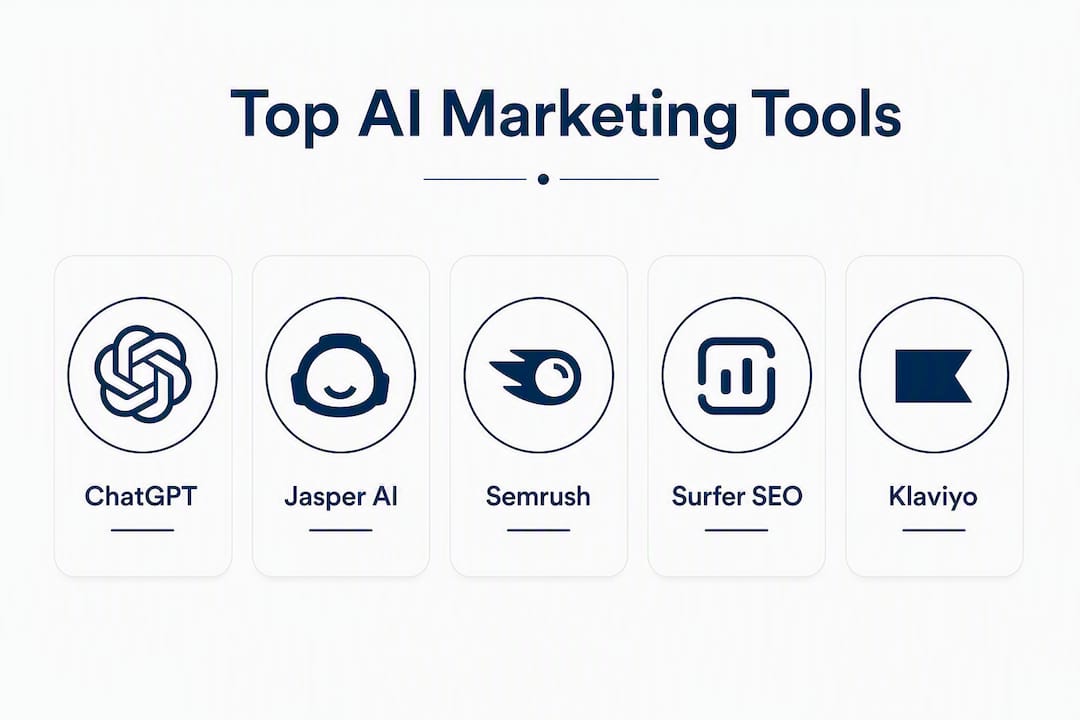
ChatGPT and Claude (Anthropic) are the two strongest options here. ChatGPT’s plugin ecosystem and GPT-4’s reasoning depth make it the default for brainstorming campaign angles, drafting creative briefs, and generating topic clusters. Claude tends to produce longer, more structured outputs with fewer hallucinations on nuanced policy-sensitive topics, making it a better fit for regulated industries or brand-sensitive workflows. Notion AI sits inside your existing workspace, so it’s useful for turning meeting notes into content briefs without switching tabs.
Long-form content and SEO copy
Jasper AI is the most purpose-built option for marketing teams. Its prebuilt frameworks for blog posts, product descriptions, and ad copy reduce the blank-page problem. Writer adds brand style and terminology enforcement at the team level, which matters when you have multiple contributors. Brandwell handles brand consistency and asset governance, adding guardrails that prevent off-brand outputs from reaching publication. For originality checks before publishing, Originality AI detects AI-generated patterns that could flag content with search engines or editorial teams.

Short-form social copy
ContentShake AI (from Semrush) generates and repurposes short-form content using template-driven workflows. Blaze AI is built for speed, producing rapid output cycles for teams running high-volume social calendars. Hemingway App is the underrated quality check here: paste any AI-generated copy into it before publishing and it will flag readability issues that AI models consistently miss. Grammarly adds real-time tone and grammar checks across the browser, Google Docs, and most email clients.
Newsletters and email sequences
- beehiiv — creator-focused newsletter publishing with subscriber management and monetization tools built in; integrates with Zapier for automation triggers.
- Kit (ConvertKit) — email automation tailored for creators, with visual sequence builders and audience segmentation.
- ActiveCampaign — the strongest option for teams that need CRM-connected email journeys with behavioral triggers.
- Klaviyo — purpose-built for ecommerce lifecycle messaging; its Shopify integration and segmentation depth are hard to match for product-led brands.
- Seventh Sense — sits on top of HubSpot or Marketo and optimizes send times per individual contact, which consistently lifts open rates without changing a word of copy.
Editorial guardrails to build in: run every AI-generated piece through Grammarly for tone, Hemingway App for readability, and Originality AI for detection risk before it goes to a human editor. That three-step QA pass takes under five minutes and catches the majority of quality issues.
Which AI tools give you the best SEO and analytics results?
SEO and analytics AI tools split into two categories: those that surface raw data and those that interpret it into recommendations. You need both, and they serve different moments in the workflow.
Keyword research and content planning
Semrush remains the most complete dataset for US-market keyword research, combining search volume, keyword difficulty, SERP feature analysis, and competitive gap data. The Semrush AI Toolkit layers generative features on top of that dataset for content brief creation and topic clustering. Search Atlas focuses specifically on clustered content planning and keyword discovery, making it a strong complement for teams building topical authority. Keywordly AI handles keyword ideation and clustering for teams that want a lighter-weight standalone tool.

| Tool | Primary use | Free tier | Paid start |
|---|---|---|---|
| Semrush | Full SEO suite + competitive research | Limited free | Free |
| Surfer SEO | On-page content scoring | No | Free |
| Clearscope | Keyword relevance & content grading | No | Free |
| Search Atlas | Topic clustering & keyword discovery | Limited | Not publicly listed |
| Keywordly AI | Keyword ideation & clustering | Not publicly listed | Not publicly listed |
| Indexly | Content indexation & performance tracking | Not publicly listed | Not publicly listed |
On-page optimization
Surfer SEO scores pages against live SERP intent and provides specific recommendations on word count, heading structure, and entity coverage. Clearscope focuses on keyword relevance scoring and is particularly strong for content teams that want a grade-based workflow. Both integrate with Google Docs, which keeps the optimization step inside the writing environment rather than requiring a separate tool switch.
Analytics and performance insights
Fullstory provides session-level behavioral data: where users click, where they drop off, and what friction points exist before conversion. Similarweb gives competitive traffic benchmarking across categories. For teams running scalable SEO automation, pairing Semrush’s keyword data with Fullstory’s behavioral signals creates a feedback loop that most teams don’t build until they’re already losing ground to competitors who do.
Data and privacy note for US marketing teams: before connecting any analytics AI to GA4 or ad platform data, confirm the vendor’s data retention policy, whether your inputs train their models, and whether they offer a Data Processing Agreement. For tools that touch PII, request explicit confirmation of CCPA compliance and ask whether data is stored in US-based infrastructure.
How do AI agents and workflow automation actually work for marketing teams?
The shift from dashboards to autonomous agents is the most significant structural change in marketing operations right now. Agency platforms like Soku position themselves as workspaces that read accounts continuously and return finished work rather than raw data, which is a meaningful departure from the report-and-review cycle most teams still run.
Three agent types worth understanding:
- Task agents execute a single defined job: pull last week’s ad performance, format it, and send a summary. Zapier handles this class of automation well, connecting 6,000+ apps without code.
- Workflow agents manage multi-step sequences: monitor a keyword cluster, detect ranking drops, draft a content brief, and route it for approval. Gumloop and Agent Spark operate in this space.
- Knowledge/LLM memory agents maintain brand voice, product knowledge, and client context across sessions. Platforms like WorkLLM provide organization-wide memory so agents produce outputs in the client’s voice consistently, reducing the repeated prompt engineering that burns team time.
Concrete use cases that work reliably today:
- Automated weekly ad-account audits with anomaly flagging
- Scheduled competitive monitoring via Browse AI (no-code scraping workflows)
- A/B test variant generation from a master brief
- Meeting transcription and action-item extraction with Fireflies
- CRM data enrichment and lead scoring in HubSpot CRM or Salesforce Customer 360
Risk flags to watch before deploying agents:
Lost context between tools is the most common failure mode. Workspace memory that keeps brand voice and product knowledge reduces this, but it requires deliberate setup. Beyond context loss, watch for: agents making changes to live campaigns without an approve-to-act gate, insufficient audit trails for rollback, and automation that runs on stale data because the integration hasn’t refreshed. Build a human checkpoint into any agent workflow that touches live spend or published content.
Chatfuel handles simpler Messenger and chat automation for teams that need customer-facing bots without engineering resources. Userbot.ai and Browse AI cover automated data collection and competitive scraping. Algolia powers site search and discovery experiences for teams building content-heavy properties where relevance tuning matters.
How should you evaluate AI video tools for marketing?
Video is where Techvideoblog’s hands-on testing experience is most directly relevant, and it’s also where the gap between vendor claims and real-world output is widest. The best AI video tools for agencies in 2026 are not the ones with the most impressive demo reels. They’re the ones that fit into a repeatable production pipeline.
A practical short-form video workflow for social:
- Brief (Day 1): Use ChatGPT or Claude to generate a script from a campaign brief. Target a short duration suitable for social media. Allocate a short time for script drafting.
- Script refinement (Day 1): Run the script through an AI script generator to tighten pacing and add hook structure.
- Render (Day 2): Feed the script into Runway or Lumen5 for visual generation. Use AI b-roll generators to fill supporting footage gaps.
- Voice (Day 2): Add narration via ElevenLabs or LOVO AI. Both produce natural-sounding voices with cloning options for brand consistency.
- Post-production (Day 3): Edit in Descript using text-based timeline editing. Add captions, trim dead air, and sync audio.
- QC (Day 3): Check audio sync, duration against platform specs, and CTA placement. Automated quality checks before publishing prevent the manual rework that kills production velocity at scale.
- Publish: Export and schedule via FeedHive or directly to platform.
Total estimated time for a polished 60-second social video: 2–3 days for a two-person team on the first run, dropping to under a day once the workflow is templated.
Pro Tip: Human art direction is the differentiator in AI video production, not the generative engine. A skilled director shaping prompts, reviewing renders, and making post-production decisions produces output that is more consistent and higher-quality than a fully automated pipeline. Budget for at least one human review pass on every video before it goes live.
Video tool evaluation checklist:
- Output resolution and format export options (MP4, MOV, aspect ratio flexibility)
- Audio quality and sync reliability
- Editability: can you make changes without re-rendering from scratch?
- Commercial license clarity: who owns the output?
- Turnaround time per video at your expected volume
- Integration with your existing editing or publishing stack
Speechify covers text-to-speech for accessibility and narration. Gamma handles presentation and narrated content creation for teams that need slide-based video formats. Adobe Photoshop’s generative AI features handle professional image editing and retouching for thumbnail production. Cursor supports developer and workflow automation tasks for teams building custom integrations around their video stack.
What do you need to know about AI-generated creative assets?
Creative assets produced at scale with AI require governance that most teams set up too late. The quality and legal exposure problems compound quickly when you’re running hundreds of assets per month.
Brand guardrails checklist:
- Define a styleframe library before generating at scale: approved color palettes, typography, and image tone references.
- Set avatar and likeness rules explicitly: confirm with your vendor whether generated faces are licensed for commercial use and whether they could resemble real individuals.
- Lock tone parameters in your writing tools (Writer, Jasper AI, Brandwell) so every output starts from an approved brand voice baseline.
- Schedule a sample-review cadence: review a random 10% of AI-generated assets weekly during the first 90 days.
License and attribution:
Before using any AI-generated image commercially, confirm the vendor’s position on model training data, output ownership, and indemnification. DALL-E (OpenAI), Midjourney, and Lexica Art each have different commercial use terms. PhotoRoom and Crayo are built for ecommerce asset creation and typically carry clearer commercial licensing. Always ask vendors directly: “Does my input data train your model?” and “Who owns the output?”
Tool recommendations by asset type:
- Thumbnails and product imagery: PhotoRoom (background removal and templates), Canva (templated design), Adobe Photoshop (professional retouching).
- Conceptual and stylized imagery: Midjourney (distinctive artistic styles), DALL-E (prompt-driven generation), Lexica Art (prompt inspiration and image library).
- Audio and voice: ElevenLabs (high-fidelity voice cloning), LOVO AI (character voices and custom voiceovers), LALAL.AI (audio clean-up and vocal separation), Speechify (TTS narration).
- Social creative concepting: Orshot (visual-first ideation), Crayo (fast concept-to-asset iteration).
- Avatars: Holo AI generates ad creatives, social posts, and emails from a website URL, extracting brand DNA from a URL to maintain visual and tonal consistency across asset types.
How do you choose the right AI tool for your team?
Most teams pick tools based on demos. That’s the wrong starting point. Start with the job, then evaluate whether the tool fits the workflow you already run.
Selection checklist:
- Define the specific marketing job the tool must do (content drafting, SEO scoring, email automation, video editing).
- Confirm it integrates with your existing stack: CRM, CMS, analytics, and ad platforms.
- Check whether a free tier or trial exists before committing to an annual contract.
- Identify who owns the tool internally and who trains new team members on it.
- Confirm data controls: does the vendor offer a Data Processing Agreement, and can you opt out of model training?
Questions to ask vendors during a demo:
- What is your data retention policy, and where is data stored?
- Can I opt out of having my inputs used for model training?
- What are your uptime SLAs and rollback options if an automated action causes an error?
- Do you offer SSO/SAML and audit logs?
- What does onboarding look like, and what training resources are available?
- Can the tool be white-labeled for agency use?
Red flags in sales conversations:
- No clear integration plan for your specific stack (“it connects to everything” is not an answer).
- Vague security claims without documentation or a willingness to share a SOC 2 report.
- No trial period or sandbox environment.
- Case studies that don’t name the client or specify the metric.
- Pricing that only becomes clear after a multi-call sales process.
Simple decision matrix: score each shortlisted tool on three axes (1–5 each): fit for the specific job, effort to adopt (inverted: 5 = low effort), and expected impact on a key KPI. Any tool scoring below 10 total should be deprioritized regardless of how impressive the demo was.
How do you run a 30–60 day AI tool pilot that actually tells you something?
The most common pilot failure is starting without a baseline. If you don’t know how long content production takes today, you can’t measure whether the tool saved time.
Week 1: Setup and baseline
Connect accounts, configure brand guidelines inside the tool, and assign a primary owner. Document current production times for the specific output the tool will handle. Set a rollback process: what happens if the tool produces errors or the integration breaks?
Weeks 2–3: Test campaigns
Run the tool on real work, not test prompts. Use it to produce actual campaign assets, then compare output quality and time against your baseline. Keep a simple log: task, time with AI, time without AI, quality rating (1–5), issues encountered.
Weeks 4–8: Measurement and decision
Measure against these KPIs:
- Time saved per asset type (compare to baseline)
- Content velocity (assets produced per week vs. pre-pilot)
- Error rate (how often did output require significant human rework?)
- Cost per asset (subscription cost divided by assets produced)
- Conversion lift (if the tool touched campaign copy or creative, track CTR and conversion rate changes)
Common onboarding pitfalls: underestimating the time needed to configure brand guidelines, skipping the rollback process, and assigning the tool to a team member who doesn’t have bandwidth to champion it. Budget at least four hours in week one for setup and training, and plan for a cross-functional review at the end of week four before deciding whether to scale.
For teams evaluating AI productivity gains for agencies, the measurement framework above applies directly: track time saved per deliverable type and cost per asset, not just subjective satisfaction scores.
What are the best next steps if you want to start today?
Start narrow. The teams that get the most from AI tools in 2026 are the ones that pick one job, run a focused pilot, and build from there rather than deploying five tools simultaneously.
- This week: Pick one tool from the shortlist at the top of this guide that matches your highest-volume marketing job. Activate a free trial or free tier. Run one real piece of work through it before evaluating.
- Week two: Document your baseline production time for that output type. Set up the integration with your CRM or CMS. Assign one team member as the pilot owner.
- Week three: Expand to a second tool in a different category (e.g., if week one was content, week two adds an analytics or automation tool). Keep the scope tight.
- By day 30: Review your pilot log against the KPIs above. If time saved and output quality both score positively, build the tool into your standard workflow. If not, identify whether the issue is the tool or the configuration before abandoning it.
- Budget for total cost of ownership: subscription cost is rarely the full number. Factor in setup time, training hours, integration maintenance, and the human review time that AI outputs still require. A $49/month tool that requires three hours of weekly QA may cost more in real terms than a $200/month tool with higher output reliability.
If you only have one hour this week: open ChatGPT or Claude, paste in your next campaign brief, and ask it to generate five content angles, three email subject lines, and a 60-second video script. That single session will tell you more about where AI fits your workflow than any vendor demo.
What kind of support and training do these tools actually offer?
Support quality varies more than pricing pages suggest, and it’s worth checking before you commit to an annual plan.
ChatGPT and OpenAI GPT-4 offer extensive public documentation, a large community forum, and priority support on Team and Enterprise plans. Jasper AI provides onboarding calls, a knowledge base, and live chat support on paid plans, plus a template library that functions as built-in training. Semrush has one of the strongest training ecosystems in the category: Semrush Academy offers free certification courses covering SEO, content, and PPC that double as onboarding for new team members.
Grammarly and Canva are largely self-serve with strong in-app guidance, making them low-friction for teams without dedicated training budgets. ActiveCampaign and HubSpot CRM both offer structured onboarding programs, certification tracks, and dedicated customer success managers on higher-tier plans. Klaviyo provides a partner ecosystem and detailed documentation specifically for ecommerce teams.
For enterprise tools like Adobe Experience Platform, Salesforce Customer 360, and Blueshift, expect a formal implementation process with dedicated onboarding support, but also budget for it: these are not self-serve tools. Fullstory offers implementation support and a customer success team, which matters given the technical setup required for session replay at scale.
Tools like Descript, Runway, ElevenLabs, and LOVO AI rely primarily on documentation and community resources, with email support on paid plans. Fireflies provides straightforward setup documentation and email support. Merlin, Koala AI, and Paradigm AI have lighter support footprints, which is worth factoring in if your team needs hands-on help during onboarding.
Albert.ai, Blueshift, and Chatspot.ai are positioned for enterprise buyers and typically include dedicated account management. Brand24, Influencity, and Reply.io AI Sales Email Assistant offer live chat and email support on standard plans, with dedicated success managers at higher tiers.
What does successful AI tool adoption look like in practice?
The most instructive examples aren’t the headline case studies from vendor websites. They’re the workflow-level changes that compound over time.
Content teams that integrate Jasper AI or Writer into their editorial workflow typically see the biggest gains not in first-draft speed but in consistency: fewer brand voice deviations, faster editor review cycles, and a reduction in the back-and-forth between writers and brand managers. The tool functions as a style enforcer as much as a content generator.
SEO teams using Semrush’s AI Toolkit alongside Surfer SEO report that the combination shortens the gap between keyword research and published content. The research-to-brief-to-draft cycle, which previously required multiple handoffs, can run within a single platform session. Clearscope adds a relevance grading layer that gives writers a concrete target rather than a vague “write about this topic” brief.
Email and lifecycle teams using Klaviyo for ecommerce or ActiveCampaign for B2B report that the highest-impact use of AI is in segmentation and send-time optimization, not copy generation. Seventh Sense’s send-time optimization, layered on top of an existing HubSpot or Marketo setup, consistently lifts engagement without requiring any copy changes.
Video and creative teams that adopt a hybrid production model, pairing Runway or Lumen5 for generation with Descript for editing and ElevenLabs for voice, reduce per-video production time materially. The key insight from directed AI video production is that the generative engine is not the bottleneck. Human review, art direction, and post-production decisions are where quality is won or lost.
Social and monitoring teams using Brand24 for real-time brand mention tracking and Influencity for influencer campaign management report that AI surfaces signals they previously missed entirely: emerging sentiment shifts, micro-influencer opportunities, and competitive campaign launches that would have taken days to surface manually. FeedHive adds social planning and scheduling with AI-assisted optimization for teams managing multiple accounts.
Chatspot.ai gives marketing operations teams conversational access to HubSpot data, which reduces the time between a question (“what’s our MQL-to-SQL rate this quarter?”) and an answer from hours to seconds. Gemini (Google) integrates tightly with Google Workspace, making it the natural choice for teams already running their stack on Google’s ecosystem. Google Bard handles quick ideation and drafting tasks within that same environment.
How do AI tools compare to traditional marketing tools?
The honest comparison isn’t AI versus traditional tools. Most marketing teams in 2026 run hybrid stacks where AI layers on top of existing platforms rather than replacing them.
Traditional SEO tools like manual keyword spreadsheets and static content briefs required a researcher, a strategist, and a writer working sequentially. Semrush and Surfer SEO compress that sequence: one person can move from keyword gap analysis to a scored content brief in under an hour. The research quality is higher, and the handoff friction is lower.
Traditional email marketing relied on batch-and-blast segmentation: same message, same time, to a broad list. Klaviyo, ActiveCampaign, and Seventh Sense replace that with behavioral triggers, predictive segmentation, and per-contact send-time optimization. The lift in open and click rates is not marginal.
Traditional video production for a 60-second brand spot required a production crew, a shoot day, and a post-production timeline measured in weeks. AI-assisted pipelines using Runway, Descript, ElevenLabs, and Lumen5 compress that to days for social-format content. The trade-off is creative ceiling: fully generative video still struggles with consistent character rendering and complex narrative sequences that require real-world footage. Hybrid approaches that combine real talent with AI post-production, as studios like MAW AI Studios demonstrate, preserve cinematic quality while cutting turnaround time.
Traditional analytics required a data analyst to pull reports, interpret trends, and present findings. Fullstory, Similarweb, and Chatspot.ai surface those insights conversationally or through automated dashboards. The analyst’s role shifts from report production to interpretation and decision-making, which is a better use of that skill set.
The adoption case for AI tools is not that they replace human judgment. It’s that they remove the mechanical steps that prevent human judgment from operating at the speed the market requires.
Key Takeaways
The most effective AI tools for marketers are the ones matched to a specific marketing job, trialed with a baseline measurement, and governed with clear brand and data controls from day one.
| Point | Details |
|---|---|
| Match tools to jobs | Pick one tool per marketing function; a general-purpose tool used poorly beats a specialized tool never adopted. |
| Pilot with a baseline | Measure current production time before deploying any tool; without a baseline, you cannot prove ROI. |
| Build governance early | Set brand guardrails, data processing agreements, and a human review cadence before scaling AI output. |
| Video needs human direction | AI video tools reduce production time, but human art direction and post-production review determine final quality. |
| Techvideoblog for video tools | Techvideoblog’s directory provides hands-on reviews, verified pricing, and workflow tests for AI video tools used in marketing. |
The part of AI tool adoption most guides skip
Most AI tool roundups treat the selection decision as the hard part. It isn’t. The hard part is the 30 days after you’ve picked a tool, when the initial enthusiasm meets the reality of integrating it into a workflow that already has friction.
The teams that get lasting value from AI tools share one habit: they treat the configuration of the tool as seriously as the selection of it. Brand guidelines, tone parameters, integration mappings, and QA checklists are not setup tasks to rush through. They’re the infrastructure that determines whether the tool produces consistent, usable output or requires constant human correction.
There’s also a category of AI tool that gets oversold to marketing teams: the “all-in-one” platform that promises to replace your entire stack. In practice, the tools that deliver the most value are the ones that do one thing exceptionally well and integrate cleanly with what you already use. Jasper AI for copy, Surfer SEO for on-page optimization, Klaviyo for ecommerce email, Fullstory for behavioral analytics: each is best-in-class at a specific job. The stack is the strategy.
One more thing worth saying plainly: for video specifically, the generative engine is not the differentiator. Any team can access Runway or Lumen5. The teams producing video that actually performs are the ones with a human making creative decisions at every stage of the pipeline, using AI to execute faster, not to replace judgment. That’s the lesson from every serious production workflow, and it’s the standard Techvideoblog applies when evaluating tools.
Techvideoblog’s AI video tool directory helps you cut through the noise
Picking AI tools from a list is one thing. Knowing which ones actually hold up in a real production workflow is another. Techvideoblog’s directory covers the AI video tools marketers use most, with hands-on reviews, verified pricing, and real workflow tests rather than vendor-supplied copy.
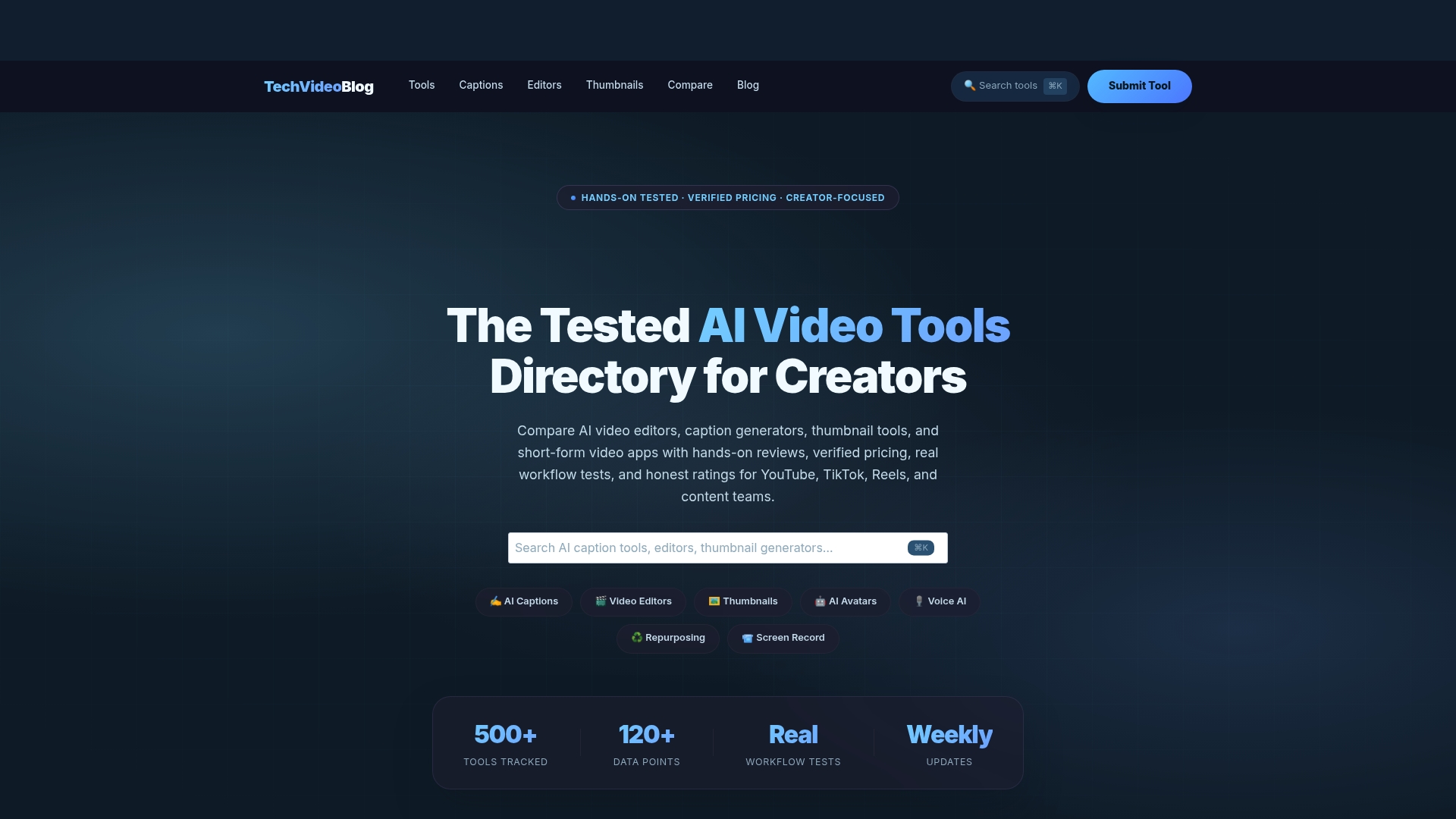
The directory is organized by use case: YouTube Shorts, podcast clips, faceless video, ecommerce product video, and more. Each tool page includes output quality ratings, ease-of-use notes, and pricing clarity so you’re not discovering hidden costs after you’ve committed to a plan. If you’re building a video stack for a marketing team or agency, the AI video tools for agencies category is the right starting point. Browse the full platform directory to compare tools by category, or go directly to Techvideoblog to run a side-by-side comparison before your next trial decision.