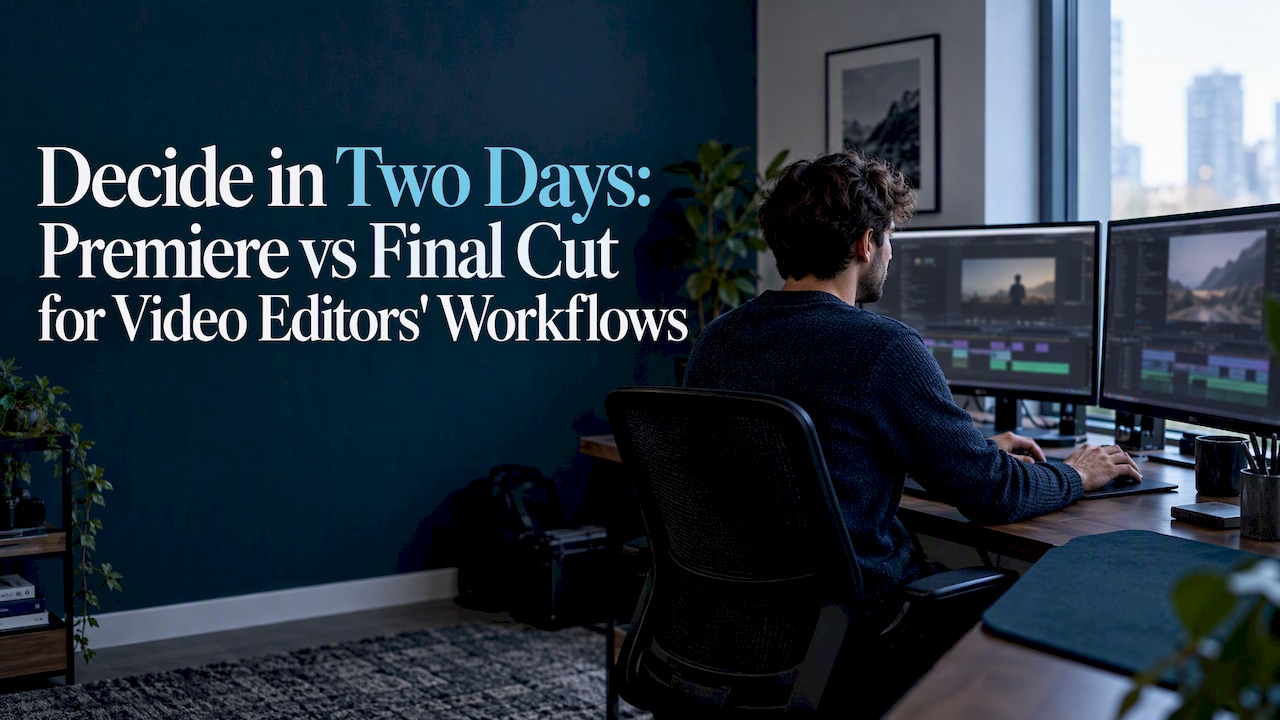
Both are professional editors: Final Cut is the fastest option on Apple silicon, and Premiere is the stronger pick for cross-platform teams and complex collaboration. The real split comes down to your hardware, your format mix, and whether you work alone or hand off projects to a team. The sections below break down the benchmarks, pricing, and workflow details behind that verdict.
TL;DR:
- Final Cut Pro delivers significantly faster export and rendering speeds on Apple silicon, especially for complex 4K and 8K projects.
- Premiere Pro offers broader platform support, including Windows, and better collaboration tools for teams working across different operating systems.
- For solo Mac users editing heavy multicam or ProRes footage, Final Cut’s speed advantage usually outweighs other factors.
- Hardware limits, such as drive speed and system RAM, can impact export times more than the editing software choice alone.
- Trialing with actual project exports and media workflows is essential to determine which editor performs best for specific formats and project sizes.
Table of Contents
- Premiere vs Final Cut at a glance
- What render and export benchmarks actually show
- Magnetic timeline vs modular panels: which is easier to learn
- What each one actually costs you
- Platform and system requirements to check first
- Collaboration, roundtripping, and finishing pipelines
- A short trial plan before you commit
- How we test editors like these at TechVideoBlog
- Want more tested editor picks beyond these two
- FAQ
- Sources
Premiere vs Final Cut at a glance
I built this comparison around the metrics that actually change a creator’s day: export speed, multicam handling, and how fast a new hire can get productive. Here’s how the two stack up across the categories that matter most.
| Category | Adobe Premiere Pro | Apple Final Cut Pro |
|---|---|---|
| Best for | Mixed Mac/Windows teams, VFX-heavy pipelines | Single-editor Mac workflows, heavy multicam |
| Platform | Windows and macOS | macOS and iPad only |
| Performance notes | Strong but often trails on Apple silicon exports | Fastest renders and exports on Apple silicon |
| Ease of use | Modular panels, steeper initial learning curve | Magnetic timeline, faster to pick up |
| Pricing model | Subscription via Adobe Creative Cloud | One-time purchase or Apple Creator Studio bundle |
| Formats & codecs | Broad third-party and legacy format support | Deep ProRes and Apple ecosystem support |
| Collaboration | Team Projects, cloud documents, Creative Cloud sync | Library sharing, XML roundtrip |
A few things decide most arguments before they start:
- If your team runs Windows machines alongside Macs, Premiere is the only one of the two that works across both.
- If you edit alone on a Mac and move a lot of multicam or ProRes footage, Final Cut’s speed advantage is hard to ignore.
What render and export benchmarks actually show
Independent testing from Larry Jordan’s benchmark comparison found that Final Cut Pro renders and exports complex 4K and 8K projects several times faster than Premiere Pro on M-series Macs. The gap shows up most in GPU- and media-engine-heavy work: dense multicam timelines, long-form 4K or 8K exports, and heavy H.264/HEVC decoding.
That gap narrows fast in lighter work. Single-camera HD edits and proxy-based workflows show far less daylight between the two apps, since the media engine isn’t being pushed as hard.
- Transcode heavy H.264/HEVC footage to ProRes before you edit if you’re on Final Cut.
- Build proxies for 4K/8K sources in either app to protect playback on older hardware.
- Edit from fast SSD storage, since drive speed caps export times regardless of which NLE you pick.
Pro Tip: Before committing, export your actual deliverable, not a test clip, and time it on your own machine.
Magnetic timeline vs modular panels: which is easier to learn
Final Cut’s magnetic timeline automatically shifts clips to avoid gaps and collisions, which makes fast single-editor cuts noticeably quicker to produce once you adjust to the model. New editors tend to get comfortable with it faster than with a traditional track-based layout.
Premiere’s panel system is modular and track-based, closer to what editors coming from Avid or traditional film workflows already know. That familiarity, plus a large library of presets, LUTs, and third-party plugins, is a real advantage for editors who already think in tracks.
- Final Cut rewards editors who want speed without managing tracks manually.
- Premiere rewards editors who want granular control and a mature plugin ecosystem.
What each one actually costs you
Final Cut Pro is a one-time purchase, with Apple’s Final Cut Pro listing also offering an Apple Creator Studio bundle option for creators who want Motion and Compressor alongside it. There’s no recurring fee tied to the core app itself.
Premiere Pro runs on Adobe’s subscription model through Creative Cloud, which means ongoing monthly or annual cost but also access to After Effects, Audition, and the rest of the suite depending on your plan. Student, educator, and team licensing options exist on both sides, and both vendors offer trial periods worth using before you commit.
- Final Cut favors solo creators who want to own the software outright.
- Premiere favors studios that already lean on the broader Adobe toolchain.
Platform and system requirements to check first
Final Cut Pro runs on macOS and iPad only, with Apple building in silicon-specific optimizations that explain much of its export advantage on newer Macs. If you’re not on a Mac, it’s not an option.
Premiere Pro runs on both Windows and macOS, and Adobe’s published technical requirements recommend specific CPU, GPU, and RAM levels that scale up noticeably for 4K and 8K work. Resolution choice itself affects the hardware you’ll need, which is worth weighing against your actual delivery resolution before buying anything.
- Confirm your operating system against each app’s minimum supported version.
- Check your GPU and RAM against Adobe’s recommended specs if you’re considering Premiere for 4K or 8K work.
- Test multicam playback and a real export during any trial, not just a short clip.
Collaboration, roundtripping, and finishing pipelines
Premiere’s Team Projects and cloud documents sync changes across a Creative Cloud team, which suits studios juggling multiple editors on one job. Final Cut relies on library sharing and XML export for handoffs, a workflow that works well for small teams but asks more manual coordination for larger ones.
On the finishing side, Final Cut integrates tightly with Motion and Compressor for color and delivery, while Premiere leans on a deep third-party plugin market and After Effects for VFX-heavy finishing.
- Test an actual project handoff and XML roundtrip before you standardize on either tool.
- Confirm shared storage performance under your real file sizes, not just small test files.
A short trial plan before you commit
Don’t decide on specs alone. A short hands-on trial settles most of the remaining questions in a day or two.
- Import your heaviest real clip, not a stock sample, and time a full export of your typical deliverable.
- Test multicam playback with your actual camera count and codec.
- Try a roundtrip to your color or audio tool of choice and check for compatibility issues.
- Note CPU and GPU usage during export to see how close you are to your hardware’s limit.
Pro Tip: If Final Cut exports your test project meaningfully faster on your own Mac, that speed gain compounds over every project you deliver.
If your trial shows a big export time gap in Final Cut’s favor and you’re Mac-only, that’s your answer. If you need Windows support, multi-editor handoffs, or a deep VFX pipeline, Premiere is the safer long-term pick.
How we test editors like these at TechVideoBlog

The site runs workflow tests and verifies pricing before publishing recommendations, rather than repeating vendor marketing. We weigh ease of use, output quality, and export speed heaviest, since those are what actually change a creator’s daily workflow.
For platform-specific breakdowns, our Premiere Pro review covers the workflow details this comparison can’t fit, and our testing methodology page explains how we score every tool in the directory.
— H
Want more tested editor picks beyond these two
Premiere and Final Cut cover the professional NLE space well, but they’re not the only paths to a finished video, and plenty of creators mix in AI-assisted tools for faster first cuts or caption work. The directory runs hands-on testing and price verification on many editors, so you can compare real output quality instead of marketing claims.

Our best AI video editors list and free AI video editor picks are good starting points if you want a faster or lower-cost option alongside Premiere or Final Cut in your toolkit.
- Browse tested editor picks before committing budget to any single NLE.
- Check verified pricing so you know the real cost before you subscribe or buy.
- Compare output quality across tools using the same workflow criteria we apply here.
Browse the full tools directory to see every editor we’ve tested side by side.
FAQ
Do professionals use Final Cut Pro?
Yes, many professional editors use Final Cut Pro, particularly solo creators and small teams working entirely on Mac hardware. Its speed on Apple silicon and one-time pricing make it a common choice for video professionals, as noted in PCMag’s comparison of both editors’ strengths.
What is the No. 1 best video editor?
There’s no single best video editor. The right choice depends on your platform, team size, and format needs. PCMag’s review describes both Premiere Pro and Final Cut Pro as professional-grade editors with different strengths rather than one outright winner.
Does anyone use Final Cut Pro anymore?
Yes, Final Cut Pro remains actively developed and widely used, especially among Mac-based creators who value its export speed. Apple continues to update it with features like Generate Captions and Auto Mask, as detailed on the Final Cut Pro App Store listing.
Is there something better than Final Cut Pro?
“Better” depends on your workflow: Premiere Pro often wins for cross-platform teams and VFX-heavy pipelines, while Final Cut tends to win on raw export speed on Apple silicon. Neither one is categorically superior, which is why benchmark testing on your own footage matters more than general claims.
How do most professionals choose between the two?
Most editors choose based on their operating system, team size, and the formats they deliver most often, not on brand loyalty. Running a short trial with your own footage, as outlined earlier, tends to settle the decision faster than reading specs alone.
Sources
- Performance Comparison: Apple Final Cut Pro 11, Adobe Premiere Pro 25, & DaVinci Resolve 19.1 | Larry Jordan
- Adobe Premiere Pro vs. Apple Final Cut Pro: Which Video Editing App Should You Use? | PCMag
- Adobe Premiere system requirements | Premiere
- Final Cut Pro App – App Store