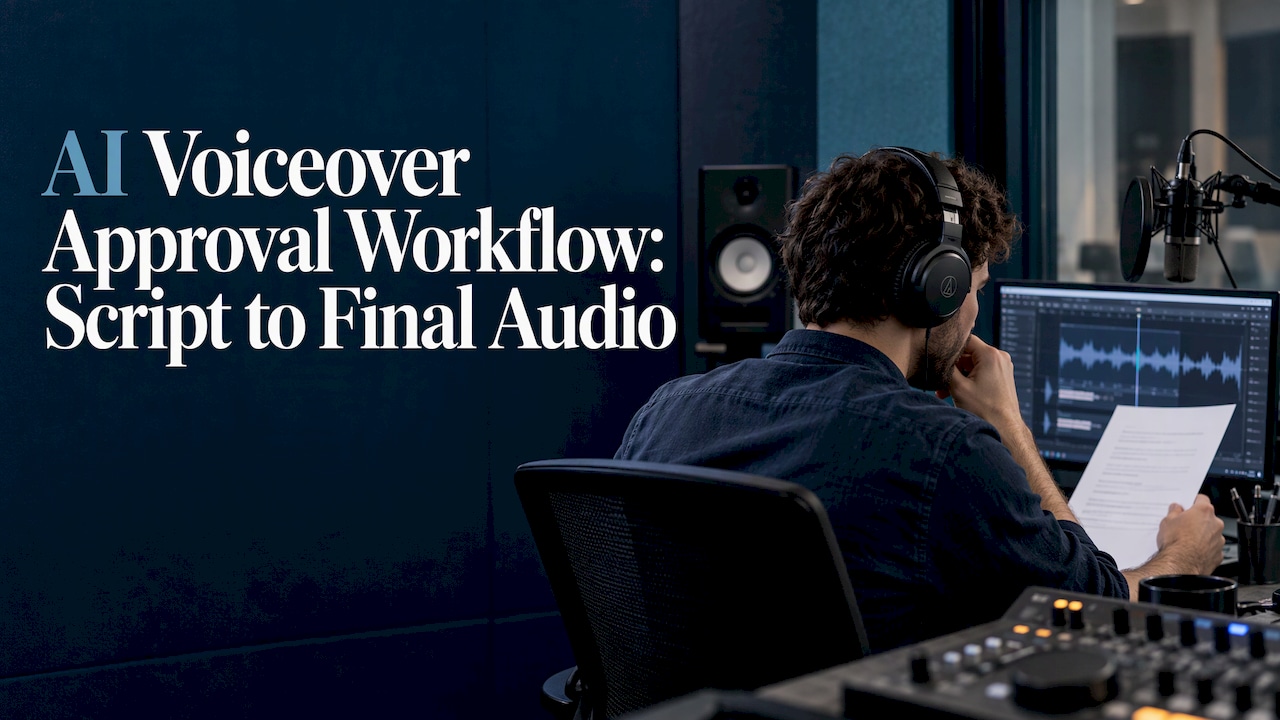
A working AI voiceover approval workflow has one rule: nothing gets generated at full length until the script is locked, and nothing gets published until a person has listened to the assembled audio against the actual edit. Everything else is detail about who signs off, what they check, and how you keep versions straight when feedback arrives.
This guide lays out the stages, the reviewer roles, how to format a script so AI narration reads it correctly, and the checks to run before export. It is written for solo creators, small marketing teams and agencies who produce narrated video regularly and want fewer re-renders.
TL;DR
- Lock the script first, mark hard names, numbers and acronyms, then test one short, difficult passage before generating the rest.
- Generate in small sections so a fix means replacing one line, not re-rendering a full file.
- Give each reviewer one job: words and facts, pronunciation, voice rights, performance, timing, delivery.
- Format scripts with punctuation and clean structure. Check your model’s documentation before using pause tags, because some current models do not support them.
- Run rights and disclosure checks at the export gate, and keep every approved audio file tied to the script version that produced it.
Table of Contents
- The approval workflow in seven stages
- Who should review what
- Formatting the voiceover script
- Four listening passes before approval
- Handling feedback and versions without slowing down
- Quality checks before export
- Rights and disclosure in the U.S.
- Our perspective
- Find tools that fit your workflow
- FAQ
- Sources
The approval workflow in seven stages
Published production guides differ in vocabulary but agree on the order. One loop prescribes script, rights check, sample, direct, render, listen, publish, with each stage having one input, one output and one gate. That structure is the useful part: a gate is a question someone must answer yes to before work moves on.
Here is the version we recommend for creator and small-team work.
- Script lock. The content owner approves the words. Another guide advises locking the script before final generation so cost and version confusion do not creep in. Spoken text is kept separate from production notes.
- Risk marking. Flag difficult names, numbers, abbreviations, URLs and technical terms. These are where AI narration most often goes wrong, and where a human reviewer must listen closest.
- Voice and rights check. Confirm which voice is being used, that you are permitted to use it, and where the audio may be published.
- Stress test. Generate the hardest passage, not the easiest. One production guide frames this as a sequence of scope, stress test, contextual review, controlled expansion and handoff, each answering a different decision before more script or credits are spent.
- Section generation. Produce separate files for each logical section of the script, using the approved test as the standard.
- Assembled review. Listen to the sections together, under the picture, with captions on.
- Export and release. Normalize, rename, sync with visuals, and export only after content approval.
The lightest version of this, described in a lightweight checklist from Programming Insider, runs: approve the script, generate a short voice test, confirm voice and pace with the project owner, create separate section files, compare audio against text line by line, record corrections in a shared document, then finalize.
Operational states that prevent mistakes
The most common failure is not a bad voice. It is a plausible draft that someone mistakes for the approved one. Give every audio file a status. A simple set works: draft, needs changes, blocked, approved, released, rolled back. The workflow loop above uses states like these for exactly that reason. In practice this can be a column in a spreadsheet or a prefix in the filename. What matters is that only “approved” files reach the editor’s timeline.
Who should review what
One person reading everything is the weakest setup, especially for public-facing work. A second reviewer can catch issues the script author has learned to overlook. For teams, splitting review by concern keeps each pass short.
A planning guide for AI video voiceover recommends separate review owners for editorial and subject accuracy, language and pronunciation, voice identity and rights, creative performance, picture and sound timing, and delivery. Here is how that maps to a small team.
| Reviewer | What they check | Typical person on a small team |
|---|---|---|
| Script owner | Final spoken words, facts, names, numbers, calls to action | Writer or channel owner |
| Language reviewer | Pronunciation, audience fit, multilingual accuracy | Subject expert or fluent speaker |
| Rights approver | Voice permission, license terms, permitted destination | Owner or producer |
| Audio editor | Clipped words, breaths, level jumps between sections, timing under picture | Editor |
| Release owner | Filenames, versions, captions, disclosure, final sign-off | Producer or account lead |
One checklist assigns named roles for each gate and, for sensitive uses, wants an independent reviewer to confirm the voice passed, so the person who configured the voice is not the only one deciding. On a one-person channel you cannot always do that. Substitute time: leave the file overnight, then review it cold.
For multilingual work, a fluent reviewer who also understands the subject is needed, because a native speaker without the subject knowledge will miss misread technical terms. If you localize video, our roundup of AI video translators covers the tools built for that step.
Review gates in order
One published gate sequence starts with a draft gate where the content owner checks the final spoken script, including audience fit, no invented citations and a source record for names, numbers, dates and calls to action. Factual and rights review follow, then voice and consent review, then audio QA and release approval. Keep that order. Fixing a wrong number is free before generation and costs a re-render after it.

Formatting the voiceover script
A script for AI narration is a different document from a script for reading on screen. The rule from one open script format guide is to write the way you want it spoken, using punctuation and paragraph breaks to create pauses.
Separate spoken text from notes
Keep a clean spoken layer and a notes layer. Speaker labels, scene numbers, timecodes and direction belong in the notes, not in text the engine will read aloud. A useful way to organize what needs approval is to split lines into three layers, as the planning guide above does:
- Fixed meaning: approved facts, names and terminology that must not drift.
- Performance language: pauses, emphasis and sentence shape, adjustable without changing meaning.
- Picture-dependent timing: lines that must land with a reveal, demo or on-screen text.
Reviewers then know what they may change freely and what needs the script owner’s sign-off.
Pauses and pacing
Punctuation does most of the work. One prompting guide says most engines map punctuation to pause length: commas give a short breath, periods a longer stop, ellipses a deliberate pause. It recommends testing with short clips, which fits the stress-test stage above.
If you need exact pauses, check what your model supports before you add tags. ElevenLabs’ documentation says Eleven v4 and v3 do not support SSML break tags, so pauses there come from audio tags, punctuation and text structure. On models that do support them, break tags can create pauses up to three seconds, but too many in a single generation can cause instability, faster speech, noise or artifacts. Use them sparingly and put the supported model in your notes.

Some creator guides propose pacing cues written into the script, such as pause, emphasis, breathe and slow markers. These suit recording sessions or voice actors. For an AI engine, convert them into the syntax your tool accepts, or the cue may be read aloud or ignored. Some platforms accept SSML tags while others ignore unsupported tags silently.
Emphasis, acronyms and numbers
- Emphasize one word at a time. Capitalizing the single word that should carry stress works on some engines, but the format guide warns against capitalizing whole sentences or headlines, which can produce slow or letter-by-letter reading.
- Spell out what you want said. If “SaaS” should be “sass” or a date should be read as a year, write it that way in the spoken layer.
- Add a pronunciation list for brand names, product names and people, and attach it to the script so every reviewer checks against the same reference.
- Write URLs the way a person would say them, then confirm the on-screen text shows the real address.
If you maintain scripts in a teleprompter or editor, an AI script editor workflow can help you revise lines while keeping a consistent voice across sections, which makes later voiceover revisions easier to manage.
Four listening passes before approval
Before a take is approved, run short, separate passes rather than one long listen. One production guide built around an “approval cut” defines four passes:
- Word correctness: compare audio to the approved script, line by line.
- Comprehension: listen with the script hidden. If you cannot follow it, the viewer will not.
- Context fit: place the audio under the rough cut and check it against the picture.
- Repeatability: confirm an editor could identify the voice and delivery standard later from the saved reference.
The fourth pass is the one teams skip. Without a saved reference take and its settings, a week-later pickup line sounds like a different narrator.
Handling feedback and versions without slowing down
Speed comes from keeping repairs local. If the audio is generated in segments, a renamed button needs a replacement line, not a new two-minute file, and the accepted voice, script revision and delivery reference stay identifiable.
What to record per segment
For longer projects, one pipeline guide recommends each segment keep script version or segment ID, voice identifier and authorization reference, model and settings, generation date, review status and a final audio checksum or version. A spreadsheet with those columns is enough for most channels. A shorter rule from another guide: keep every accepted audio file linked to the script version that produced it.
Set revision rules for clients
Agencies lose margin when feedback is open-ended. One agency-focused guide advises being explicit about what a first draft includes, how many revisions are covered, and whether script changes trigger new audio passes. It also notes that tools should let you revise lines and regenerate only selected sections, since manual exporting, renaming and uploading cancels the speed advantage. If you run client work at scale, see our picks of AI video tools for agencies.
Collect feedback in one place
Record corrections in a single shared document with the line, the problem and the fix, as the Programming Insider checklist suggests. Then regenerate once per round, not once per comment. Consolidated rounds also keep credit usage predictable. Retries add up fast on paid plans, which is why we track them in our guide to AI video editor pricing.
Quality checks before export
The final gate checks the assembled result, not the individual clips. Mneme Labs notes that waveforms and transcripts cannot catch every voice problem, so review the narration against the real edit for pronunciation, pacing, emphasis, clipped words, unnatural breaths, repeated phrases and tone conflicts.
Use this export checklist:
- Completeness: every approved sentence is present and in order, with no clipped, repeated or lost words. A published audio QA pass also confirms the opening, ending and filename match the content ID and version.
- Pronunciation: names, acronyms and numbers match your pronunciation list.
- Seams: check punctuation, numbers and the transitions between separately generated clips, which Programming Insider flags as needing human attention.
- Captions: the transcript or caption text matches what is spoken. Our guide to editors with auto captions helps if your editor is the weak point.
- Tone and consistency: the delivery matches the approved reference across sections.
- Export readiness: a QA checklist from Speechactors adds format, naming, volume, rights, disclosure and destination requirements.
A publishing checklist aimed at U.S. readers also asks you to confirm the voice is authorized, the script is accurate and the service’s current terms permit your intended use, before you move on to audio defects, loudness and final human approval.
Rights and disclosure in the U.S.
Treat rights as a gate in the workflow, not a last-minute worry. The QA guidance above builds rights permissions, disclosure handling and destination rules into the export step.
Voice permission. For a cloned voice, one review framework says consent should cover the permitted purpose and destination, and include a contact for later questions. It also says to audition each candidate voice against an approved passage before full generation. Responsible use more broadly means respecting voice rights, avoiding deceptive imitation, using licensed voices and getting permission where required. If you are choosing a cloning tool, start with our list of AI voice cloning tools.
Platform disclosure. According to the Speechactors checklist, YouTube calls for disclosure of realistic AI-generated or meaningfully altered content that could mislead viewers about a real person, event or place. It lists scripts, voice or audio repair, and cloning your own voice as examples that may not need disclosure by themselves. Paid promotions have their own disclosure rules. Because platform policies change, confirm the current wording on the platform’s own help pages at export time.
Advertising and endorsements. If the narrated video is an ad or sponsored content, separate labeling rules apply. We cover what creators and marketers must label in our FTC AI disclosure guide, and if you make ad-style narrated content, our walkthrough of AI UGC videos covers disclosure alongside production. For legal questions about a specific campaign or a specific person’s voice, talk to an attorney who handles advertising or media law.
Our perspective
We test AI video tools by running real workflows, and voiceover is where we see teams lose the most time. The tool is rarely the problem. The problem is an approval process that lives in someone’s head, so the wrong file ends up on the timeline.
Our rule is simple: approve words before audio, approve a hard passage before a full script, and keep one named owner for each gate. When we compare voice and video tools, we score them on what this workflow needs: how easily you can regenerate one section, how clearly pricing handles retries, and how well the output holds up under picture and captions.
That is also why our directory leans on hands-on testing and verified pricing rather than vendor copy. A voiceover tool that looks great in a demo but makes every revision a full re-render will cost you more than its plan price suggests. Build the workflow first, then pick the tool that fits it.
H
Find tools that fit your workflow
If you are choosing tools for narrated video, we compare them on ease of use, output quality and pricing clarity, using real workflow tests. Start with our directory of AI video tools, or see how we run our evaluations in How We Test AI Tools.
For faceless channels that rely on narration, our guide to the best AI tools for faceless YouTube is a good next step.
FAQ
What is the minimum approval workflow for a solo creator?
Lock the script, mark hard names and numbers, generate one short test passage, then generate the rest in sections. Listen to the assembled audio under your video with captions on before exporting. Save the script version next to each approved file.
How long should each review pass take?
Keep passes short and single-purpose. A word-check pass is a listen against the text, a comprehension pass is a listen without it, and a context pass happens under the rough cut. Splitting them is faster than one long, unfocused listen.
Can I use pause tags in any AI voice tool?
No. Support varies by model. ElevenLabs documents that its Eleven v4 and v3 models do not support SSML break tags, so control pauses with punctuation and structure there. Check your tool’s documentation, and test a short clip before adding tags across a script.
Do I have to disclose an AI voiceover?
It depends on the platform and the content. YouTube’s guidance, as summarized in a QA checklist, focuses on realistic content that could mislead viewers about a real person, event or place. Sponsored content needs its own labels. Check the platform’s current policy, and see our FTC disclosure guide for advertising.
Sources
- An AI Voice Generator Workflow Built Around the Approval Cut
- How to Build a Reliable AI Voice Production Workflow
- Build an AI Voiceover Pipeline Without Losing Editorial Control
- How to Plan an AI Video Voiceover Production Workflow
- AI Voice Production Approval: Stress-Test the Hardest Line
- AI narration workflow: from script to final audio file
- Repeatable AI Voice Production Workflow
- Human Review Gates for Agent-Generated Voice Content
- AI Voiceover Generator: 12 Checks Before You Publish the Audio
- A Responsible AI Voice Cloning Workflow for Content Teams
- ElevenLabs text to speech best practices
- AI Voiceover for YouTube: Scripts Into Production-Ready Audio
- How to Write Scripts for AI Voiceover
- Voiceover script format guide
- What Is AI Voiceover, and Why Should Small Agencies Care?
- AI Voiceover QA Checklist
- AI Voice Generator Checklist: 16 Publishing Checks
- AI script editor workflow