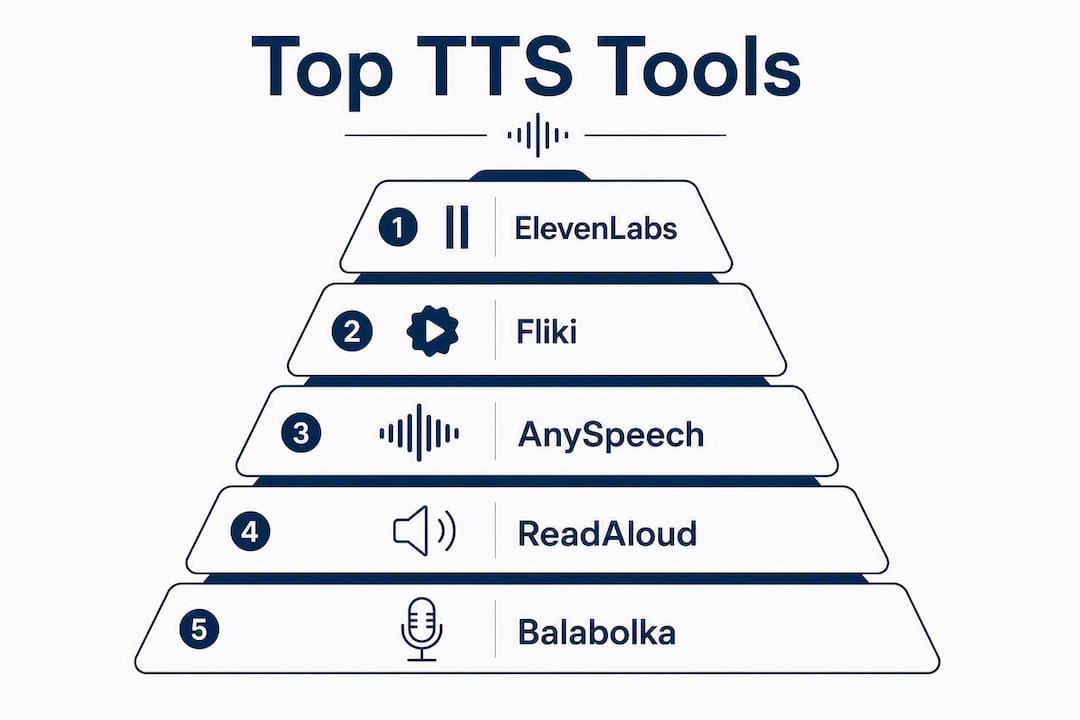
The best text to speech tools right now are ElevenLabs (best overall quality), Fliki (best for video creators), AnySpeech (best budget value), Murf (best for teams), and Amazon Polly (best for developers). Here is the one-line case for each:
- Best overall: ElevenLabs — expressive model family with Eleven v3 for narration and Flash v2.5 for sub-500ms interactive use
- Best for video creators: Fliki — bundles 2,000+ voices across 80+ languages with a built-in video editor that auto-syncs audio to visuals
- Best budget/free: AnySpeech — rated 9.5/10 in independent testing, voice cloning starts at $9.99/month
- Best for teams: Murf — narration presets, per-line emotion controls, and collaboration tools built for e-learning and training teams
- Best for developers: Amazon Polly — cloud-scale API with broad platform support and pay-as-you-go pricing
Techvideoblog tested 30+ tools across conversational, narration, short-form, and technical copy in this 2026 roundup. To validate any pick, go straight to the vendor’s demo page and run your own script before committing to a paid plan.
Table of Contents
- What are the best text to speech tools compared side by side?
- Per-tool reviews: why each made the list
- How Techvideoblog tested these tools
- How to choose the right TTS tool for your workflow
- Expert tips from 2026 testing
- Final recommendations: which tool to try first
- Key Takeaways
- The gap between voice quality and workflow fit
- Techvideoblog’s TTS tools directory: verified picks, no noise
- Useful sources and vendor demo pages
What are the best text to speech tools compared side by side?
| Tool | Voice Quality | Free Plan | Languages | Voice Cloning | Best For | Platforms | API | Ease of Use |
|---|---|---|---|---|---|---|---|---|
| ElevenLabs | Excellent | Yes (limited) | 32+ | Yes | Expressive narration & agents | Web, API | Yes | Moderate |
| Fliki | Very Good | Yes | 80+ | Yes (30+ langs) | Video creators | Web | Yes | Easy |
| AnySpeech | Very Good | Yes | Broad | Yes | Budget creators | Web | Yes | Easy |
| Murf | Very Good | Yes (trial) | 20+ | Limited | Teams & e-learning | Web | Yes | Easy |
| Play.ht | Very Good | Yes | 142+ | Yes | Podcasts & audiobooks | Web | Yes | Moderate |
| LOVO | Good | Yes | 100+ | Yes | Short-form & marketing | Web | Yes | Easy |
| Amazon Polly | Good | Pay-as-you-go | 30+ | No | Developers & IVR | Cloud API | Yes | Technical |
| Speechify | Good | Yes | 30+ | Yes | Mobile reading & study | Web, iOS, Android | Limited | Very Easy |
| NaturalReader | Good | Yes | 20+ | No | Accessibility & docs | Web, Desktop | No | Very Easy |
| Narakeet | Good | Yes | 90+ | No | Slide narration | Web | Limited | Easy |
| TTSMaker | Adequate | Yes (free) | 40+ | No | Quick free conversions | Web | No | Very Easy |
| Voice Dream Reader | Good | Paid | 30+ | No | Accessibility & study | iOS, macOS | No | Easy |
| Balabolka | Adequate | Free | 10+ | No | Windows free reader | Windows | No | Moderate |
| ReadAloud | Adequate | Free | 40+ | No | Webpage reading | Browser ext. | No | Very Easy |
| Select to Speak | Adequate | Free (built-in) | Limited | No | Quick OS read-aloud | ChromeOS | No | Very Easy |
| Read & Speak | Adequate | Yes | Limited | No | Language learning | Web | No | Easy |
| Audeus | Good | Yes | 20+ | No | Document audio reader | Web, Mobile | No | Easy |
| Listening | Good | Yes | 20+ | No | Long-form audio consumption | Web, Mobile | No | Easy |
| ElevenReader | Good | Free | 32+ | No | Simple doc-to-audio | iOS, Android | No | Very Easy |

Quick scan guide: Creators building video content should focus on Fliki and ElevenLabs rows. Teams and e-learning producers should look at Murf. Developers need the Amazon Polly API row. Accessibility users can start with the free-tier tools: NaturalReader, ReadAloud, or Select to Speak.
Per-tool reviews: why each made the list
## 1. ElevenLabs
Why we picked it: The model family is the most differentiated of any tool tested. Eleven v3 handles emotional long-form narration; Flash v2.5 hits sub-500ms latency for interactive agents. No other single platform covers both use cases this cleanly.
- Pros: Expressive audio tags for fine-grained prosody control; large voice library; strong commercial licensing
- Con: Free tier is limited in characters per month
- Starting price: $5/month (Creator plan)
- Best for: Narrators, podcast producers, and developers building conversational AI
2. Murf
Why we picked it: Murf is purpose-built for business content. Per-line emotion controls and narration presets let a non-audio-engineer produce consistent, polished e-learning voiceovers without post-processing. Independent testing rated it 8.8/10 for business team use.
- Con: — Voice cloning is limited compared to ElevenLabs
## 3. NaturalReader
Why we picked it: One of the oldest names in TTS, and still the clearest choice for document accessibility. The desktop app reads PDFs, Word files, and ePubs without a browser, which matters for users who work offline.
- Pros: — Desktop-first; simple UI; broad document format support
## 4. Speechify
Why we picked it: The mobile UX is genuinely best-in-class for reading workflows. Speed controls, highlighting sync, and the iOS widget make it the go-to for commuters and students consuming articles or study materials.
- Pros: Mobile-first design; speed control; browser extension for web articles
- Con: API access is limited; not suited for production voiceover export
- Starting price: Free tier; Speechify Premium from $139/year
- Best for: Students, commuters, and anyone consuming text on mobile
## 5. Play.ht
Why we picked it: Play.ht has the deepest publishing workflow of any tool here. It exports studio-quality MP3 and WAV files, supports 142+ languages, and includes an embeddable audio player for blog posts and podcast feeds.
- Pros: Large language library; podcast-ready export; embeddable player
- Con: Interface can feel cluttered for first-time users
- Starting price: Free tier; paid from $31.20/month
- Best for: Podcast producers and audiobook creators
## 6. LOVO
Why we picked it: LOVO’s creator templates and cloning options are tuned for short-form social content. The expressive presets for ads and promos save time when you need energy and pacing baked in from the start.
- Con: — Long-form narration control is less precise than ElevenLabs
## 7. Amazon Polly
Why we picked it: Polly is the right answer when TTS needs to live inside an application at scale. The AWS API integrates with Lambda, S3, and Lex, and pricing is pay-as-you-go per character, which keeps costs predictable for high-volume production systems.
- Pros: — Reliable API; broad AWS ecosystem integration; SSML support
## 8. Fliki
Why we picked it: Fliki aggregates multiple TTS providers in one workspace and auto-syncs generated audio to video timelines. The 2,000+ voice library spans 80+ languages, and voice cloning works across 30+ of them. For creators who want voiceover and video editing in one tab, nothing else matches this workflow.
- Pros: Built-in video editor; multi-provider voice library; auto-sync
- Con: Export quality depends on which underlying TTS engine is selected
- Starting price: Free tier; paid from $28/month
- Best for: YouTube, Shorts, and faceless video creators
## 9. AnySpeech
Why we picked it: AnySpeech scored 9.5/10 in independent testing as best overall value, with voice cloning starting at $9.99/month. For creators who want solid quality without ElevenLabs pricing, this is the most direct alternative.
- Pros: Competitive pricing; broad voice set; voice cloning included at low tiers
- Con: Smaller community and fewer integrations than top-tier tools
- Starting price: $9.99/month
- Best for: Budget-conscious creators who still need cloning
## 10. TTSMaker
Why we picked it: TTSMaker does one thing well: fast, free browser conversion for short scripts. No account required for basic use, which makes it useful for one-off tests before committing to a paid tool.
- Pros: Fully free for short text; no signup required; 40+ languages
- Con: Character limits on free tier; no voice cloning or export customization
- Starting price: Free
- Best for: Quick one-off conversions and tool comparisons
## 11. ReadAloud, Balabolka, and Select to Speak
These three serve accessibility and everyday reading rather than production voiceover. For document consumption, built-in OS tools and browser extensions often suffice before you spend on a premium app.
ReadAloud is a browser extension that reads any webpage aloud with a single click. Free, no account needed.
Balabolka is a free Windows desktop app that supports multiple TTS engines (SAPI 4, SAPI 5, Microsoft Speech Platform) and exports audio to WAV, MP3, and OGG. The configuration depth is unusual for a free tool.
Select to Speak is built into ChromeOS as an accessibility feature. It reads any selected text on-screen, which makes it the fastest zero-friction option for Chromebook users.
## 12. Voice Dream Reader
A premium mobile and desktop reader built specifically for accessibility. Advanced controls include reading speed, pitch, word highlighting, and support for Daisy and ePub formats. The feature set goes well beyond what free browser extensions offer, which justifies the paid price for users with dyslexia or visual impairments.
- Starting price: Paid (see vendor for current pricing)
- Best for: Accessibility users and students needing advanced reader controls
## 13. Read & Speak, Audeus, Listening, Narakeet, and ElevenReader
Read & Speak targets language learners with pronunciation-focused playback and study tools. Useful for ESL learners and anyone checking how a word sounds in context. For deeper accent training, the AI accent coaching resources at inpronunci.com extend what a basic TTS reader can do.
Audeus and Listening both focus on long-form audio consumption: turning articles and documents into a listening experience. Audeus leans toward a reader-app feel; Listening is designed for extended sessions with queue management.
Narakeet automates slide-to-video narration. Paste a script alongside a PowerPoint or Google Slides deck and it generates a narrated video. Supports 90+ languages and is the fastest path from slide deck to narrated video.
ElevenReader is ElevenLabs’ free reader app for iOS and Android. It uses ElevenLabs’ neural voices to read documents and articles aloud, which gives it noticeably better voice quality than most free reader apps.
Statistic callout: Independent testing across 30+ tools placed AnySpeech at 9.5/10 for value, ElevenLabs at 9.3/10 for premium quality, and Murf at 8.8/10 for business team use.
How Techvideoblog tested these tools
Testing covered four script types: a 90-second conversational YouTube intro, a 400-word narration passage, a 15-second short-form hook, and a 200-word technical product description. Each script ran through every tool in its default voice, then in its best available neural voice, on both desktop Chrome and mobile Safari where applicable. Testing was completed in 2026.

Objective criteria scored:
| Criterion | How measured |
|---|---|
| Voice naturalness | Human listening panel (5 reviewers, blind rating 1–10) |
| Emotional expressiveness | Prosody variation across the narration passage |
| Latency (interactive tools) | Time-to-first-audio on Flash/Turbo model variants |
| Export fidelity | Bitrate and format options on paid tiers |
| Commercial license clarity | License page review: explicit commercial use language |
| Language coverage | Verified voice count per language from vendor docs |
| Ease of use | Time-to-first-export for a new user with no tutorial |
Limitations: Subjective naturalness scores reflect the panel’s perception of American English voices. Non-English voice quality was spot-checked but not scored at the same depth. Pricing was verified at time of testing; vendor plans change frequently, so always confirm current rates on the vendor’s site.
“The best TTS choice depends on use case more than raw output quality. Creators often prefer tools that speed video production, while long-form narration favors emotional expressiveness and tagging features.” — ElevenLabs AI voice generator
How to choose the right TTS tool for your workflow
TTS and AI voiceover tools are not the same product class. Voiceover tools add scene-aware pacing, per-line emotion controls, and editor integration. Basic TTS is optimized for accessibility and read-aloud use. Knowing which you actually need cuts the shortlist in half before you compare a single feature.
Decision checklist by use case:
- Video creators (YouTube, Shorts, social): Does the tool include a timeline editor or auto-sync? Can it export MP4 directly? Fliki and Narakeet both do. A separate TTS + NLE workflow adds sync time that integrated browser editors eliminate.
- Audiobook and long-form narration: Does the tool support per-sentence emotion tags or SSML prosody control? ElevenLabs’ Eleven v3 and Play.ht both do. Test a 500-word passage before buying.
- Teams and e-learning: Does the platform have multi-seat licensing, shared project folders, and admin controls? Murf is built for this. Check whether the team plan includes commercial export rights.
- Developers and apps: Does the vendor publish latency benchmarks? Sub-500ms is achievable with Flash-class models and is the threshold for interactive agents that feel natural. Amazon Polly and ElevenLabs Flash v2.5 both publish these numbers.
- Accessibility and everyday reading: Start with free built-in options (Windows Narrator, ChromeOS Select to Speak, ReadAloud extension) before purchasing. PCMag’s testing confirms these often cover everyday document needs without a paid subscription.
Questions to ask any vendor before buying:
- Does the commercial license cover monetized YouTube videos and client deliverables?
- For voice cloning: whose consent is required, and what is the data retention policy on uploaded voice samples?
- Are there hidden export fees, bandwidth caps, or character overages on the plan you are considering?
- Does the tool support caption or subtitle export alongside the audio file?
Red flags to avoid:
- No explicit commercial use language on the license page
- Voice cloning with no consent documentation or data deletion option
- Free tier that watermarks audio without disclosing it upfront
- No published API latency numbers for tools marketed as “real-time”
Typical pricing ranges: Free browser tools cost nothing. Entry-level paid plans run $9.99–$31/month. Team and business plans typically start at $19–$50/month. Enterprise and high-volume API pricing is custom. Voice cloning is often a paid add-on or requires a mid-tier plan minimum.
For creators pairing TTS with AI caption generators or AI avatar tools, check whether the TTS platform exports SRT or VTT files alongside the audio. That single feature saves significant post-production time.
Expert tips from 2026 testing
Pro Tip: Choose a low-latency Flash or Turbo model only when you need real-time interaction (chatbots, live agents, IVR). For narration, podcast, or YouTube voiceover, always use the highest-fidelity model available. The quality gap between Flash and full-fidelity models is audible on headphones.
The practical latency threshold for interactive use is 500ms. ElevenLabs Flash v2.5 and similar Flash-class models are designed to stay under this ceiling. Above 500ms, a conversational agent starts to feel lagged, which breaks the user experience regardless of voice quality.
For narration work, the most underused setting across tools is prosody tagging. ElevenLabs’ audio tags let you mark a sentence as “whispered,” “excited,” or “sad” at the script level. Murf’s per-line emotion controls do the same thing through a dropdown. Running a 400-word narration passage through these controls versus default output produces a noticeably more natural result, particularly on emotional beats.
One finding that surprised the testing panel: Fliki’s multi-provider aggregation means you can switch the underlying TTS engine mid-project without re-exporting your video timeline. That flexibility matters when a specific language or accent sounds better on one engine than another.
For commercial use, always screenshot the license page at the time of purchase. Vendor terms change, and having a dated record of what was permitted when you created the content protects you if a licensing dispute arises later. For deeper guidance on voice cloning consent and licensing checks, Techvideoblog’s dedicated voice cloning review covers the key questions to ask.
Statistic callout: ElevenLabs Flash v2.5 is designed for sub-500ms latency, making it one of the few consumer TTS tools with published real-time performance benchmarks.
Final recommendations: which tool to try first
The right starting point depends on what you are actually building:
- Best overall quality: — Try ElevenLabs. Run two sample scripts — one conversational, one narration — on the free tier. The difference between Eleven v3 and Flash v2.5 will be immediately clear for your use case.
- Best for video creators: — Start with Fliki’s free tier. Build one short video using the built-in editor and auto-sync. If the workflow fits, the paid plan unlocks higher-quality voice exports and longer videos.
- Best budget option: — AnySpeech at $9.99/month includes voice cloning and scored 9.5/10 in independent testing. Test the cloning feature on a 60-second sample before upgrading.
- Best for developers: — Amazon Polly’s free tier covers 5 million characters per month for the first 12 months. Test the SSML support and API response times against your application’s latency requirements.
For deeper hands-on reviews, workflow tests, and verified pricing across all 30+ tools tested, Techvideoblog’s AI video tools directory is the fastest way to compare options without wading through marketing copy.
Key Takeaways
ElevenLabs leads on voice quality, Fliki wins for video creator workflows, and AnySpeech delivers strong value at entry-level pricing.
| Point | Details |
|---|---|
| Match tool to use case first | Voiceover tools with editor integration save more time than higher voice quality alone for video creators. |
| Latency threshold for live use | Sub-500ms (Flash-class models) is the practical cutoff for interactive agents; use high-fidelity models for narration. |
| Always verify commercial licensing | Screenshot the license page at purchase; terms change and explicit commercial use language is non-negotiable. |
| Free tools cover everyday reading | ReadAloud, Select to Speak, and Balabolka handle document consumption without a paid subscription. |
| Techvideoblog’s directory | Techvideoblog tested 30+ tools with verified pricing and workflow tests, available in the AI video tools directory. |
The gap between voice quality and workflow fit
Most TTS comparisons obsess over which tool sounds most human. That is the wrong question for the majority of creators. Voice quality matters, but it is rarely the bottleneck.
The real bottleneck is audio-visual sync. A creator who generates voiceover in one tool, downloads it, imports it into a video editor, and manually adjusts timing is spending 20–40 minutes on a task that Fliki or a bundled editor handles in under five. The voice quality difference between a good neural TTS and a great one is subtle on YouTube compression. The time difference between an integrated and a separate workflow is not subtle at all.
The second underrated factor is commercial licensing clarity. Several tools in this list have ambiguous license language that does not explicitly address monetized video platforms. That ambiguity is a real risk for creators with brand deals or client work. ElevenLabs and Murf both publish explicit commercial use terms. Smaller tools often do not, and that gap matters more than an extra language in the voice library.
The tools worth paying for in 2026 are the ones that solve your specific production problem, not the ones with the longest feature list.
Techvideoblog’s TTS tools directory: verified picks, no noise
Sorting through 30+ TTS tools on your own takes hours. Techvideoblog cuts that down to minutes. The AI video tools directory gives you verified pricing, real workflow test results, and side-by-side comparisons built specifically for creators producing YouTube videos, podcast clips, and faceless content.

Every tool in the directory has been tested against real production scripts, not marketing demos. You get the actual starting price, the commercial license status, and a clear best-for label so you know exactly which tool fits your workflow before you sign up. Browse the full directory at Techvideoblog and find your next TTS tool without the guesswork of reading a dozen vendor pages.
Useful sources and vendor demo pages
Last updated: 2026. Vendor pricing and license terms change frequently. Recheck each vendor’s pricing and license page before purchasing, especially for commercial use rights.
- ElevenLabs Text to Speech — model docs, voice library, and demo; covers Eleven v3, Flash v2.5, and Multilingual v2
- Fliki Voiceover Features — voice library details, language coverage, and video editor integration overview
- AnySpeech — Best TTS Tools — independent test scores and pricing comparison across leading tools
- Speechify AI Voice Generator — voice demos, mobile app details, and plan pricing
- PCMag Best Text-to-Speech Tools — editorial testing notes including free and built-in OS tool recommendations
- Microsoft MAI-Voice-2 — latency benchmarks and fidelity vs. speed trade-off documentation for Flash models
- Techvideoblog AI Voice Cloning Tools — deep-dive reviews on cloning tools, consent requirements, and licensing checks
- AI Accent Coach Technology Guide — partner resource for accent training and pronunciation verification alongside TTS workflows