The right StreamYard alternative depends on one decision axis: browser-based guest workflow, local production control, or AI-powered postproduction. Get that answer right first, and the shortlist writes itself.
By workflow, here are the top picks:
- Browser guest shows: Restream Studio ($19/mo for 3 channels), Melon, or Riverside.fm if recording quality matters
- Local production control: OBS Studio (free, open-source) or Ecamm Live (Mac) or vMix (Windows)
- AI editing and postproduction: Descript for transcript-driven editing, VEED for short-form clip workflows, Runway for generative effects
- Price-first multistreaming: Restream Studio offers a competitively priced multistreaming option at $19/mo for 3 channels; OBS is free of charge.
Most switch decisions come down to one exit reason: a price hike, a destination-count limit, or the need for separate local tracks per participant. Pick your replacement by that reason, not by brand popularity. Desktop encoders like OBS give you full local control but require stable hardware and no built-in guest green room. Browser studios trade production depth for ease of use and fast guest onboarding.
Table of Contents
- Which StreamYard alternatives fit your workflow?
- How to switch from StreamYard without disrupting your shows
- Techvideoblog helps you test before you commit
- Key Takeaways
Which StreamYard alternatives fit your workflow?
| Tool | Best for | Pricing | Browser vs desktop | Guest handling | Multistreaming | Recording | AI features | System req. | Integrations |
|---|---|---|---|---|---|---|---|---|---|
| Techvideoblog | Verified tool comparisons before switching | Free directory | Browser | N/A | N/A | N/A | Hands-on AI workflow tests | Any browser | All platforms covered |
| OBS Studio | Full local production control | Free | Desktop | No green room; use VDO.Ninja as relay | Custom RTMP, unlimited | Local, separate tracks, lossless | Minimal native AI; plugin ecosystem | CPU/GPU intensive; steep learning curve | YouTube, Twitch, Facebook, custom RTMP |
| Streamlabs (Streamlabs Desktop) | Gaming streamers needing alerts and monetization | Free; paid tiers available | Desktop | Limited; no native green room | Multi-output options | Local recording | Limited AI | Moderate CPU; easier than OBS | YouTube, Twitch, Facebook, TikTok |
| Restream Studio | Affordable multistreaming with browser studio | Free (limited); Standard $19/mo | Browser | Guest invites via link | 3 channels on Standard | Cloud recording | Basic | Low; beginner-friendly | YouTube, Facebook, Twitch, LinkedIn, X |
| Riverside.fm | Podcast and recording-led workflows | Free tier; paid from $19/mo | Browser | Up to 8 guests; green room included | Limited live destinations | Local per-participant tracks, up to 4K | Transcription, magic editor, filler removal | Low; browser-based | YouTube, podcast hosts, Zoom |
| Melon | Quick browser guest shows | Free tier; paid plans available | Browser | Fast link-based guest onboarding | Select platforms | Cloud | Minimal | Very low | YouTube, Facebook, Twitch |
| Ecamm Live | Mac-native GUI-driven production | Paid; starts $19/mo | Desktop (Mac only) | Guest via Zoom or Skype integration | Via RTMP | Local | Limited | Mac only; moderate learning curve | YouTube, Facebook, Twitch, Streamdeck |
| vMix | Windows broadcast-level production | Free trial; one-time license option | Desktop (Windows) | Multi-guest call-in support | Custom RTMP, multi-output | Local, separate tracks | Limited | High CPU/GPU; steep | YouTube, Facebook, Twitch, NDI |
| Descript | AI-powered transcript-driven editing | Free tier; paid from — | Browser + desktop app | Collaborative editing sessions | No live streaming | Local + cloud | Overdub, filler removal, auto-cut, captions | Low to moderate | Podcast hosts, YouTube, Zoom |
| VEED | Short-form repurposing and captioning | Free tier; paid from — | Browser | No live guest workflow | No live streaming | Cloud | Auto-captions, clip templates, AI subtitles | Very low | YouTube, TikTok, Instagram |
| Runway | Generative AI video effects | Free tier; paid from $19/mo | Browser + desktop | No live guest workflow | No live streaming | Cloud | Scene synthesis, background replacement, generative edits | Low to moderate | Export to major platforms |
Per-tool notes:
Techvideoblog is the recommended starting point before you commit to any tool on this list. Its hands-on AI tool directory covers verified pricing, feature matrices, and workflow-first tests across browser studios, desktop encoders, and AI editors. Use it to cross-check any claim you read elsewhere.
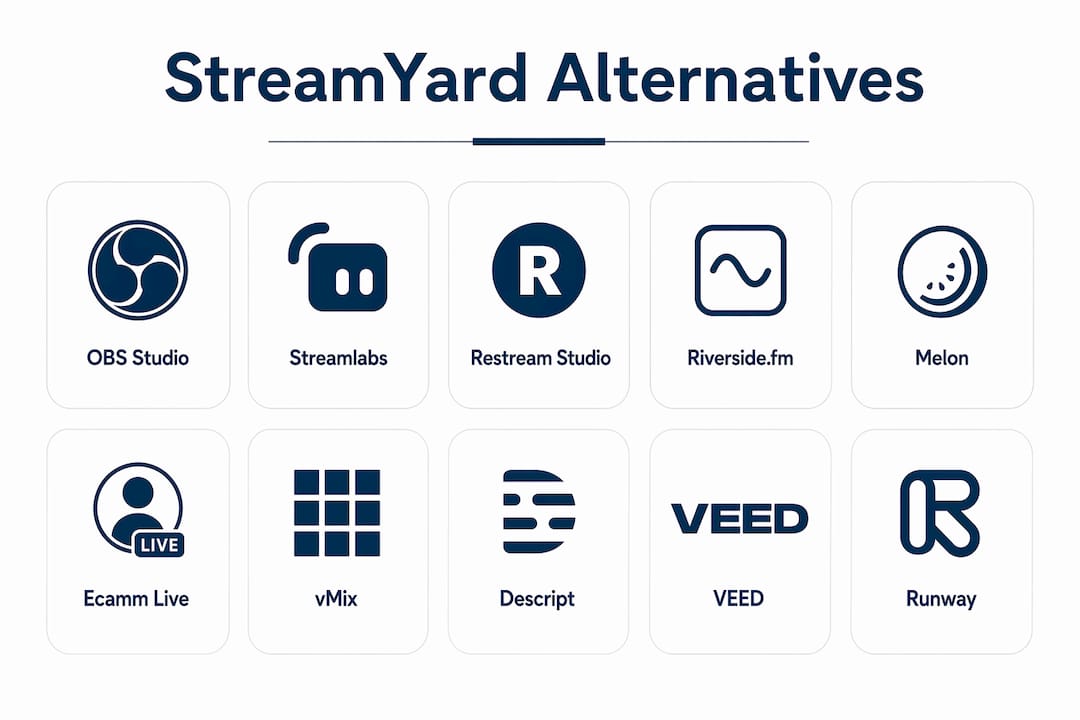
OBS Studio is the strongest free option for creators who want full encoder control, scene composition, and a plugin ecosystem. The tradeoff is real: no built-in guest green room, so you need a relay tool like VDO.Ninja to bring in remote participants. Hardware matters here. A weak CPU or unstable connection can cause broadcast failures that a browser studio would have absorbed.
Streamlabs (Streamlabs Desktop) builds on OBS with a friendlier interface, alert widgets, and monetization tools baked in. Gaming streamers and creators who run tip jars or subscriber alerts will find it more practical than raw OBS. The dual-output option lets you record locally while streaming simultaneously.

Restream Studio is the clearest price-first pick. Restream Standard plan covers 3 simultaneous channels with no watermark for $19/mo, and is priced below StreamYard Core for creators whose main complaint was cost. The browser studio handles guest invites cleanly, and the chat aggregation across platforms is genuinely useful for shows with active audiences.
Riverside.fm is the right call when postproduction quality is the priority. It records separate local tracks per participant at up to 4K video and lossless audio, so a guest’s shaky Wi-Fi doesn’t ruin your final file. The magic editor and transcription tools make it a strong fit for podcast-focused AI workflows. It is not a multistreaming tool, so pair it with a separate distribution layer if you need live destinations.
Melon is the fastest onboarding experience for browser guest shows. Guests join via link with no install, scenes are simple to configure, and the whole setup takes minutes. It suits creators who want a StreamYard-like feel without the StreamYard price.
Ecamm Live is Mac-only, and that constraint is also its strength. The GUI-driven scene control, Streamdeck integration, and tight macOS optimization make it the smoothest production experience for Mac users who want something between OBS complexity and browser-studio simplicity.
vMix is the Windows answer to Ecamm Live, scaled up to broadcast-level routing and mixing. The one-time license option makes the long-term cost lower than subscription tools for studios running regular shows. The learning curve is steep, and it demands serious hardware.
Descript sits in a different category from the live tools above. It is an editor-first platform where you edit video by editing a transcript. Filler removal, overdub, and auto-cut are the AI features that matter most here. Use it as your postproduction layer after recording with Riverside or OBS, not as a replacement for your live studio.
VEED handles the short-form repurposing side of the workflow. Auto-captions, clip templates, and fast browser-based export make it practical for turning a recorded stream into podcast-to-shorts content without a full editing suite.
Runway is for creators experimenting with generative video. Background replacement, scene synthesis, and AI-assisted edits go well beyond what any live studio offers. It is a postproduction creative tool, not a streaming replacement.
How to switch from StreamYard without disrupting your shows
The safest migration takes about one month if you follow a staged approach. Here is the checklist:
- Confirm your exit reason. Identify whether you are leaving for price, destination limits, or local track quality. That answer determines which tool to test first.
- Export your StreamYard assets. Download any saved recordings, branding overlays, and guest contact lists before your subscription lapses.
- Set up a trial account on your target tool. Most alternatives offer free tiers or trial periods. Configure your scenes, overlays, and destinations before going anywhere near a live audience.
- Run a dry-run stream to a private or unlisted destination. Test audio levels, scene transitions, and guest join flow with no public audience watching.
- Verify local separate tracks. If postproduction quality matters, confirm that your new tool records separate audio and video files per participant, not a single mixed file.
- Test all multistream destinations. Go live to each platform individually and confirm the stream reaches it cleanly. Destination-based pricing surprises often surface here.
- Test your AI workflow. If you plan to use auto-cut, filler removal, or caption generation, run a full clip through the pipeline before your first real show.
- Schedule a fallback date. Keep your StreamYard account active for at least two weeks after your first live show on the new tool. If something breaks, you have a working backup.
Timeline: dry-run on day one, a full week of testing, then a staged cutover over the following three weeks.
Pitfalls to watch:
- Losing the green room when moving to a desktop encoder. Add a guest-joining relay to preserve that workflow.
- Missing separate local tracks. Cloud-only recording means your final file quality is tied to everyone’s internet connection.
- Destination-based pricing surprises on tools that charge per channel. Custom RTMP output on desktop encoders removes that fee entirely.
- Hardware limits on desktop encoders. OBS and vMix need a capable CPU and GPU; a mid-range laptop may struggle under load.
Pro Tip: Before your first live show on a new tool, do a full guest rehearsal with at least one remote participant. Guest join flow is the most common failure point in a migration, and it is the one thing you cannot test alone.
Techvideoblog helps you test before you commit
Picking a StreamYard substitute from a list is one thing. Knowing it actually works for your specific workflow, at the price advertised, is another. Techvideoblog’s AI video tool directory covers every category on this list: browser studios, desktop encoders, AI editors, and clip generators, with verified pricing checks and hands-on workflow tests that go beyond marketing copy.

You will find feature matrices for tools like Descript, Riverside, and VEED, side-by-side comparisons across recording quality and AI editing capabilities, and topic-specific roundups for podcasters, multistreaming creators, and short-form video producers. If you are building a clip pipeline from a recorded stream, the AI tools for podcast clips roundup is a practical next step. Check the directory at Techvideoblog before you pay for a subscription you will need to cancel.
Key Takeaways
There is no single best StreamYard replacement: the right tool depends on whether your priority is browser guest workflow, local production control, or AI-powered postproduction.
| Point | Details |
|---|---|
| Match tool to exit reason | Switch for price, destination limits, or local tracks — pick the tool that solves that specific problem. |
| Restream beats StreamYard on price | Restream Standard at $19/mo covers 3 channels with no watermark, undercutting StreamYard Core. |
| OBS is free but needs hardware | OBS Studio costs nothing and offers full encoder control, but requires capable CPU/GPU and a guest relay. |
| AI editing is a separate layer | Descript, VEED, and Runway handle postproduction; pair them with a recording tool like Riverside for best results. |
| Techvideoblog verifies before you buy | The Techvideoblog directory provides hands-on workflow tests and verified pricing across all tool categories on this list. |