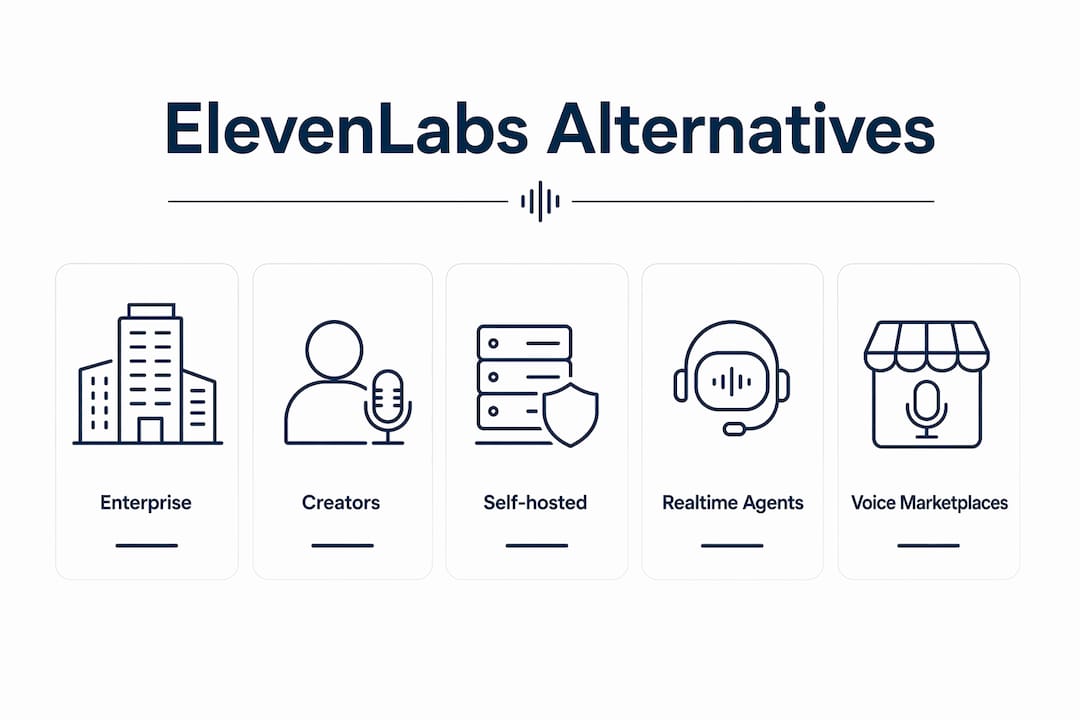
The right ElevenLabs alternative depends on what you’re actually building. For low-latency voice agents, Cartesia and Inworld AI lead on published TTFA numbers. For production narration and voice cloning, PlayHT, Murf AI, and WellSaid Labs cover the most ground. For self-hosted or open-source needs, Kokoro and Fish Audio S2 Pro are the practical starting points. The TTS market is bifurcating between real-time agent stacks and high-fidelity content platforms, and picking the wrong category is the fastest way to burn budget.
Quick shortlist by use case:
- Cartesia — sub-200ms TTFA claims, built for latency-sensitive voice agents
- PlayHT — large voice marketplace, simple editor, strong creator workflow
- WellSaid Labs — licensed voice libraries, production-grade consistency for enterprise
- Resemble AI — on-prem deployment, watermarking, deepfake detection for regulated industries
- Kokoro — Apache 2.0, zero per-character cost, self-hosted on modest hardware
- Fish Audio S2 Pro — open-weights model, competitive per-character pricing, self-hosting option
The Artificial Analysis ELO leaderboard lists multiple alternatives that are competitive with ElevenLabs in voice quality while offering lower published per-character rates, allowing teams to find balance between quality and cost.
Table of Contents
- How do these ElevenLabs alternatives compare at a glance?
- Detailed reviews of the top ElevenLabs alternatives
- Which free and open-source options are actually worth running?
- How to choose the right ElevenLabs alternative for your project
- How we tested these tools and what metrics we measured
- Key Takeaways
- When does switching off ElevenLabs actually make sense?
- Techvideoblog’s AI voice tool directory cuts your research time
- Useful sources and vendor docs to check during your trial
How do these ElevenLabs alternatives compare at a glance?
| Tool | Pricing Model / Free Tier | Voice Quality | Commercial License | Languages | API & Integrations | Latency | Voice Cloning | Enterprise / SLA |
|---|---|---|---|---|---|---|---|---|
| PlayHT | Freemium; paid plans available | High | Yes | 142+ | REST API | Batch / streaming | Yes | Limited |
| Fish Audio S2 Pro | Free tier; published per-character pricing varies | High | Yes | Multi | API | Batch / streaming | Yes | No |
| WellSaid Labs | Paid plans; no free tier | High | Licensed library | English-focused | API | Batch | Licensed voices | Yes |
| Resemble AI | Custom enterprise pricing | High | Yes | Multi | REST + on-prem | Batch / streaming | Yes | On-prem, SLA |
| Murf AI | Freemium; paid plans available | High | Yes | 20+ | API | Batch | Yes | Limited |
| Cartesia | Usage-based | High | Yes | Multi | API | Realtime (<200ms) | Yes | Limited |
| Inworld AI | Usage-based; free tier | High | Yes | Multi | API | Realtime (<200ms) | Yes | Yes |
| OpenAI TTS | Pay-as-you-go | High | Yes | Multi | REST API | Batch / streaming | No | Limited |
| Amazon Polly | Pay-as-you-go; free tier | Medium–High | Yes | 60+ | AWS SDK | Batch / streaming | No | AWS SLA |
| Microsoft Azure Neural TTS | Pay-as-you-go; free tier | High | Yes | 140+ | Azure SDK | Batch / streaming | Custom Neural | Azure SLA |
| Google Cloud TTS / Gemini TTS | Pay-as-you-go; free tier | High | Yes | 50+ | GCP SDK | Batch / streaming | No | GCP SLA |
| Kokoro | Free (self-hosted) | Medium–High | Apache 2.0 | English-focused | Local | On-device | No | None |
| Deepgram | Usage-based; free tier | Medium–High | Yes | Multi | REST API | Realtime | No | Limited |
| Descript / Overdub | Freemium; paid plans available | Medium–High | Yes | English | Editor-native | Batch | Yes (Overdub) | Limited |
| Hume (Octave) | Usage-based | High | Yes | Multi | API | Batch / streaming | No | Limited |
The sharpest trade-off visible here: Kokoro and Fish Audio S2 Pro offer the lowest cost floor, but neither matches the enterprise SLA or licensed-library consistency of WellSaid Labs or Resemble AI. Cartesia and Inworld AI win on latency but publish limited language coverage compared to Azure or Amazon Polly. If you need 140+ languages with an enterprise SLA already in place, Azure Neural TTS is hard to argue against.
Detailed reviews of the top ElevenLabs alternatives
The tools below cover the widest range of real-world use cases. Pricing figures are from published vendor pages as of 2026; always verify current rates before committing.
Pricing per 1M characters (published rates)
| Tool | Published Rate (1M chars) | Free Tier |
|---|---|---|
| Fish Audio S2 Pro | Very low cost per character | Yes |
| Amazon Polly (standard) | Low cost per character | 5M chars/mo |
| Google Cloud TTS (standard) | Low cost per character | 1M chars/mo |
| Microsoft Azure Neural TTS | Medium cost per character | — |
| OpenAI TTS | Medium cost per character equivalent | No |
| PlayHT | Plan-based; entry-level paid plans available | Limited |
| Murf AI | Plan-based; entry-level paid plans available | Limited |
| WellSaid Labs | Custom / enterprise pricing only | No |
| Resemble AI | Custom / enterprise pricing only | No |
| Cartesia | Usage-based pricing; volume pricing upon request | Limited |
| Kokoro | Self-hosted with no per-character charge; costs limited to hardware and operations | N/A |
Rates at volume diverge sharply. At 10M characters per month, pricing between Fish Audio S2 Pro and Azure Neural TTS is similar, but discounts and infrastructure options at higher volumes can result in significantly different total costs. Credit-based billing tends to penalize iterative creative workflows because opaque credit-to-character mapping makes budgeting unpredictable.
PlayHT
Best for: Creators who want a voice marketplace and a working editor without touching an API.

PlayHT’s main advantage is breadth: 900+ voices across 142+ languages, a web editor that lets you audition and tweak before exporting, and a REST API for teams that want to automate. The free tier is limited, but the entry paid plan gives enough monthly characters for a consistent YouTube or podcast workflow. Commercial licensing is included on paid plans. Voice cloning is available, and the turnaround on cloned voices is fast enough for iterative content. For faceless YouTube workflows, PlayHT’s editor-first approach cuts setup time significantly.
Pros: Large voice library, solid editor UX, commercial license on paid plans, API available.
Cons: Free tier is restrictive, pricing scales up quickly at high volume, limited enterprise SLA.
Fish Audio / Fish Audio S2 Pro
Best for: Teams that want high-quality voices at the lowest published per-character rate, with a self-hosting escape hatch.

Fish Audio’s S2 Pro model is open-weights, which means you can run it on your own infrastructure if cloud costs become a concern. The published per-character rate is among the lowest of any managed API in this comparison. Voice quality holds up well on expressive narration, and the platform supports voice cloning. One caveat: the community around Fish Audio is smaller than ElevenLabs’, so troubleshooting edge cases takes more self-reliance. AI text-to-speech costs 90–95% less than hiring professional voice actors, and Fish Audio sits at the lower end of that already-low range.
Pros: Very low per-character pricing, open-weights model, self-hosting option, voice cloning.
Cons: Smaller community, less polished editor experience, enterprise support is limited.
WellSaid Labs
Best for: Enterprise teams and marketing departments that need licensed voice assets and predictable output across long content runs.
WellSaid Labs takes a different philosophy from cloning-centric platforms. Its voice library is licensed, meaning you get legally vetted voice assets with consistent identity across every piece of content you produce. That matters for L&D teams, brand marketing, and any workflow where voice consistency is a compliance requirement. There is no free tier, and pricing is enterprise-oriented. The distinction between creative cloning tools and production infrastructure is exactly where WellSaid positions itself: reliability and licensing clarity over flexibility.
Pros: Licensed voice library, production-grade consistency, enterprise support.
Cons: No free tier, English-focused, limited language coverage compared to cloud giants.
Resemble AI
Best for: Regulated industries that need on-prem or air-gapped deployment, voice watermarking, and deepfake detection.
Resemble AI is the clearest enterprise-compliance play in this list. On-prem installs, voice watermarking, and deepfake-detection capabilities are documented features, not roadmap promises. For healthcare, finance, or government teams where cloud “zero retention” modes don’t satisfy audit requirements, Resemble’s full infrastructure control is a genuine differentiator. Pricing is custom and requires a sales conversation, which is standard for this deployment model.
Pros: On-prem deployment, watermarking, deepfake detection, strong enterprise controls.
Cons: Custom pricing only, no self-serve free tier, overkill for creator use cases.
Murf AI
Best for: Marketers and creators who want a studio-style editor without writing a line of code.
Murf AI’s studio interface is one of the cleaner editing experiences in this category. You get a timeline-style editor, voice customization controls, and a library of voices across 20+ languages. The free tier is enough to evaluate quality before committing. Commercial licensing is included on paid plans. Murf’s Falcon model achieves consistent 130ms TTFA across 33 global locations, measured via third-party relay, which puts it ahead of several better-known competitors on latency. For podcast clip production, the editor workflow pairs well with the tools covered in Techvideoblog’s podcast clip guide.
Pros: Studio editor, 130ms TTFA on Falcon, commercial license, free tier available.
Cons: Language coverage narrower than Azure or Polly, limited enterprise SLA.
Cartesia
Best for: Developers building voice agents where every millisecond of response time affects user experience.
Cartesia publishes sub-200ms TTFA claims on its streaming models, positioning it squarely in the realtime agent category. The API is developer-first, with documentation focused on streaming integration. It’s not an editor tool, and it’s not designed for batch narration at scale. If your project is a conversational AI product where latency determines whether the interaction feels natural, Cartesia belongs on your shortlist. Voice cloning is supported.
Pros: Published low TTFA, streaming-first API, voice cloning.
Cons: No editor, limited language coverage, not suited for batch content production.
Inworld AI
Best for: Realtime conversational agents that need low-latency streaming and volume pricing.
Inworld AI’s TTS family targets the same sub-200ms TTFA range as Cartesia, with published pricing that becomes competitive at volume. The platform is built around streaming voice agents, not content production. A free tier is available for evaluation. Enterprise features and SLAs are documented, which gives it an edge over Cartesia for teams that need contractual uptime guarantees.
Pros: Realtime streaming, competitive volume pricing, enterprise SLA, free tier.
Cons: Not designed for batch narration or editor-based workflows.
Amazon Polly, Microsoft Azure Neural TTS, and Google Cloud TTS
These three cloud platforms share a common profile: pay-as-you-go pricing with free tiers, enterprise SLAs baked into existing cloud agreements, and language coverage that dwarfs most independent vendors. Azure Neural TTS supports 140+ languages and custom neural voice training. Amazon Polly covers 60+ languages with deep AWS SDK integration. Google Cloud TTS and Gemini TTS add multi-speaker support and token-based pricing for audio output, useful for batch narration pipelines.
None of the three offer a standalone editor. They’re infrastructure tools, not creator tools. The right choice among them usually comes down to which cloud you’re already on. Switching cloud providers to get a marginally better TTS voice rarely pencils out.
OpenAI TTS
OpenAI’s TTS endpoints make the most sense when you’re already using GPT-4o or Whisper in the same pipeline. Unified API billing, a single vendor relationship, and consistent latency across LLM and TTS calls are the practical benefits. Voice quality is high. Voice cloning and custom voices are not currently supported, which limits its use for brand-voice workflows.
Deepgram
Deepgram’s primary strength is speech-to-text, and its TTS offering is best understood as part of a bundled voice agent stack. If your project needs STT + TTS + LLM orchestration under one API contract, Deepgram’s integrated approach reduces vendor management overhead. As a standalone TTS tool, it’s not the strongest option.
Descript / Descript Overdub
Descript is an editor first. The Overdub feature lets you clone your voice and correct audio by editing text, which is genuinely useful for podcast producers and video creators who need to fix mistakes without re-recording. Commercial licensing is included. Language support is primarily English. For creators already using Descript’s editing suite, Overdub is a natural extension rather than a separate tool to evaluate.
Hume (Octave), Typecast, LOVO AI, Narakeet, Speechify, NaturalReader, PlayAI, VoiceGen, Uberduck, GPT-SoVITS
These tools cover a range of narrower use cases. Hume (Octave) stands out for emotional control and expressive delivery, useful for narration that needs tonal nuance. Typecast and LOVO AI target creators with editor-first UX and marketing templates. Narakeet is tuned for video narration and batch slide-to-audio workflows. Speechify and NaturalReader are consumer accessibility tools, not production APIs. PlayAI offers a free tier for quick voice sampling. Uberduck and GPT-SoVITS are community-driven platforms suited for hobbyist experimentation. VoiceGen covers basic cloning and generation for creators who want a simple interface.
Pro Tip: Before committing to any of these secondary tools, generate 10–20 sample lines from your actual scripts and compare output across two or three candidates. Listening tests on your own content reveal quality gaps that spec sheets don’t.
Which free and open-source options are actually worth running?
Self-hosting TTS is practical when your volume is high enough that managed API costs exceed your infrastructure budget, or when data privacy requirements rule out cloud processing entirely.
Notable open-source and free options:
- Kokoro — Apache 2.0 license, zero per-character cost, English-focused, runs on modest hardware. Best starting point for self-hosted TTS.
- Chatterbox — Expressive voice cloning for offline production. Strong for audiobook and dubbing workflows where realtime latency is irrelevant.
- Piper — On-device TTS engine with a small memory footprint. Designed for edge deployments and mobile-adjacent use cases.
- Tortoise TTS — High expressive quality for offline narrative content. Slow generation speed makes it unsuitable for realtime use.
- Coqui TTS — Community-driven, broad model support, active ecosystem for self-hosted deployments.
- Brilo.ai — Agent-first platform with a free evaluation tier; not fully open-source but worth testing for conversational use cases.
Setup trade-offs to know before you start:
- On-device engines like Piper achieve FTTS well under 200ms on capable hardware, but require local model management and updates.
- Tortoise TTS and Chatterbox require GPU resources for reasonable generation speed; CPU-only runs are slow enough to be impractical for production volume.
- Coqui TTS and Kokoro have active communities, but production-grade support means you’re relying on GitHub issues and Discord, not a vendor SLA.
Self-hosting becomes cheaper than managed APIs roughly when your monthly character volume exceeds what a mid-tier cloud plan covers and your team has the ops capacity to manage model updates and infrastructure. Below that threshold, the engineering overhead usually costs more than the API bill.
Pro Tip: Run Kokoro locally for a week on a sample of your actual scripts before deciding whether self-hosting fits your workflow. The ops burden becomes obvious fast, and so does the quality ceiling.
How to choose the right ElevenLabs alternative for your project
The TTS market splits into two categories: realtime agent platforms and high-fidelity content platforms. Choosing the wrong category is the most common cause of project failure and budget overruns. Start with your use case, not the feature list.
Decision checklist:
- Define your primary use case. Voice agent (realtime, sub-200ms TTFA required) vs. batch narration (quality and consistency matter more than latency) vs. voice cloning library (brand voice, L&D, marketing) vs. enterprise compliance (on-prem, audit trail, watermarking).
- Set your language requirements. If you need 50+ languages, the cloud giants (Azure, Polly, Google) are the only realistic options. For English-primary workflows, the independent vendors often deliver better quality per dollar.
- Clarify your commercial licensing needs. For published content, confirm the license explicitly covers commercial use. Licensed voice libraries offer predictable, legally vetted assets; cloning-centric platforms require you to verify rights for each cloned voice.
- Map your pricing model to your workflow. Credit-based billing penalizes iterative workflows. Pay-as-you-go or committed-volume pricing is easier to budget at scale.
- Check deployment requirements. Cloud-only is fine for most teams. Regulated industries should ask vendors directly about on-prem, air-gapped, and data retention policies. Cloud zero-retention modes often don’t satisfy regulated-industry compliance where full infrastructure control is mandatory.
Vendor questions to ask during trials:
- What is your published TTFA/FTTS for streaming endpoints, and how is it measured?
- What is your data retention policy, and can we get a zero-retention SLA in writing?
- Does the commercial license cover all published content, or are there per-voice restrictions?
- Do you offer on-prem or air-gapped deployment, and what does that contract look like?
- What is your uptime SLA, and what are the remedies for downtime?
- How does your pricing change at 10x our current volume?
Red flags to watch for:
- Commercial license language that is vague, buried in terms of service, or limited to “personal use” by default.
- Credit-only billing with no clear character-to-credit conversion rate published on the pricing page.
- No enterprise data retention controls for teams handling sensitive content.
- TTFA claims with no published methodology or third-party benchmark to verify them.
Gartner Peer Insights data shows enterprise buyers evaluate vendors on contracting, integration, support, and deployment capability, not just voice quality. Build those criteria into your trial scorecard from day one.
How we tested these tools and what metrics we measured
Techvideoblog’s evaluation process for AI voice tools follows a consistent methodology across every tool in the directory.
Testing steps:
- Generated sample audio from 20–30 representative scripts per tool, covering narration, dialogue, and short-form social content.
- Ran blind listening comparisons on a subset of outputs, rating naturalness, expressiveness, and consistency across multiple generations of the same script.
- Verified published pricing against vendor pricing pages and, where possible, against community-reported rates on Reddit and independent review aggregators.
- Measured or recorded published TTFA/FTTS figures from vendor documentation and third-party benchmarks, noting the measurement methodology where disclosed.
- Checked commercial license terms directly in vendor terms of service, not in marketing copy.
Key metrics defined:
- FTTS / TTFA (first-token-to-speech / time-to-first-audio): The elapsed time from API request to the first audio chunk returned. This is the metric that determines perceived responsiveness in voice agents. Platforms optimized for narrative quality often have higher FTTS and are unsuitable for live conversational agents.
- ELO / voice preference score: The Artificial Analysis ELO leaderboard uses pairwise human preference comparisons to rank voice quality across models. It’s a useful directional signal, not an absolute measure.
- End-to-end response time: Total latency from request to complete audio file, relevant for batch workflows.
Variability disclaimer: Latency figures vary by region, network conditions, server load, and voice selection. Published TTFA claims are typically measured under optimal conditions. Run your own latency tests from your deployment region before making a final decision. Pricing can change; always verify current rates on vendor pricing pages.
Key Takeaways
The best ElevenLabs alternative is determined by use case first: latency for agents, licensing for enterprise, cost for self-hosted, and editor UX for creators.
| Point | Details |
|---|---|
| Use case drives the choice | Realtime agents need sub-200ms TTFA; batch narration needs quality and licensing clarity. |
| Licensing matters for published content | Licensed voice libraries (WellSaid Labs) offer legally vetted assets; cloning tools require per-voice rights checks. |
| Self-hosting has a real cost floor | Kokoro and Piper are free to run, but GPU and ops overhead make them cost-effective only at high volume. |
| Credit billing penalizes iteration | Pay-as-you-go or committed-volume pricing is more predictable for teams producing content at scale. |
| Techvideoblog’s directory | Techvideoblog lists verified pricing, voice samples, and workflow tests for AI voice tools to speed up your evaluation. |
When does switching off ElevenLabs actually make sense?
The case for switching is clearest in three situations. First, when your monthly character volume reaches a point where ElevenLabs’ pricing model becomes materially more expensive than alternatives with published lower per-character rates. Second, when your project moves into regulated territory and you need on-prem deployment or a documented data retention SLA that ElevenLabs’ cloud-only architecture can’t provide. Third, when you’re building a realtime voice agent and ElevenLabs’ TTFA doesn’t meet your latency threshold for a natural conversational experience.
The practical migration tip: render 10–20 of your highest-traffic scripts through both ElevenLabs and your shortlisted alternative simultaneously. Compare cost, quality, and latency on your actual content before cutting over. Most quality differences that look significant on spec sheets disappear or reverse when you test on your own scripts with your own voice settings. The tools that sound best on vendor demo pages don’t always win on your content.
Techvideoblog’s AI voice tool directory cuts your research time
Sorting through 30+ AI voice tools is genuinely time-consuming, especially when pricing pages change quarterly and “commercial license included” means different things on different platforms. Techvideoblog’s AI voice tool directory gives you verified pricing, voice sample links, and workflow test notes for the tools covered here, organized by use case so you can filter to what actually fits your project.

If you’re building for faceless video, podcast production, or enterprise narration, the directory also cross-references AI voice cloning tools and AI video translators so you can evaluate the full pipeline in one place. Check the directory, pick two or three candidates from your use-case shortlist, and run the parallel test described above. That’s the fastest path to a confident decision.
Useful sources and vendor docs to check during your trial
Use these links to verify the claims that matter most before signing a contract or committing to a platform.
Vendor pricing and documentation:
- Fish Audio — Check current per-character rates and open-weights model availability.
- WellSaid Labs blog on ElevenLabs alternatives — Useful framing on licensed libraries vs. cloning tools.
- Resemble AI vs. ElevenLabs — Verify on-prem deployment options, watermarking, and data retention language.
- Inworld AI ElevenLabs alternatives page — Published pricing comparisons and realtime latency claims.
- Murf AI — Check Falcon TTFA methodology and current plan pricing.
- Picovoice on-device benchmark — FTTS figures for on-device engines; useful for edge deployment decisions.
- Gradium ElevenLabs alternatives roundup — Artificial Analysis ELO leaderboard context and per-character price comparisons.
- Gartner Peer Insights: ElevenLabs alternatives — Enterprise buyer criteria and peer review data.
What to verify on every vendor page before committing:
- Commercial license wording: does it explicitly cover published, monetized content?
- Data retention policy: is there a zero-retention option, and is it contractually enforceable?
- SLA terms: what uptime is guaranteed, and what are the remedies?
- TTFA/FTTS methodology: how and where was the latency figure measured?
- Volume pricing: what does the rate look like at 10x your current usage?
Re-run a short latency test from your actual deployment region before finalizing any decision. Published benchmarks are measured under controlled conditions that may not reflect your production environment.