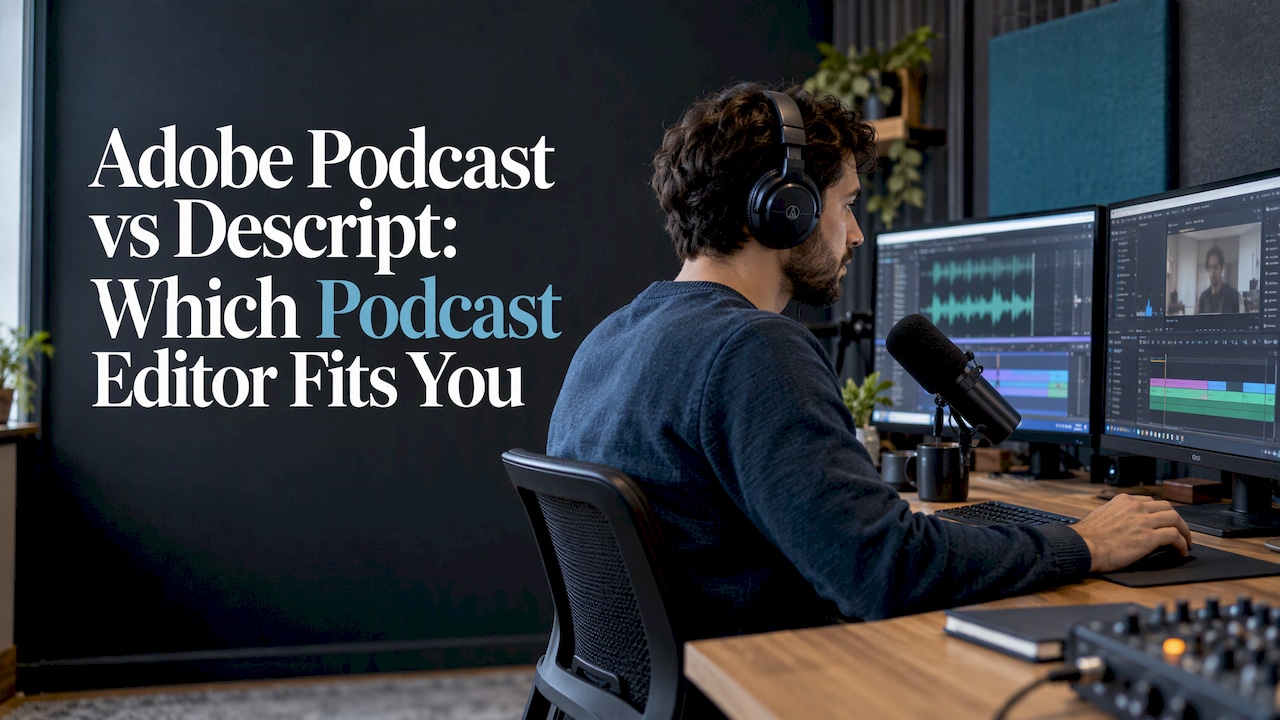
Choose Adobe Podcast if your main problem is bad audio: a noisy room, a distant mic, a guest recorded on a laptop. Choose Descript if your main problem is the editing itself: cutting by transcript, removing filler words, adding captions and pulling short clips from a long episode. They overlap in the middle, but they solve different jobs, and many podcasters end up using the strengths of both.
Below is how each one works, where each wins on sound quality, what you get on the free and paid plans, and how to choose based on your show.
TL;DR
- Adobe Podcast is a browser-based tool built around speech cleanup (Enhance Speech), with Studio recording and transcript-based editing on top. It is the faster fix for rough audio.
- Descript is a full text-based audio and video editor: record, transcribe, edit the transcript, add captions, make clips and publish in one place.
- In hands-on noise tests, Adobe removed heavy noise and handled poor mic placement better, while Descript kept a more natural-sounding voice.
- Descript’s paid plans start at $16 per person per month on annual billing; Adobe Podcast has a free tier with daily limits and a Premium tier that lifts them.
- Adobe Podcast is not Adobe Audition. Audition is a traditional audio workstation; Adobe Podcast is the simpler web tool.
Table of Contents
- What each tool actually is
- Is Adobe Podcast the same as Adobe Audition?
- Editing workflow: transcript first or sound first
- Audio quality: which cleanup sounds better
- Captions, clips and short-form video
- Pricing and free plans in the US
- Who should pick which
- Our perspective
- Find the right tool for your show
- FAQ
- Sources
What each tool actually is
Adobe describes Adobe Podcast as its web-based tool for recording, editing and enhancing voice recordings. The part most people know is Enhance Speech, a one-click filter that Adobe says reduces background noise, reverb, chatter and background music while improving dialogue clarity. Around it sit Studio, for recording and transcript-based editing, and plan-dependent limits on file size and daily processing.
Descript is built the other way around. Its text-based workflow transcribes recorded or imported media, then edits the audio or video when you change the transcript. For podcasts, Descript lists recording, transcription, text-based and timeline editing, filler-word and background-noise removal, AI voice tools, clips, collaboration and publishing in one product. Supported project audio formats include WAV, MP3, AAC, AIFF, M4A and FLAC.
In short: Adobe Podcast starts from the sound and adds editing. Descript starts from the edit and adds sound tools.

Is Adobe Podcast the same as Adobe Audition?
No, and the distinction matters once your editing gets complicated. Adobe Audition is a digital audio workstation used by musicians, sound designers and podcasters, with a deep set of editing, recording and mixing tools. Adobe Podcast is the simplified, cloud-based tool aimed at spoken word.
Why it matters in practice:
- If you want multitrack mixing, detailed spectral repair or complex music beds, you are describing Audition-style work, not Adobe Podcast.
- If you want to drop in a file, clean the voice and download it, Adobe Podcast is the lighter option.
- Neither of those is a text-based editor in the Descript sense, where deleting words in a transcript cuts the media.
So when someone says they are choosing between “Adobe” and Descript, ask which Adobe product they mean. The comparison in this article is about Adobe Podcast.
Editing workflow: transcript first or sound first
How Descript editing works
You upload or record, Descript transcribes, and you edit the text. Descript says its video editor updates your video when you change or delete words in the transcript, and it also offers timeline editing when you need finer control. That includes video: you can cut a talking-head episode the same way you cut an audio-only one.
For a weekly interview show, this is the biggest time saver. You read through, strike the tangents, remove filler words in one pass, and listen only to the joins. If filler words are your main time sink, our guide to removing filler words from recordings walks through the workflow.
Descript also has built-in remote recording. Its Rooms feature captures local, high-quality audio and video tracks for each guest, up to 4K, so a weak internet connection does not degrade the recording itself.
How Adobe Podcast works
Adobe Podcast runs in the browser. You can record in Studio, enhance speech, and edit using a transcript, all subject to plan limits. Its strength is the speed of the cleanup step: upload, enhance, download. Adobe’s March 2026 update added premium source separation controls for speech, background noise and music, including separate adjustment and downloadable stems. That gives you more control than a single on/off pass, for example when you want to keep some room tone or a music bed at a lower level.
If your episodes need heavy structural editing, reordering segments, adding video, burning in captions, you will do more of that outside Adobe Podcast.
Audio quality: which cleanup sounds better
This is where most readers expect a winner, and the honest answer is that it depends on the recording.
Adobe’s Enhance Speech v2 is designed specifically for spoken audio. Descript’s Studio Sound is an AI effect for recorded speech that reduces background noise and echo, enhances the voice and includes an intensity control. Descript describes it as regenerative: it isolates and enhances the speech rather than only subtracting noise, which it says avoids the tinny or hollow sound that conventional noise reduction can leave.
In a hands-on test of car noise, rubbing, no microphone, and a mic about 50 cm too far away, Adobe removed the car noise more completely and handled the poor mic placement better. Descript left more background noise but preserved a more natural voice. A separate dialogue-cleanup test of four heavily problematic recordings found that results depend strongly on the recording and the processing choice, with no universal winner.
| Situation | Likely better fit | Why |
|---|---|---|
| Guest recorded on a laptop mic in a reverberant room | Adobe Podcast | Stronger at reducing reverb and distant-mic problems in the hands-on test |
| Steady traffic or appliance noise | Adobe Podcast | Removed car noise more completely in the test |
| Decent recording that just needs polish | Descript | Keeps a more natural voice, with an intensity slider |
| You want to separate speech, noise and music | Adobe Podcast (Premium) | Source separation controls and downloadable stems |
| Cleanup as part of an edit you are already doing | Descript | Studio Sound applies inside the project |
A practical caution for either tool: Descript notes that Studio Sound can suppress speech or produce a silent waveform when background noise is extremely loud, and recommends lowering the intensity or turning the effect off. Listen to the whole file on headphones after any enhancement, especially at the start of sentences and on quiet words.
Captions, clips and short-form video
If you publish clips to YouTube Shorts, Reels or TikTok, this section decides the comparison for you.
Descript generates automatic time-synced captions, supports translation into 30+ languages and includes AI tools to extract highlights for social clips. Because the video lives in the same project as the transcript, the path from a long episode to a captioned vertical clip stays in one tool.
Adobe Podcast is positioned around audio: recording, speech enhancement and transcript-based editing. Its free plan does not support video at all, and Premium adds MP4 and MOV support. If clips and captions are central to your show, plan on a video-capable editor for that step. We keep a running list of AI tools for podcast clips and a guide on turning podcasts into Shorts if you want to see the options by type.
Once the episode is published, you still need titles, descriptions and show notes. Many creators use AI content writing tools for that step, working from the transcript Descript already produced.

Pricing and free plans in the US
Plans change, so confirm figures on the vendor pages before you buy. As of this article, this is what the official pages state.
Descript
Descript’s pricing page lists these US plans, per person:
| Plan | Annual billing | Monthly billing | Included |
|---|---|---|---|
| Hobbyist | $16/month | $24/month | 10 media hours, 400 AI credits, 1080p watermark-free export |
| Creator | $24/month | $35/month | 30 media hours, 800 AI credits, 4K watermark-free export |
| Business | $50/month | $65/month | 40 media hours, 1,500 AI credits, Brand Studio, translation and dubbing in 30+ languages, custom avatars, priority support |
| Enterprise | Custom | Custom | Custom allowances, security controls, custom terms |
Allowances are per month. Annual billing saves up to 35%. There is also a Free plan that needs no credit card and supports recording, editing and publishing.
One thing to watch with any AI editor is that credits and retries can add up. Our note on how retries multiply AI video editor pricing explains how to estimate real monthly cost.
Adobe Podcast
Adobe’s features page describes the structure. The free plan runs in the browser for Enhance Speech, one upload at a time, up to 30 minutes and 500 MB per file, with 1 hour of processing per day and no video support.
Premium adds MP4 and MOV support, bulk enhancement, adjustable enhancement strength, files up to 1 GB and 2 hours long, and up to 4 hours of enhanced speech per day. Studio projects can run up to 2 hours with unlimited downloads, and high-quality remote recording is unlimited. Check Adobe’s page for the current Premium price, since it is the figure most likely to change.
What the numbers mean
A weekly 45-minute show fits inside Adobe’s free daily limit if you enhance one file at a time, which makes it the cheapest way to fix sound. A show that records video, needs captions and cuts clips will use Descript’s media hours and AI credits, so the Hobbyist or Creator tier is the realistic starting point. Compare the monthly media-hour allowance to your actual output before you choose a tier.
Who should pick which
Pick Adobe Podcast if:
- Your recordings arrive messy: remote guests, untreated rooms, phone audio.
- You already edit in a timeline editor and only need a strong cleanup pass.
- You want separate control over speech, noise and music.
Pick Descript if:
- You edit interviews and want to cut by reading the transcript.
- You publish video or video clips and need captions.
- You record remote guests and want local tracks per guest.
- You work with an editor or co-host and want collaboration in the project.
Use both if: your guests record badly but you want a transcript-driven edit. Enhance the worst files first, then bring them into your editor of choice. For a broader view, see our roundup of AI video tools for podcasters and the guide to cutting podcast editing to 10 to 15 minutes.
Do not buy Descript’s higher tiers if you only publish audio and just need noise cleanup. Do not rely on Adobe Podcast alone if your plan is a weekly batch of captioned vertical clips.
Our perspective
We test these tools on real episodes, not demo files, and the pattern is consistent: the tool that wins is the one that removes the most steps from your own workflow.
For most podcasters who also publish video, that means a text-based editor with captions and clip tools in one project. The time you save is not in the cleanup pass. It is in not exporting, re-importing and re-syncing across three apps.
Audio enhancers are still worth knowing. When a guest sends a file recorded in a bathroom, a dedicated speech enhancer can rescue an episode that no slider will fix. We treat that as a polish layer, not a replacement for an editor.
That is why our directory scores tools on workflow fit, verified pricing and output quality, and why we list the editors, caption generators and clip tools side by side so you can match the tool to the job.
H
Find the right tool for your show
If you are still weighing options, our directory compares editors, caption generators and clip tools by ease of use, output quality and verified pricing. Start with the full Descript review for hands-on notes, or browse all AI video tools to see what fits your format.
If you already know you want a different kind of editor, our list of Descript alternatives for creators and podcasters sorts the choices by type, and the best video editors with auto captions cover the caption-first route.
FAQ
Is Adobe Podcast free?
Yes, there is a free browser-based plan for Enhance Speech. Adobe lists limits of one upload at a time, up to 30 minutes and 500 MB per file, and 1 hour of processing per day, with no video support. Premium lifts those limits and adds video file support.
Is Descript better than Adobe Podcast for editing?
For editing, generally yes, because Descript is built around transcript-based and timeline editing for both audio and video. Adobe Podcast is strongest at speech enhancement, so it suits creators who mainly need cleaner sound.
Which one sounds better, Studio Sound or Enhance Speech?
It depends on the recording. In one hands-on test Adobe removed heavy noise and poor mic placement more effectively, while Descript kept a more natural voice. Test your own worst file in both and choose by ear.
Can I make social clips with either tool?
Descript includes captions and AI highlight extraction aimed at social clips, all inside the same project as your transcript. Adobe Podcast focuses on audio, and its free plan does not accept video files.
Is Adobe Podcast the same as Audition?
No. Audition is a full audio workstation for multitrack editing and mixing. Adobe Podcast is a simpler web tool for recording, enhancing and editing spoken audio.
Sources
- Adobe Podcast: AI audio recording and editing
- Adobe Podcast features and plan limits
- Enhance Speech v2 from Adobe
- What’s new in Adobe Podcast, March 2026
- Adobe Podcast AI review and Audition comparison
- Descript: AI video and audio editor
- Descript podcast editing software
- Descript AI video editing software
- Descript Rooms
- Descript captions
- Descript pricing
- Studio Sound, Descript Help Center
- Descript blog on Studio Sound
- Adobe V2 vs Descript Studio Sound
- Dialogue Cleanup: AI Versus Audio Professional
- 11 best AI content writing tools