
Use SRT as your default subtitle format when portability matters most, and switch to VTT anytime you’re delivering captions natively on the web. SRT wins on compatibility across editors, archives, and social platforms. VTT wins when you need HTML5 <track> support or styled, positioned captions. Converting between the two is quick, but renaming the file extension does not count as conversion. Keep a canonical SRT file for every project and export VTT only when the destination needs it.
TL;DR:
- SRT files are more widely supported in editing tools, social platforms, and for archiving, making them ideal as master files.
- WebVTT files are required for native HTML5 video support and styled captions, especially when positioning or voice tags are necessary.
- Converting between formats requires adding a header, fixing timestamp punctuation, and removing unsupported styling or metadata, not just renaming files.
- Strict parsers reject VTT files missing the WEBVTT header or with comma instead of dot milliseconds, causing silent loading failures.
- Testing platform compatibility, especially for caption styling and cue positioning, helps determine whether to invest in WebVTT styling or stick with plain SRT.
Table of Contents
- What Are SRT And VTT Subtitle Files?
- SRT Vs VTT: What Actually Separates Them?
- When Should You Use SRT Instead Of VTT?
- How Do You Convert SRT To VTT (And Back)?
- What Compatibility Pitfalls Should You Test For?
- How TechVideoBlog Tests SRT And VTT Workflows
- Why I Still Default To SRT First
- Get Tested Subtitle Tools Instead Of Guessing
- Where To Read More On WebVTT And SubRip
- Sources
- FAQ
What Are SRT And VTT Subtitle Files?
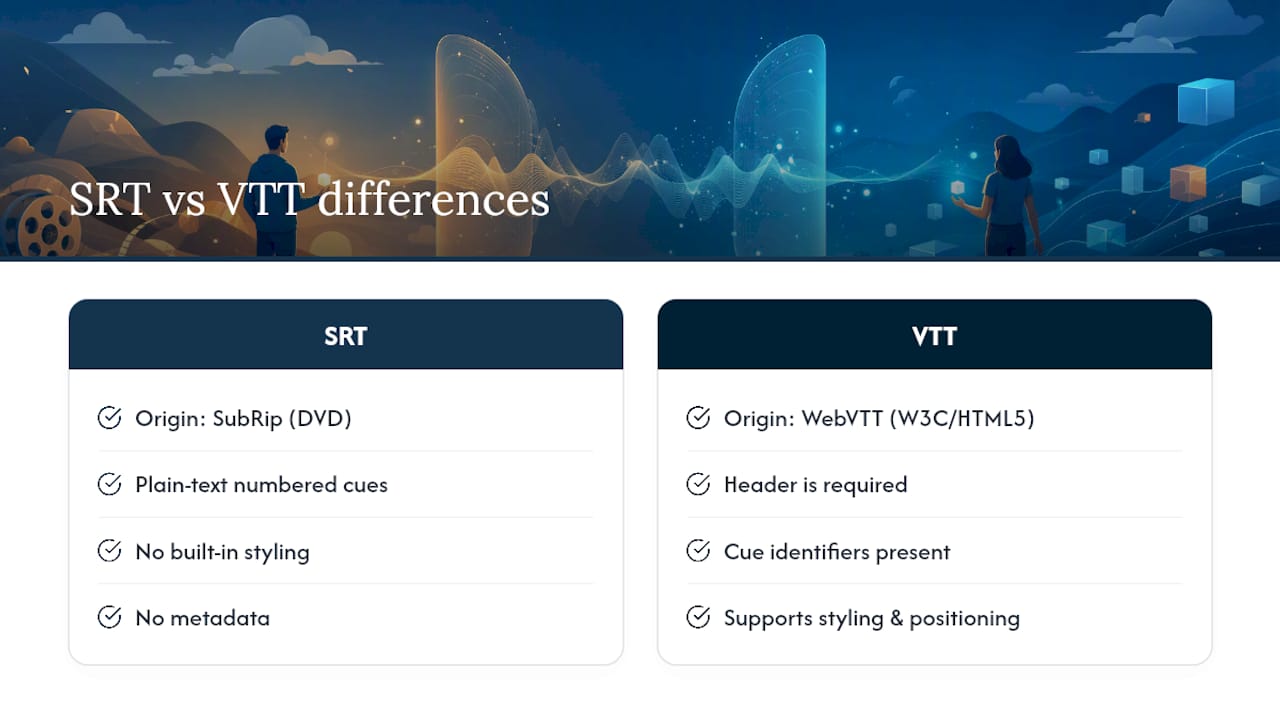
SRT, short for SubRip, is a legacy plain-text timed caption format that got its start ripping subtitles off DVDs. It has no built-in styling, no metadata, and no positioning logic. It’s just a sequence of numbered cues, each with a start and end timestamp and a line of text. The Library of Congress documents it as one of the most widely supported timed-text formats in desktop players and editing software, which explains why it’s stuck around for two decades.
VTT, formally WebVTT, is the format the W3C built specifically for HTML5 video. It handles the same basic job as SRT, timed text synced to a video, but adds a header requirement, cue identifiers, styling, positioning, and metadata blocks called NOTEs.
Open either one in a plain text editor and they look almost identical at a glance: numbers, timestamps, lines of dialogue. That surface similarity is exactly why so many creators assume they’re interchangeable. They’re not, and the differences show up the moment a browser or platform tries to parse the file.
SRT Vs VTT: What Actually Separates Them?
The differences aren’t cosmetic. They’re structural, and they determine whether your captions load at all.
The header. VTT files must start with the literal string WEBVTT on the first line. Skip it, and browsers reject the file outright. SRT has no header requirement, which is part of why it feels simpler to write and edit by hand.
Timestamp punctuation. SRT separates milliseconds with a comma (00:01:12,500). VTT uses a dot (00:01:12.500). This one-character difference is the single most common reason a converted file fails silently, because strict parsers won’t tolerate the wrong separator.
Cue identifiers and metadata. SRT numbers every cue sequentially, and that number is mandatory. VTT cue identifiers are optional and can be any string, which makes them useful for indexing chapters or syncing with other systems. VTT also supports NOTE blocks for comments and metadata that never render on screen.
Styling and positioning. VTT lets you position text on screen, apply basic CSS-like styling, and mark up voice tags. SRT has essentially none of this, though some players extend it informally with HTML-like tags that aren’t part of the actual spec.
Real-world support. Comparisons across editors and platforms consistently find SRT more universally accepted in desktop tools and social upload flows, while VTT is the format browsers and web video players expect natively.
| Feature | SRT | VTT |
|---|---|---|
| Native browser/HTML5 support | Not supported directly | Required for <track> |
| Styling and positioning | Minimal or none | Built-in |
| Timestamp syntax | Comma milliseconds | Dot milliseconds |
| Cue identifier behavior | Mandatory sequential number | Optional, flexible string |
| Tooling and editor support | Broad, long-standing | Growing, web-focused |
| Best-fit use cases | Editing, archiving, social upload | Web embeds, styled captions |
When Should You Use SRT Instead Of VTT?
Match the format to where the file is going, not to a personal preference for one over the other.
- Use SRT for editing and archiving. Most desktop editors, from consumer apps to professional NLEs, expect SRT on import and export. It’s the safer bet when a file needs to move between multiple tools without breaking.
- Use SRT for social uploads. Platforms built around simple caption ingestion generally handle SRT without complaint, and its lack of styling means there’s nothing platform-specific to strip out or misinterpret.
- Use VTT when embedding video with HTML5’s
<track>element. This is not optional. Browsers require WebVTT for native subtitle tracks, full stop. - Use VTT when you need styling or positioning. If captions need to sit in a specific screen region, use a custom color, or carry voice tags for a dialogue-heavy video, VTT is the only format built to support it.
- Use VTT for accessibility-focused web delivery. WCAG guidance points to WebVTT as the practical implementation path for synchronized captions on the web, which matters if accessibility compliance is part of your publishing checklist.
The hybrid workflow that avoids most headaches: treat SRT as your canonical, editable master file, and generate VTT from it specifically for web delivery. That way you’re never trying to force one format to do a job it wasn’t built for. It is generally recommended to store your master SRT alongside your project files, not just inside your editor’s export folder. When a platform changes its caption requirements later, having that clean source file is invaluable.
How Do You Convert SRT To VTT (And Back)?
Renaming captions.srt to captions.vtt is not a conversion. It’s a file extension swap, and the internal formatting, comma timestamps, missing header, is still wrong. The browser will parse the file, find no WEBVTT line, and refuse to load it, or worse, silently skip every cue with a misformatted timestamp.
Real conversion follows a short checklist:
- Add the header. Insert
WEBVTTas the very first line of the file, followed by a blank line. - Fix the timestamp punctuation. Replace every comma separating seconds and milliseconds with a dot. Going from VTT to SRT, reverse the swap.
- Handle cue numbers. SRT requires sequential numbering; VTT makes it optional, so you can strip or keep it depending on direction.
- Strip VTT-only features when converting to SRT. Positioning tags, styling, and NOTE blocks have no SRT equivalent and need to be removed or they’ll show up as garbled text.
- Choose your tool. Command-line tools like
ffmpeghandle batch conversion cleanly for creators comfortable with a terminal. For one-off files, a trusted online converter or the export function built into most caption editors gets the job done faster.
Validation matters as much as the conversion itself. A quick two-part check, load the file in Chrome and load it in your actual publishing platform, catches most cross-player failures without requiring a full QA pass on every export.
What Compatibility Pitfalls Should You Test For?
A handful of small, easy-to-miss problems cause the majority of “why aren’t my captions showing up” support tickets.
- Missing WEBVTT header. No header, no captions. Browsers won’t guess.
- Byte order mark (BOM) issues. A BOM character at the start of a file, often added silently by certain text editors, can prevent proper parsing even when everything else is correct, a failure mode documented repeatedly in developer forums.
- Comma instead of dot. A single leftover comma from an unconverted SRT timestamp will make a strict VTT parser skip that cue entirely.
- Ignored cue settings. Some players and ingest pipelines accept VTT files but simply disregard positioning and styling cues, rendering plain text anyway.
- Non-UTF-8 encoding. Files saved in a different encoding can turn accented characters and special punctuation into broken symbols, especially when moving between editors on different operating systems.
How TechVideoBlog Tests SRT And VTT Workflows
An editorial testing process treats subtitle format handling as a workflow claim to verify, rather than simply repeating marketing copy.
The core recommendation stays consistent across every test: run a two-file authoring pipeline. Generate or edit SRT as the canonical file, then produce VTT specifically for web delivery. This keeps the editable master simple while giving the web version the styling and header structure browsers actually require.
- Draft and edit in SRT. It’s faster to review line by line and compatible with virtually every caption tool on the market.
- Convert to VTT for any embedded player. Add the header, fix timestamp punctuation, and layer in styling only if the destination player actually respects it.
- Run a validation pass. Confirm the header line, spot-check timestamp formatting with a simple pattern match, and load one sample cue in both Chrome and your primary editing tool.
- Smoke-test before publishing. A quick visual check in the browser catches missing headers and encoding issues faster than reading raw text.
On the decision of whether to preserve VTT-only styling end-to-end: it depends on your pipeline. Production ingest systems frequently strip cue settings like positioning and custom styling regardless of what you build into the file, which means investing heavily in VTT styling is wasted effort if your downstream platform doesn’t honor it. Test the actual destination first. If it respects styling, build it in. If it doesn’t, save yourself the QA burden and ship plain VTT.
Pro Tip: Before styling a single cue, upload a test VTT file with obvious positioning (top of screen, bold color) to your actual target platform. If the styling survives, build it out. If it gets flattened, skip straight to plain text and save the hours.
Why I Still Default To SRT First
I start almost every project in SRT because portability beats polish when a file needs to survive edits, platform changes, and tool switches over months or years. VTT earns its place the moment a project needs native browser playback, positioned captions, or accessibility-aligned web delivery, at which point the header and styling overhead are worth it. My working checklist before any final publish: confirm the destination, verify header and timestamp punctuation, strip features the target won’t honor, and keep the SRT master untouched no matter which format ships.
— H
Get Tested Subtitle Tools Instead Of Guessing
Picking between SRT and VTT is only half the battle. The harder question is which caption tool actually exports both formats cleanly without mangling timestamps or dropping styling, and that’s where generic marketing pages tend to fall short. Some sites run workflow tests on caption and subtitle generators, checking export accuracy, editor compatibility, and pricing before recommending tools.

If you’re building out a multilingual release, the multi-language subtitle workflow walks through delivering both formats across several tracks at once. Creators publishing short-form content will get more direct value from the auto subtitle guide for Shorts, which covers fast SRT generation for quick social turnaround. For a broader look at which tools handle format export reliably, the tested AI subtitle generator roundup on Techvideoblog breaks down pricing and output quality side by side. Start there before you commit to a tool.
Where To Read More On WebVTT And SubRip
The W3C WebVTT specification is the authoritative technical definition of the format, including every parsing rule browsers enforce. The Library of Congress format guidance on SubRip documents SRT’s structure and its long history as a preservation-friendly plain-text format. For a practical side-by-side breakdown with conversion notes, SubtitleOps’ comparison and Happy Scribe’s format guide both cover real-world platform behavior in more depth than the spec alone provides.
Sources
- WebVTT: The Web Video Text Tracks Format — W3C
- SubRip Subtitle format (SRT) – Library of Congress
- SRT vs VTT — Which Subtitle Format Should You Use? | SubtitleOps
- VTT vs. SRT: Key Differences and When to Use Each Format — Happy Scribe
FAQ
Is VTT Better Than SRT?
Neither format is universally better. VTT is the better choice for native HTML5 playback and styled captions, while SRT remains the safer choice for editing, archiving, and moving files between tools without compatibility issues.
Are SubRip And SRT The Same Thing?
Yes. SubRip is the full name of the format, and SRT is its file extension and the term most creators use interchangeably with it.
Does YouTube Use SRT Or VTT?
YouTube accepts SRT files for caption uploads, which is one reason SRT remains the default choice for social and platform uploads. Some platforms also accept VTT, but SRT’s compatibility is more consistent across upload tools.
Is VTT The Same As SRT?
No. VTT requires a WEBVTT header, uses dot-separated milliseconds instead of commas, and supports styling, positioning, and metadata that SRT does not have. Renaming an SRT file to .vtt does not make it a valid WebVTT file.