Opus Clip Review
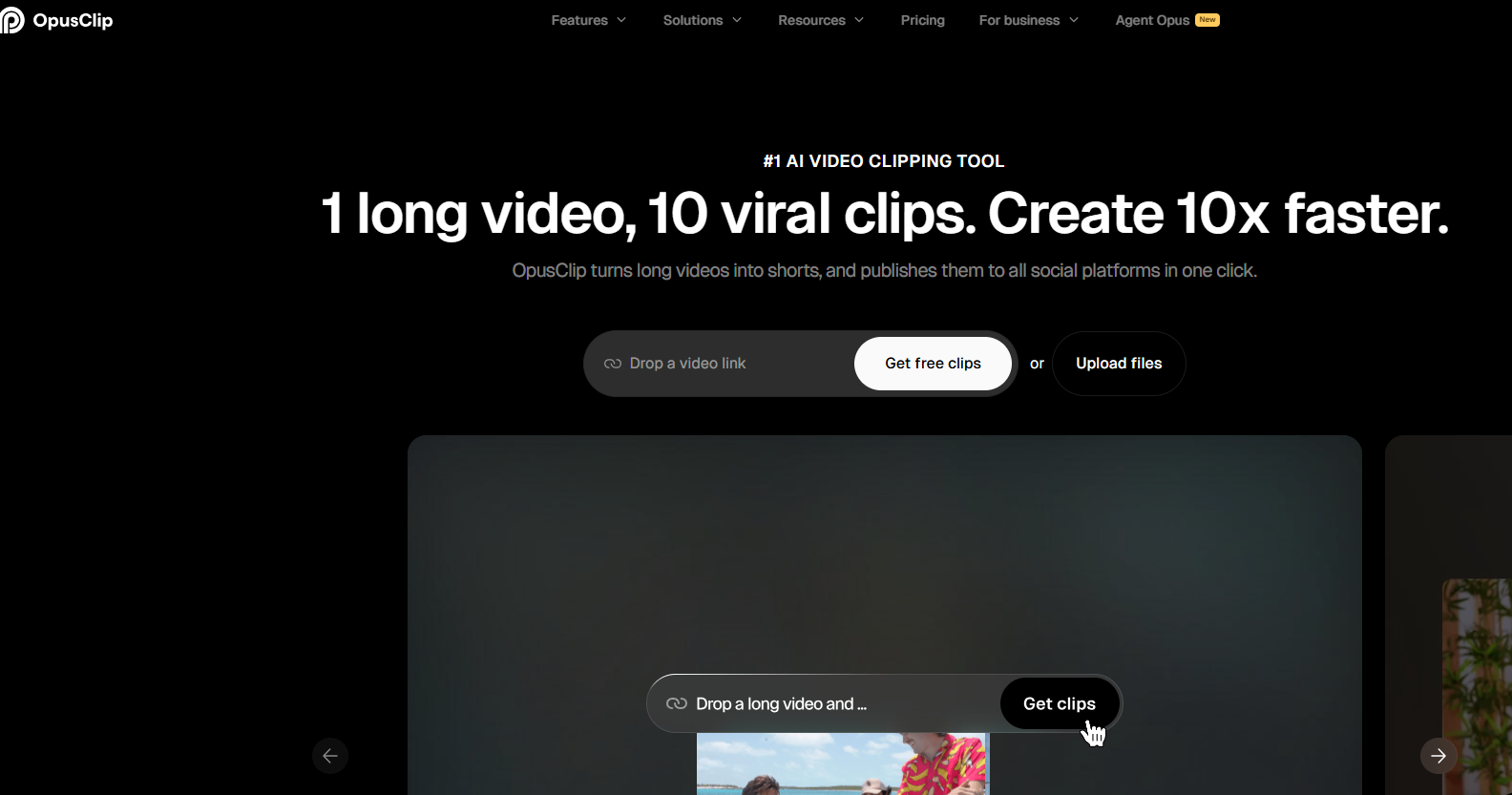
Opus Clip is one of the strongest tools I have used for turning long podcasts, interviews, webinars, and talking-head videos into batches of short-form clips. It is best for clip discovery and virality ranking, not final pixel-perfect editing.
Disclosure: TechVideoBlog may earn a commission if you buy through the Opus Clip link. That does not change the score, pricing notes, user objections, or client-work caveats in this review.
Quick verdict
Opus Clip is worth it if your bottleneck is finding clips inside long videos.
If you already publish podcasts, interviews, coaching calls, webinars, livestreams, or long YouTube videos, Opus Clip can save serious review time. My best use case is dropping in one long recording and using Opus Clip to surface 10 to 12 candidate Shorts ranked by virality score.
Best fit
- Podcasters repurposing interviews into Shorts
- YouTubers turning long videos into clips
- Agencies creating weekly clip batches for clients
- Coaches, webinar hosts, and course creators with long recordings
Fast decision
Opus Clip is the pick for clip discovery. It is not the pick for every short-form job.
| If you need… | Pick | Why |
|---|---|---|
| Best long-form clip discovery and virality ranking | Opus Clip | Best fit when you have long videos and need to find strong moments fast. |
| Caption polish, AI b-roll, and finished Shorts | Submagic | Better final polish layer after the clip is already selected. |
| Manual timeline control and free editing | CapCut | Better if you want direct control over every cut, caption, and asset. |
| Lower-cost long-form repurposing alternatives | Vizard or Klap | Worth testing when Opus credit limits feel expensive for your volume. |
| Transcript-first spoken-word editing | Descript | Better if the long-form edit and transcript workflow matter more than automated clipping. |
Score breakdown
Why Opus Clip gets 9.0/10
I score Opus Clip highest for the job it is best at: finding promising short-form clips inside long videos. I lower the score because the built-in editor is not my favorite polish layer, credits matter for high-volume users, and non-enterprise users should understand the data-training policy before uploading sensitive client footage. Client-work safety scores 6.8 because default non-enterprise terms require more caution than an enterprise contract.
Video walkthrough
Watch an Opus Clip workflow walkthrough.
This embedded walkthrough gives readers a faster visual sense of how Opus Clip works. Replace it later with your own TechVideoBlog screen recording showing upload, clip results, virality scores, editing limits, export, and where clips move into Submagic or CapCut for final polish.
Who should skip it
Do not buy Opus Clip for the wrong job.
Skip if you do not have long videos
Opus Clip needs source footage. If you are making original TikToks or ads from scratch, use a creator editor, avatar tool, UGC tool, or script-to-video workflow instead.
Skip if you need full editing control
Opus Clip can edit and refine clips, but it should not replace CapCut, Premiere, Final Cut, Descript, or another full editor for detailed timeline work.
Be careful if credits run out fast
Opus credits are based on minutes of original video processed. High-volume podcast, webinar, or livestream workflows can burn through plan limits quickly.
Use caution with sensitive client footage
Opus Clip says individual non-enterprise user data may be used to improve AI models, while enterprise data is not used for training under contract. Recheck policy before sensitive uploads.
Owner experience
What I have actually used Opus Clip for
Hands-on notes
I have used Opus Clip heavily for over 1 year. It is my go-to tool for turning a long podcast or interview into 10 to 12 candidate shorts fast. The biggest win is the virality ranking: in my own workflow, three clips that Opus ranked highly went on to pass 1M views.
The main weakness is not discovery. It is final polish. The built-in editor is useful, but I often finish the best clips in Submagic or CapCut when captions, b-roll, or client-ready polish matter more than speed.
Author note
Reviewed by Hank Cai for TechVideoBlog
This review is based on heavy owner use across podcast and interview repurposing workflows, plus pricing, credits, help docs, terms, privacy, and community-objection checks completed on May 16, 2026.
Product screenshots
What Opus Clip looks like in the workflow
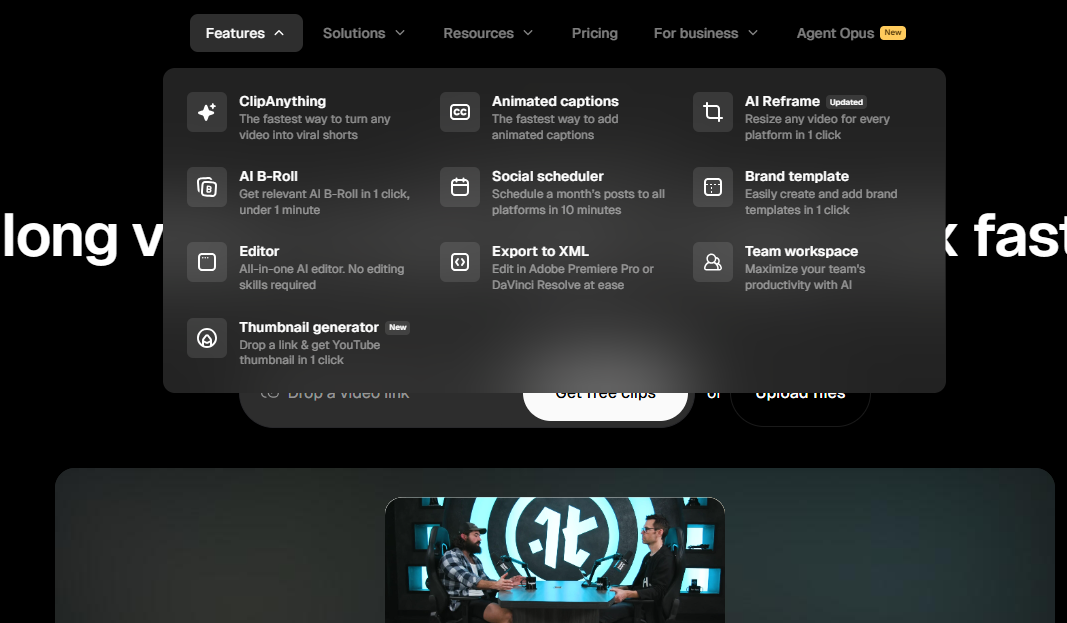
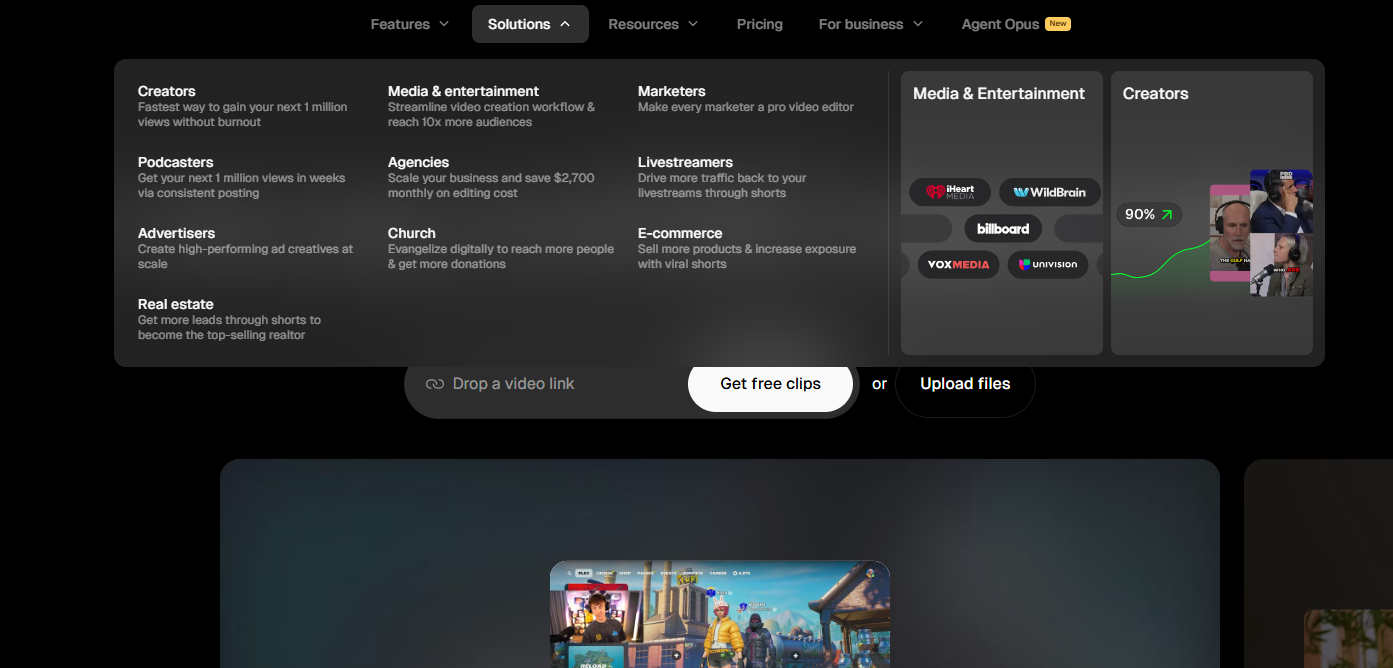
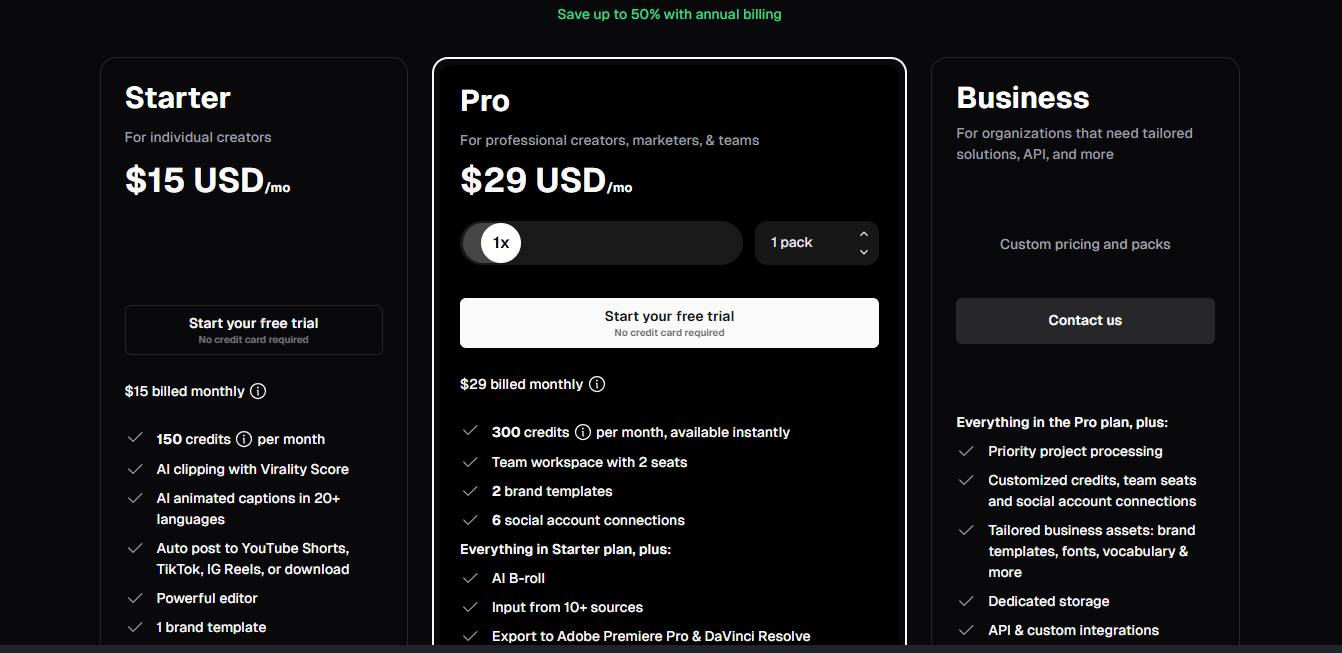
These screenshots make the review more useful than a generic listicle. They show the product experience, feature positioning, use-case targeting, and pricing structure readers should inspect before buying.
How I read the product promise
Opus Clip is not trying to be a full editor first. Its strongest promise is review speed: feed it a long video, let it find candidate moments, then decide which clips deserve final polish.
- Use it to reduce long-video review time.
- Use virality score as a triage signal, not a guarantee.
- Expect to use another editor when the final short needs more taste.
What to inspect yourself
Before paying annually, test whether Opus Clip finds useful moments from your own source footage, ranks them sensibly, and leaves you with edits that need cleanup instead of a full rebuild.
Pricing snapshot
Opus Clip pricing and credit limits
Opus Clip pricing is less about the monthly sticker price and more about credits. Opus help docs say processing clips costs 1 credit per minute of the original video imported. Pricing was checked against Opus Clip’s public pricing and help pages on May 16, 2026.
| Plan | Price | Credits | What matters | TechVideoBlog verdict |
|---|---|---|---|---|
| Free | $0 | Limited free credits and watermarked exports. | Good for testing whether Opus understands one real source video before paying. | Use only for workflow testing, not final client delivery. |
| Starter | $15/mo | 150 credits/month | Roughly 150 source-video minutes, such as two 60-minute podcasts plus a shorter video. | Best first paid test for light creators. |
| Pro | $29/mo | 300 credits/month | Best fit for weekly publishing, more clips, and serious creator workflows. Extra credit packs add recurring credits and seats if needed. | Best starting point for serious YouTubers, podcasters, and freelancers. |
| Business | Custom | Customized | For organizations needing over 10 seats, high volume usage, custom solutions, or API. | Use for agencies or teams that need contract controls and data terms. |
Sources: Opus Clip pricing and Opus Clip credits help doc, checked May 16, 2026. Verify the checkout page before purchasing.
| Workflow | Source minutes/month | Likely plan | Why |
|---|---|---|---|
| Two podcasts per month | About 120 minutes | Starter | 150 credits can cover light podcast repurposing if episodes are around an hour. |
| Weekly podcast | 240 to 300 minutes | Pro | 300 credits fits many weekly workflows before extras are needed. |
| Agency with several clients | 600+ minutes | Pro packs or Business | Credits become the real cost once every client sends long recordings. |
| Long livestream clips | 500+ minutes | Business or custom workflow | Long source files can burn credits quickly even if only a few clips are used. |
Best next step
Run one long video before annual billing.
The pricing table only matters if Opus Clip finds clips you would actually publish. Test one real podcast, interview, webinar, or YouTube video, then compare the best outputs against your manual editing workflow.
30-minute buyer test
Run this test before paying annually
This is the practical workflow test I would use before deciding whether Opus Clip belongs in a creator or client-work stack.
| Test step | What to do | Pass condition | Why it matters |
|---|---|---|---|
| 1. Upload one real long video | Use a podcast, interview, webinar, livestream, or tutorial that you would actually clip. | Opus imports the file or link cleanly and generates several usable candidates. | Do not test with a perfect demo. Use your real source footage. |
| 2. Check the top 10 clips | Sort by virality score and watch the highest-ranked outputs first. | At least 2 to 4 clips feel publishable or close to publishable. | Opus is valuable when it reduces review time, not when every clip needs a rebuild. |
| 3. Inspect hooks and context | Look for clips that start with a clear hook and end without feeling chopped off. | The clip makes sense without the full video. | Bad context is where automated clipping can fail. |
| 4. Edit one clip | Adjust captions, framing, trim points, and any extra polish. | Editing is mostly cleanup, not a full manual rebuild. | This is where you decide whether Opus alone is enough or needs Submagic/CapCut. |
| 5. Check credits used | Compare source-video length against credits consumed. | The plan fits your monthly publishing volume. | Credits determine real cost for agencies and podcast-heavy creators. |
Community research
What users complain about
A good affiliate review should include the complaints. Reddit and creator discussions show recurring concerns around credit limits, support, whether the score is predictive, and how much manual review is still required.
Complaint: credit limits can feel tight
Creators processing long podcasts, streams, or client libraries may run through credits quickly. My take: calculate cost by source-video minutes, not only monthly price.
Complaint: support and cancellation friction
Some community posts complain about support responsiveness and subscription friction. My take: test monthly first and keep billing expectations conservative.
Complaint: virality score is not magic
Virality score is useful for ranking clips from your own video, but it does not guarantee platform performance. My take: use it as a triage signal, then apply creator judgment.
Complaint: still needs manual review
AI can find good moments, but it can miss context, pacing, or a client-specific message. My take: Opus saves review time, but it does not remove the editor’s taste.
Community sources reviewed include Reddit discussions in r/opusclip, r/youtubers, r/VideoEditing, r/Kick, and creator-focused threads. Individual comments are treated as community-reported signals, not universal proof.
Client-work safety
Is Opus Clip safe enough for client work?
Workflow-wise, yes for many repurposing deliverables. Policy-wise, keep the risk rating at medium unless you are using enterprise terms or have client permission for uploaded footage.
Client Work Verdict: Medium Risk
- Good for normal podcast, interview, webinar, coaching, and creator repurposing.
- Use caution with NDA, health, legal, financial, internal company, or unreleased campaign footage.
- Enterprise terms are safer than self-serve plans for sensitive client workflows.
- Get written client upload permission before using Opus Clip in a repeatable service package.
| Check | Current source-backed note | Practical recommendation |
|---|---|---|
| Commercial workflow fit | Opus Clip supports long-video imports, generated clips, editing, exports, scheduling, and social posting workflows. | Good for podcast clips, interview clips, webinar clips, and client repurposing packages. |
| Supported sources | Help docs list YouTube, Google Drive, Vimeo, Zoom, Rumble, Twitch, Facebook, LinkedIn, X, Dropbox, Riverside, Loom, Frame.io, StreamYard, Kick, public MP4 URLs, and local uploads for Pro users up to 30GB. | Useful for agencies with mixed source footage, but verify private video access before client onboarding. |
| AI training | Opus help docs say individual non-enterprise user data may be used to improve AI models. Enterprise customer data is not used for training, governed by contract. | Do not upload sensitive client footage on a normal self-serve plan without client permission and policy review. |
| Special categories of data | Privacy policy says OpusClip does not request, collect, or intentionally process special categories of personal data and asks users not to upload such information. | Avoid health, legal, financial, unreleased campaign, or confidential footage unless your client approves the workflow. |
| 4K export | Help docs say 4K export is available for Enterprise users only when the original uploaded video is 4K. | Do not promise 4K delivery from self-serve plans. Check client deliverable requirements first. |
Sources: Opus Clip data training help doc, Opus Clip Privacy Policy, video sources help doc, and 4K export help doc, checked May 16, 2026. This is not legal advice.
Creator stacks
Best Opus Clip stacks by workflow
Most creators do not need one perfect tool. They need a stack that finds clips fast and still leaves room for human taste.
| Workflow | Recommended stack | Why it works | Watch-out |
|---|---|---|---|
| Podcast repurposing | Opus Clip + Submagic + CapCut | Opus finds strong moments, Submagic improves captions and b-roll, CapCut handles final manual fixes. | Do not skip human review of context and hooks. |
| Freelancer client packages | Opus Clip + Google Drive review flow + Submagic | Useful for producing weekly candidate clips and polishing the approved ones. | Create a client upload-permission checklist first. |
| Webinar or coaching clips | Opus Clip + Descript + Canva | Opus surfaces moments, Descript helps with transcript cleanup, Canva helps with simple graphics. | Educational content often needs context added back in. |
| Budget creator test | Opus Clip Free or Starter + CapCut | Lets you test discovery quality without paying for every tool in the stack. | Watermarks and limits may block final publishing on Free. |
Alternatives
Best Opus Clip alternatives to compare
Opus Clip is strongest for long-form clip discovery. Compare these tools when the bottleneck is final polish, manual editing, cost, or transcript-first production.
| Alternative | Choose it if | Skip it if | Best paired with Opus? |
|---|---|---|---|
| Submagic | You need stronger captions, AI b-roll, emojis, and short-form polish. | You need the tool to find the best moments from long videos. | Yes. This is my favorite polish pairing. |
| CapCut | You need free or low-cost manual editing control. | You want automated long-video clip discovery. | Yes, for final cleanup. |
| Vizard | You want another long-form repurposing tool with a different workflow and pricing feel. | Opus already gives you enough strong clips at your volume. | Usually compare, not stack. |
| Klap | You want a leaner Opus-style clipping alternative. | You rely heavily on Opus’s virality score and broader workflow. | Usually compare, not stack. |
| Descript | You edit spoken-word content from transcripts and need long-form editing tools. | Your main need is automatic short clip discovery. | Sometimes, for transcript cleanup. |
Methodology
How this Opus Clip review was built
This is not a lab-only review and not a thin affiliate rewrite. It combines owner workflow notes with official pricing, help docs, policy pages, and community objections.
Owner-tested
Heavy Opus Clip use for over 1 year, including hundreds of shorts from long-form podcasts and interviews.
Source-checked
Pricing, credits, virality score, supported sources, AI training note, privacy, and 4K export were checked on May 16, 2026.
Objection-aware
Community themes around credits, support, score quality, and manual review were included to avoid a one-sided affiliate recommendation.
Final verdict
Try Opus Clip if you publish long-form content every week.
Opus Clip is one of the first tools I would test for a podcaster, YouTuber, coach, freelancer, or agency that needs more short-form candidates from long videos. My recommendation is to start monthly, process one real long video, and judge the top clips before annual billing. If the clips are strong but need polish, pair Opus Clip with Submagic or CapCut instead of expecting one tool to do every job.
Disclosure: TechVideoBlog may earn a commission if you buy through the Opus Clip link. The review keeps owner experience, pricing limits, user objections, and policy caveats visible because the best recommendation depends on workflow fit.
FAQ
Opus Clip FAQ
Is Opus Clip worth it?
Opus Clip is worth it if you regularly publish long-form video and need a faster way to find short-form moments. It is harder to justify if you only make original short videos or rarely have long source footage to process.
Which Opus Clip plan should creators start with?
Use Free to test whether Opus understands your footage. Serious creators should compare Starter and Pro. Pro is the more realistic starting point if you process long videos weekly and need more credits.
Is Opus Clip better than Submagic?
Opus Clip is better for finding clips inside long videos. Submagic is better for caption-led short-form polish and b-roll after the clip is already selected. Many creators should test them together.
How does Opus Clip’s virality score work?
Opus says its score evaluates factors such as hook, flow, value, and trend. In practice, treat the score as a ranking signal inside your own source video, not a guarantee that a clip will go viral.
Does Opus Clip use credits?
Yes. Opus help docs say processing clips costs 1 credit per minute of original video imported. This is why long podcasts, streams, and webinars can get expensive faster than the monthly price suggests.
Is Opus Clip good for client work?
Yes for many repurposing workflows, especially podcasts, interviews, and webinars. For sensitive client footage, get upload permission and review the data-training and privacy language first, especially if you are not on enterprise terms.
How do I cancel Opus Clip?
Cancel from your Opus Clip account billing area and keep a record of the cancellation confirmation. Because community complaints sometimes mention support or subscription friction, I would test monthly before annual billing and avoid waiting until the last day of a billing cycle.
What is the best Opus Clip alternative?
The best alternative depends on the bottleneck. Use Submagic for polish, CapCut for manual editing, Vizard or Klap for clipping alternatives, and Descript for transcript-first editing.