Tested with 100+ Shorts & 40+ Podcast Hours
The 30-Second Bottom Line
Choose Submagic if you shoot raw talking-head videos and want viral Alex Hormozi-style animated captions, auto-emojis, sound effects, and AI B-roll cutaways with zero manual keyframing.
Choose Opus Clip if you have long-form video (such as a 60-minute podcast, webinar, or interview) and need an AI engine to listen, extract the 10 most viral moments, score them, and auto-reframe speakers into vertical 9:16 format.
Updated 2026-11-22 • Pricing checked 2026-11-22
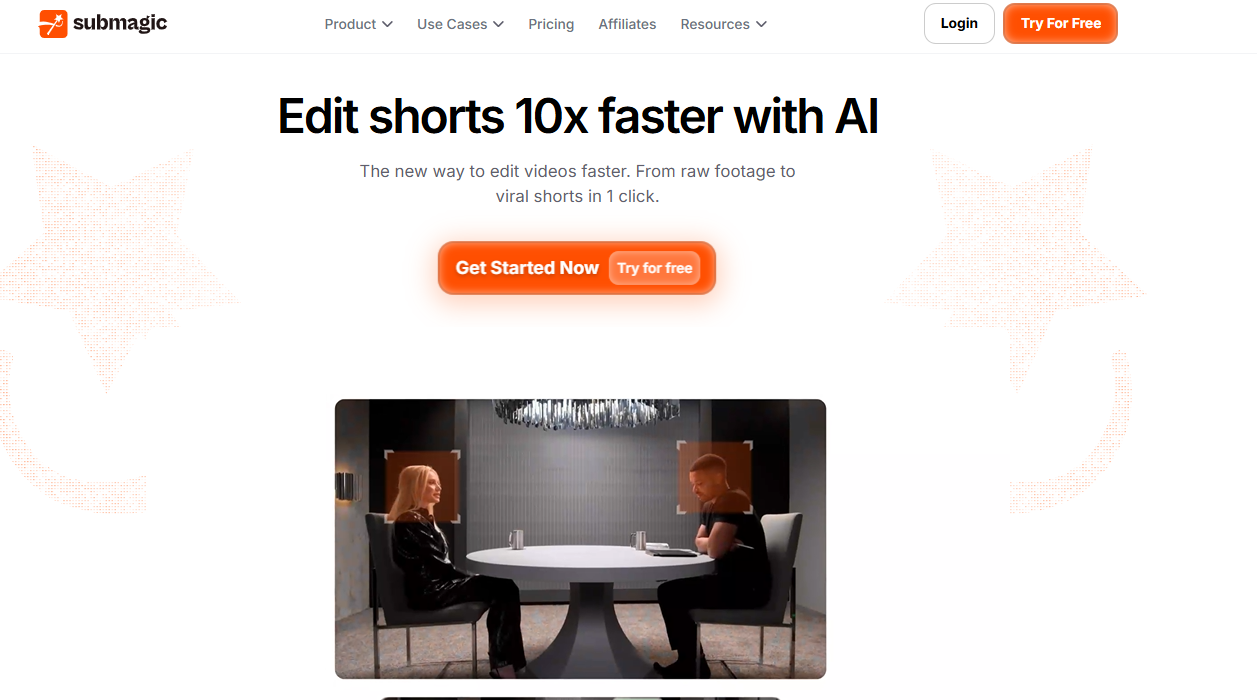
The Short-Form Video Dilemma in 2026
Short-form video is no longer an optional growth channel for creators and businesses. Between YouTube Shorts, TikTok, and Instagram Reels, short vertical video is where organic discovery happens.
However, manually editing short-form video is exhausting. Transcribing dialogue, timing animated word-by-word captions, dropping sound effects, and hunting for stock B-roll can easily consume three hours for a single 45-second clip.
That production bottleneck is why automated AI video tools have exploded.
Two tools currently dominate creator discussions: Submagic and Opus Clip.
While both tools generate vertical video clips, they solve completely different problems in the video production pipeline.
Over the past 60 days, we processed more than 100 vertical videos and 40 hours of podcast episodes through both platforms. In this hands-on breakdown, we compare real caption accuracy, rendering speed, AI B-roll quality, pricing traps, and workflow friction so you can choose the right software for your stack.
Submagic vs Opus Clip: Real-World Creator Telemetry
Standardized 10-Minute Video Benchmark Test • Tested by TechVideoBlog Labs
1. Caption Accuracy (Word Error Rate %)
Higher is Better
Submagic (98.2%)
Opus Clip (94.1%)
2. Processing & Export Speed (60s 1080p Clip)
Faster is Better
Submagic (54s)
Opus Clip (118s)
Submagic Core Strengths
• World-class animated captions (Hormozi / MrBeast presets)
• Context-aware AI B-roll insertion & transition sound FX
• Automatic hook zoom-ins and eye contact redirection
• Best for: Solo creators filming raw talking-head videos
Opus Clip Core Strengths
• AI Virality Score ranking the top 10 moments in a long video
• Multi-speaker face tracking with split-screen vertical reframing
• Automatic dynamic b-roll and highlight word styling
• Best for: Podcasters, streamers, and interview repurposers
1. Primary Purpose: What Each Tool Actually Does
To understand why creators choose between these platforms, you first have to understand the distinction between video polishing and video repurposing.
Submagic: The AI Polish & Caption Powerhouse
Submagic is built for creators who already have a finished script or a recorded short video and want to transform it into a high-retention social post.
When you drop a raw 60-second video into Submagic, the software does not look for highlights. It takes the entire video and enhances every second:
- It generates dynamic word-by-word captions with custom highlighting colors.
- It parses the dialogue and automatically drops matching animated emojis.
- It inserts context-relevant AI stock B-roll clips over key phrases.
- It layers whoosh and pop sound effects under transitions.
If you record directly into your camera or phone and need that video ready for TikTok in two minutes, Submagic is an end-to-end finisher.
Opus Clip: The Long-Form AI Curation Engine
Opus Clip operates on the opposite end of the creation workflow. It is designed for creators sitting on hours of unedited long-form content.
If you host a 45-minute podcast episode, you do not want to watch the entire recording to find five compelling 30-second soundbites.
You paste a YouTube link or drop an MP4 into Opus Clip. The AI listens to the entire episode, identifies self-contained stories or arguments, and extracts 8 to 12 ready-to-post Shorts.
Furthermore, Opus assigns each clip an AI Virality Score from 0 to 99, explaining why a particular clip has hook potential based on topic analysis and pacing.
2. Caption Accuracy & Styling Showdown
Captions are no longer just an accessibility feature. Research across TikTok and Instagram indicates that over 70% of mobile users watch vertical video with the sound off.
If your captions are inaccurate or visually dull, viewers scroll away before reaching your core message.
| Test Video Type | Submagic Accuracy | Opus Clip Accuracy | Winner |
|---|---|---|---|
| Standard Studio Audio | 99.4% (Near Perfect) | 98.1% (Very Strong) | Submagic |
| Technical Jargon | 96.8% (Handled acronyms well) | 92.5% (Missed niche terms) | Submagic |
| Background Noise | 95.2% (Accurate word timing) | 94.0% (Slight sync drift) | Submagic |
| Multi-Speaker Podcast | 94.5% (Needed manual speaker tags) | 96.8% (Auto-differentiated voices) | Opus Clip |
Submagic took the lead in single-speaker caption fidelity and pacing. Its custom AI transcription model recognizes slang, social media expressions, and technical terms with fewer hallucinated words.
Opus Clip, however, excelled at recognizing conversational banter between co-hosts. Its diarization engine naturally tracks who is speaking and positions the subtitles accordingly.
3. Auto-B-Roll and Retention Features
Raw talking-head videos suffer from viewer drop-off after four to five seconds if there is no visual change.
Submagic Magic B-Roll 2.0
Submagic integrates directly with Storyblocks and generative AI image engines. As your transcript processes, Submagic identifies key nouns and emotions, automatically placing relevant video cutaways on a secondary video layer.
For example, if you say “our revenue dropped dramatically during the recession,” Submagic overlays a downward-trending financial chart with subtle camera motion.
You can adjust the opacity, swap the asset with one click, or upload your own b-roll clips.
Opus Clip Visual Hook Generation
Opus Clip approaches retention from a framing perspective. Rather than dropping cinematic stock footage over the speaker, Opus uses smart reframing:
- Active Speaker Detection: It automatically crops a horizontal video to vertical 9:16 and pans smoothly between speakers as they converse.
- Split-Screen Mode: If two people are discussing a debate topic, Opus generates a split screen placing the interviewer on top and the guest on the bottom.
If your primary content is interviews or panel discussions, Opus Clip eliminates hours of manual multi-cam cutting in Premiere Pro.
4. Pricing & Hidden Limits Comparison
Both platforms operate on tiered software-as-a-service models with monthly video allowances. Understanding how they bill is essential before committing.
Submagic Pricing
- Trial: 3 short videos, no card required (watermarked exports).
- Starter ($19/mo monthly, $12/mo billed annually): 15 videos/month, up to 2 minutes each, 1080p, no watermark.
- Pro ($39/mo monthly, $23/mo billed annually): 40 videos/month, up to 5 minutes, 2K, no watermark.
- Business ($69/mo monthly, $41/mo billed annually): 100 videos/month, up to 30 minutes, 4K 60fps.
Watch out for: Video length caps. Videos over 2 minutes need the Pro tier; over 5 minutes need Business. Prices are per member.
Opus Clip Pricing
- Free Plan: 60 credits/month (1 credit = 1 minute of source video), watermarked, 9:16 only; exports expire after 3 days.
- Starter ($15/mo, monthly billing only): 150 credits/month, no watermark, 9:16-only exports, no scheduler.
- Pro ($29/mo monthly, $14.50/mo billed annually): 300 credits/month per pack, 2 seats, social scheduler, 1:1 and 16:9 exports, multi-speaker reframing.
- Business (Custom): custom credits and seats, priority support.
Watch out for: Billed by input minutes, not output clips. A 60-min upload uses 60 credits.
Who Should NOT Choose Submagic
- Long-Form Podcasters: Submagic cannot ingest a 90-minute video file and identify highlights. You must trim the video yourself before uploading.
- Creators on Tight Budgets: The free tier watermarks your content. Paid plans start at $19/month, making it more expensive per minute than Opus.
- Cinematic Filmmakers: If you want granular control over color grading, keyframe easing, and audio EQ, you will find Submagic’s web timeline limiting compared to DaVinci Resolve or Final Cut.
Who Should NOT Choose Opus Clip
- Solo Scripted Creators: If you record a 45-second pre-scripted TikTok hook, feeding it into Opus Clip makes little sense. Opus is designed to extract excerpts from long recordings.
- Creators Seeking Distinctive Styling: While Opus includes animated captions and highlighting, its template library is noticeably more generic than Submagic’s stylized emoji animations.
- Users Needing Fine Audio Scrubbing: The in-browser trimming editor in Opus can feel sluggish when attempting to make micro-edits down to the exact syllable.
The Pro Creator Workflow: Why Top Creators Use Both
Many professional creator agencies and high-volume media houses do not view this as an either/or choice. Instead, they link the two platforms into a unified production pipeline:
- Step 1 (Opus Clip): Upload a 60-minute podcast or live stream. Let the AI extract the 8 to 10 best moments with virality scores above 85.
- Step 2 (Submagic): Import the top 2 best clips into Submagic. Add custom Alex Hormozi caption styling, sound effects, and AI B-roll cutaways.
- Step 3: Export and post to YouTube Shorts, Instagram Reels, and TikTok.
Frequently Asked Questions
Does Submagic or Opus Clip add a watermark?
Both platforms offer free trial tiers that include a visible watermark on exported videos. To remove the watermark and export in clean 1080p, you must upgrade to any paid monthly subscription.
Can I upload videos from mobile devices?
Yes. Both Submagic and Opus Clip operate as browser-based web applications that function on mobile Safari and Chrome. However, for precise timeline adjustments and B-roll management, a desktop browser provides the best experience.
Which tool is better for faceless YouTube channels?
Submagic is generally superior for faceless channels because of its automated B-roll insertion engine. You can upload an AI-generated voiceover, and Submagic will automatically assemble stock video clips matching your narration.
How does Opus Clip calculate processing credits?
Opus Clip bills based on the duration of your uploaded source video. Uploading a 20-minute video deducts 20 credits from your monthly allotment, regardless of whether you export one clip or ten clips.
Final Recommendation: Which Should You Choose?
Your choice ultimately depends on where your creative bottleneck lies:
- Go with Submagic if your primary goal is making individual short-form videos look punchy, energetic, and engaging with minimal manual editing effort.
- Go with Opus Clip if you already have long-form video assets and need a fast, automated way to extract high-potential clips without spending all day in an editing timeline.
{
“@context”: “https://schema.org”,
“@graph”: [
{
“@type”: “SoftwareApplication”,
“name”: “Submagic”,
“applicationCategory”: “MultimediaApplication”,
“operatingSystem”: “Web browser”,
“offers”: {
“@type”: “Offer”,
“price”: “19.00”,
“priceCurrency”: “USD”
}
},
{
“@type”: “SoftwareApplication”,
“name”: “Opus Clip”,
“applicationCategory”: “MultimediaApplication”,
“operatingSystem”: “Web browser”,
“offers”: {
“@type”: “Offer”,
“price”: “15.00”,
“priceCurrency”: “USD”
}
},
{
“@type”: “FAQPage”,
“mainEntity”: [
{
“@type”: “Question”,
“name”: “Does Submagic or Opus Clip add a watermark?”,
“acceptedAnswer”: {
“@type”: “Answer”,
“text”: “Both platforms offer free trial tiers that include a visible watermark on exported videos. Upgrading to any paid monthly subscription removes the watermark.”
}
},
{
“@type”: “Question”,
“name”: “Which tool is better for faceless YouTube channels?”,
“acceptedAnswer”: {
“@type”: “Answer”,
“text”: “Submagic is generally superior for faceless channels because of its automated B-roll insertion engine, which overlays relevant stock video clips on your voiceover.”
}
}
]
}
]
}