Ecommerce marketing guide
Best AI Video Tools for Ecommerce
Compare AI video tools for ecommerce product video, short-form creative, captions, variations, and brand-safe asset production. Use AI to make product content clearer, not to create misleading visual claims.
Practical buyer checks
Independent editorial guide
Updated November 2026
Prices checked November 2026
Quick answer
Ecommerce Video Has to Match the Product
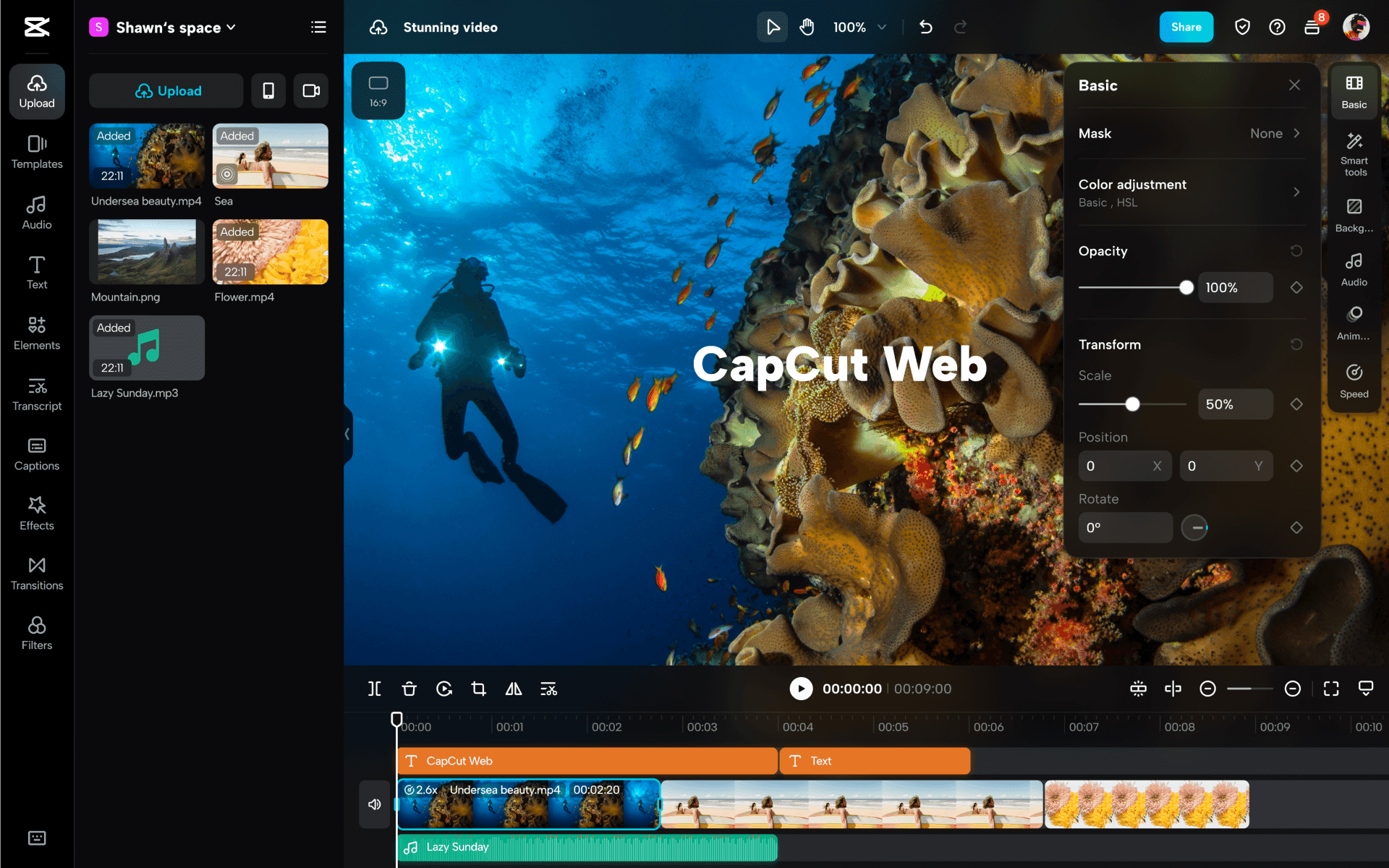
CapCut can help assemble short-form product videos, VEED can support captions and browser revisions, and InVideo is useful to compare for structured marketing drafts. The final video must still accurately represent the product, offer, and customer experience.
The most useful AI tool is usually the one that removes a repeatable bottleneck without moving the same work into a different screen. Start with one real project, test the output against your usual standard, and note the time spent correcting it. That is more reliable than comparing feature lists or marketing clips.
| Tool | Primary role | Use it when | Verify first |
|---|---|---|---|
| CapCut | Short-form product editing | You need fast vertical product clips and variations | Avoid templates or effects that misrepresent the product |
| VEED | Browser video editing and subtitles | Teams need simple shared revisions and captioned exports | Review the final product claims and framing |
| InVideo | AI-assisted marketing video creation | A brief needs structured marketing-video variations | Confirm asset control and final editing ability |
| Tool | Best for | Starting price |
|---|---|---|
| CapCut | Social creative | Free $0; Pro $19.99/mo or $179.99/yr |
| VEED | Caption and revisions | Free $0; Lite $19/mo or ~$12/mo billed annually |
| InVideo | Marketing drafts | Starter $10/seat/mo billed annually |
Prices checked November 2026. Verify the current vendor page before buying — AI tools reprice often. Ecommerce math: InVideo Starter ($10/seat/mo billed annually) is the cheapest paid entry; VEED Lite (~$12/mo annual) is next; CapCut Pro ($19.99/mo) is the most expensive single-seat entry. A Black Friday promo is live at the time of writing (50% off InVideo Starter/Plus, 75% off Max) — re-check after the sale ends.
Keep Product Evidence at the Center
Start with approved product footage, a verified brief, and the essential claim or use case. Use AI to accelerate edits, captions, versions, or background production tasks. Keep product owners involved in review, especially when generated assets could change the appearance, scale, or performance of the product. Build the workflow in sequence: source material, planning or script, production, editing, captions or finishing, and publishing. A single platform can cover more than one step, but the best result often comes from using a focused tool for the stage where it is strongest. Define what must be editable before you export, especially when a client, editor, or subject-matter reviewer needs to approve the result. For a fair trial, give every option the same source video, script, or creative brief. Review first-pass output, correction time, export controls, and the total cost at your expected monthly volume. This keeps a fun demo from becoming a difficult production workflow.
Tools to Compare for This Workflow
These recommendations map to different parts of the job. They are not a blanket ranking for every creator.
Social creative
1. CapCut
A common comparison for product-focused short-form social edits.
Best starting point for: You need fast vertical product clips and variations
Best for: fast short-form product clips and variations. Price: Free $0 (7-day Pro trial, no card); Pro $19.99/mo or $179.99/yr; Standard $9.99/mo mobile-only (phone app only — not a desktop/web option); Ultra $79/mo; Teams $12.49/seat/mo. AI credits are metered on Pro.
Caption and revisions
2. VEED
Relevant for ecommerce teams that need straightforward browser-based video finishing.
Best starting point for: Teams need simple shared revisions and captioned exports
Best for: captioned exports and shared browser revisions. Price: Free $0 (watermark, 720p, 10-min cap); Lite $19/mo or ~$12/mo billed annually ($144/yr); Pro $49/mo or ~$24/mo billed annually ($288/yr); Enterprise custom. Pro’s annual figure is reported as $24/mo by most sources and $29/mo by others — verify at checkout. VEED bills per seat and meters translation minutes separately from subtitles.
Marketing drafts
3. InVideo
Useful to compare for turning an approved marketing brief into editable video drafts.
Best starting point for: A brief needs structured marketing-video variations
Best for: structured marketing drafts from a brief. Price: Starter $10/seat/mo billed annually (50% off; 400 credits/seat/mo; $20/seat monthly); Plus $30/seat/mo annual (50% off; 2,000 credits/seat/mo; $60/seat monthly); Max $125/seat/mo annual (75% off; 8,000 credits/seat/mo; pay for 12 months, get 24). Credits are metered per seat and don’t roll over; credit packs are available. Free plan exists (downgrade lands on Free) but its limits are not on the pricing page.
Some links on this page are affiliate links — TechVideoBlog may earn a commission when you buy through them, at no extra cost to you. Read the affiliate disclosure.
Buyer checklist
Questions to Ask Before You Pay
Can you correct the output quickly?
AI output needs editorial review. Check whether you can edit the text, timing, visual framing, audio, caption styling, or script without starting over. Correction controls matter more than a strong first demo when you publish weekly.
Does the plan fit your real volume?
Check current credits, minutes, exports, watermarks, resolution, storage, user seats, and overage behavior directly on the vendor site. A low entry price may only cover a few short projects, while a higher plan can be cheaper when it removes the limit that slows down production. CapCut meters AI credits on Pro, VEED bills per seat and meters translation minutes separately from subtitles, and InVideo meters credits per seat (400/2,000/8,000 per seat/mo) with no rollover.
Can the result survive a human review?
Review names, claims, pronunciations, captions, source rights, and brand language. A creator can publish an imperfect draft quickly, but a freelancer or agency should budget for approval and revision before delivery.
What happens to client files?
Read the tool’s terms and privacy policy before uploading confidential material, voices, customer recordings, or unreleased campaign assets. Look for account access controls, data-use language, retention terms, and a clear support path for questions.
Client work and privacy
Keep Editorial and Client Decisions Separate
TechVideoBlog can help you create a shortlist, but it cannot make the legal, privacy, or brand decision for a specific project. If work involves a client’s footage, likeness, voice, customer data, or confidential plans, obtain consent and check the vendor’s current policies before upload. Keep the source files, approval steps, and final exports organized so a client can understand what was generated and what was edited by a person. Our evidence labels distinguish owner-tested, creator-tested, community-reported, official-source verified, and research-only information. Read How We Test AI Tools for the methodology, and review the Affiliate Disclosure for commercial relationships.
Mistakes to avoid
Where Creator Stacks Often Break
Choosing the broadest feature set: A tool with fewer features can be better when it makes one critical task repeatable. Skipping the review step: Automated captions, clips, scripts, and synthetic media all need a human check before publication. Buying annual too early: Use a monthly plan or trial until the workflow has handled several real projects. Forgetting downstream formats: Confirm the export, aspect ratio, caption format, and editable assets you need before you build around a platform. Using sensitive client material as a test: Start with non-confidential material until data-use and account controls are understood.
Methodology
How This Guide Is Maintained
This is a decision guide, not a promise that every product has been personally tested by TechVideoBlog. We use public product documentation, clearly labeled owner experience where it exists, and research about recurring creator workflow concerns. Product features, policy language, availability, and pricing change quickly. Verify the current vendor pages before buying or using a tool for client work. We update pages when a tool changes, better evidence becomes available, or the creator workflow shifts. The purpose is to make the next decision easier, not to preserve an outdated ranking. Updated November 2026. Prices checked November 2026.
FAQ
Best AI Video Tools for Ecommerce FAQs
Which tool should I try first?
Start with the tool that handles the step currently slowing you down. Test it on a real project and compare the correction time, not only the first output.
Are free plans enough for a serious workflow?
Free plans are useful for testing. Before you commit, check whether they restrict exports, watermarks, resolution, credits, team access, or commercial workflow needs.
Can one tool replace my entire stack?
Sometimes, but most creators get better control from one primary production tool plus one focused tool for captions, clipping, thumbnails, voice, or final polish.
How often should I recheck my tools?
Recheck before annual renewal, a major client engagement, or when a product changes its pricing, credits, privacy policy, or key workflow features.
How much do AI video tools for ecommerce cost?
InVideo Starter is $10/seat/mo billed annually, VEED Lite is ~$12/mo billed annually, and CapCut Pro is $19.99/mo — so the cheapest paid entry is InVideo Starter, and the most expensive single-seat entry is CapCut Pro. All three have free plans for testing. Prices checked November 2026.
Related research