The formats that scale fastest without a presenter are stock footage with voiceover, screen-recorded tutorials, hands-only demonstrations, animation or AI-generated visuals, and relaxation or ASMR audio. If you want the quickest path to your first upload, start with a screen-recorded tutorial or a stock-plus-voiceover video, since both need minimal gear and no on-camera talent. Plan on several months of consistent uploads before you see meaningful monetization.
TL;DR:
- Faceless channels that rely on stock footage, screen recordings, or hands-only demos are easiest to produce and monetize quickly in niches like finance, history, and tutorials.
- Delivering consistent content over several months is crucial for reaching YouTube Partner Program eligibility and increasing revenue through ads, sponsorships, or affiliate links.
- Proper licensing, fact-checking, and avoiding long unedited clips are essential to prevent copyright issues, especially for compilation, reaction, or AI-generated content.
- Streamlining workflows with reusable templates and batching scripts or footage saves time and reduces burnout for creators producing multiple videos weekly.
- High-CPM niches like finance and tech generally reach revenue goals faster than relaxation or music channels, which depend more on volume and ad placement.
Table of Contents
- 30+ Faceless Channel Ideas Worth Testing
- How Do You Pick the Right Faceless Format?
- Production Workflows TechVideoBlog Has Tested
- Monetization Routes and Realistic Timelines
- Your First Five Videos: A 7-Step Launch Checklist
- Legal and Copyright Considerations for Faceless Content
- Perspective: Privacy, Scaling, and the Authenticity Trade-Off
- Skip the Trial and Error on Tool Selection
- Sources
- FAQ
30+ Faceless Channel Ideas Worth Testing
Most faceless idea lists repeat the same five or six niches. The stronger approach groups ideas by production format first, then niche, because the format determines your cost, your editing time, and how fast you can publish. Comprehensive idea roundups typically feature 30 to 40 practical concepts built around formats like study-with-me, listicles, ASMR, and stock compilations, and the list below follows that same logic.
Stock footage + voiceover channels
- History explainers. Narrate a script over licensed archival footage or stock clips. Minimal equipment: a microphone and a stock library subscription. Monetizes through YouTube ads and history-adjacent book affiliate links.
- True crime narrations. Pair a written script with courtroom stock footage or map overlays. Needs a good AI or human voice and careful sourcing of public-record images. Monetizes well through mid-roll ads given high average watch time.
- Finance and investing explainers. Cover market news, budgeting tips, or tax season breakdowns using stock B-roll and chart overlays. This niche tends to carry a higher advertising rate than lifestyle content. Monetizes through ads, brokerage affiliate programs, and course sponsorships.
- Science and space channels. NASA footage and public-domain space imagery pair naturally with narrated explainers. Monetizes through ads and educational sponsorships.
- Motivational or self-improvement channels. Stock footage of nature or city life under a scripted pep talk. Monetizes through ads and digital product sales (journals, planners, courses).
- Book summary channels. Read a distilled version of a nonfiction book over simple stock visuals or animated text. Monetizes through Amazon affiliate links and ads.
Screen-recorded tutorial channels
- Software tutorials. Record your screen walking through Excel, Photoshop, or a niche SaaS tool. Equipment cost is close to zero if you use a free screen recorder. Monetizes through ads, affiliate links to the software, and sponsored walkthroughs.
- App review and comparison channels. Screen-record mobile apps side by side with a voiceover verdict. Monetizes through affiliate links and app-sponsor deals.
- Coding and no-code build channels. Record yourself building a website or automation and narrate the logic. Monetizes through ads and course sales.
- AI tool walkthroughs. Screen-record a new AI tool’s interface and explain what it does well and where it falls short. This niche is growing fast heading into 2026 and monetizes through affiliate commissions and sponsored placements.
- Video game strategy channels without a facecam. Screen-record gameplay and voice over tips, patch breakdowns, or build guides. Monetizes through ads and channel memberships.
Hands-only demonstration channels
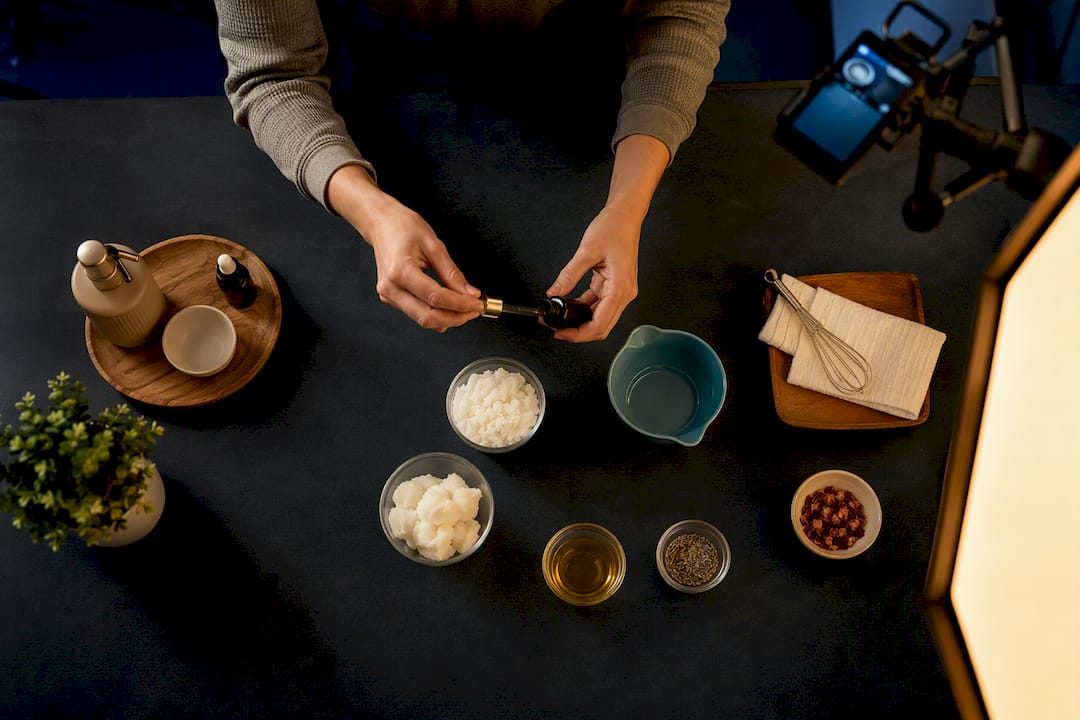
- Cooking and recipe channels. Overhead shots of hands chopping, mixing, and plating. Needs a phone tripod and a ring light, nothing more. Monetizes through ads, cookware affiliate links, and brand sponsorships.
- DIY and craft channels. Hands-only woodworking, resin art, or home repair demos. Monetizes through ads and tool affiliate links.
- Product unboxing (POV hands). Point-of-view unboxing without ever showing a face. Monetizes through affiliate links and sponsored unboxings.
- Nail art and beauty tutorials. Close-up hands-only technique videos. Monetizes through ads and beauty brand affiliate deals.
- Origami and paper craft channels. Simple, repeatable hands-only format with strong Shorts potential. Monetizes through ads and digital pattern sales.
- Calligraphy and hand-lettering channels. Slow, satisfying hands-only footage that performs well as both long-form and Shorts. Monetizes through ads and stationery affiliate links.
Animation and AI-visual channels
- Animated explainer channels. Simple 2D animation over a script covering psychology, history, or “how things work” topics. Monetizes through ads and sponsorships from education brands.
- AI-generated fantasy or sci-fi story channels. AI-assisted visuals paired with narrated short stories. Monetizes through ads and Patreon-style memberships for exclusive episodes.
- Data visualization channels. Animated charts and graphics narrating economic or social trends. Monetizes through ads and B2B sponsorships.
- Motion-graphic quote channels. Short animated text over music, built for Shorts and Reels. Monetizes through ads and merchandise.
Audio-first and relaxation channels
- Guided meditation channels. A calm scripted voice over slow-moving stock or animated visuals. Monetizes through ads, membership tiers, and app affiliate deals.
- ASMR channels. No face required, often no voice at all beyond ambient sound design. Monetizes through ads and Patreon-style support.
- Relaxing music loop channels. Original or licensed lo-fi and ambient tracks looped over static or slow-motion visuals. Monetizes through ads at high volume, since output is easy to automate.
- Study-with-me channels. A timer, ambient sound, and a static desk or nature shot. Monetizes through ads and productivity app sponsorships.
- White noise and sleep sound channels. Long-form audio designed for overnight play. Monetizes almost entirely through ad volume.
Compilation, list, and repurposing formats
- Top-10 listicle channels. Any niche (movies, travel, gadgets) reformatted into a numbered countdown with stock visuals. Monetizes through ads and affiliate links tied to the list items.
- Wildlife and virtual camera-feed channels. Curated live-cam or archival wildlife footage with light narration. Monetizes through ads and conservation-brand sponsorships.
- Time-lapse project channels. Building, gardening, or renovation time-lapses shot hands-off. Monetizes through ads and tool sponsorships.
- Compilation and reaction-free clip channels. Curated highlight reels from a specific sport, show, or genre, edited under fair-use guidelines. Monetizes through ads.
- Captioned quote and text-story channels. Fully text-driven, built for silent scrolling on Shorts and Reels. Monetizes through ads and brand partnerships.
- Shorts-only micro-tip channels. Fifteen to sixty-second tips in any niche, published multiple times a day. Monetizes through the YouTube Shorts fund equivalent, ads, and cross-promotion into a long-form channel.
That range covers most of the working categories, and 2026 idea roundups increasingly emphasize pairing a long-form pillar format with one of these Shorts-friendly spinoffs to multiply reach from a single script.
How Do You Pick the Right Faceless Format?
Choosing a format before checking it against your actual schedule is the single most common reason new channels stall out after ten videos. Run each candidate idea through five practical filters before you commit.
- Time per video. Hands-only cooking might take 90 minutes to shoot and edit; a fully animated explainer can take a full week for the same runtime.
- Editing skill required. Screen recordings and hands-only demos need light cuts and captions. Animation and AI-visual channels demand more compositing know-how or a steeper tool learning curve.
- Research load. True crime, finance, and history channels need real fact-checking. ASMR and music-loop channels need almost none.
- Equipment cost. A phone and a $20 ring light covers most hands-only work. Animation may require paid render credits or a subscription AI tool.
- Monetization ceiling. Finance, tech, and legal explainers draw a stronger ad rate than relaxation content, but relaxation formats often win on sheer publishing volume since they’re cheap to reproduce.
| Format | Setup cost | Editing skill | Typical niches |
|---|---|---|---|
| Stock + voiceover | Low | Moderate | History, finance, true crime |
| Screen recording | Very low | Low to moderate | Software, apps, AI tools |
| Hands-only | Low | Low | Cooking, DIY, crafts |
| Animation / AI visuals | Moderate to high | High | Explainers, stories, data |
| Audio / music | Very low | Very low | ASMR, meditation, study-with-me |
Stock footage with voiceover, screen recording, and hands-only demonstrations consistently show up as the three most repeatable formats for creators trying to hold a weekly upload schedule, mostly because none of them requires specialized software fluency to get started.
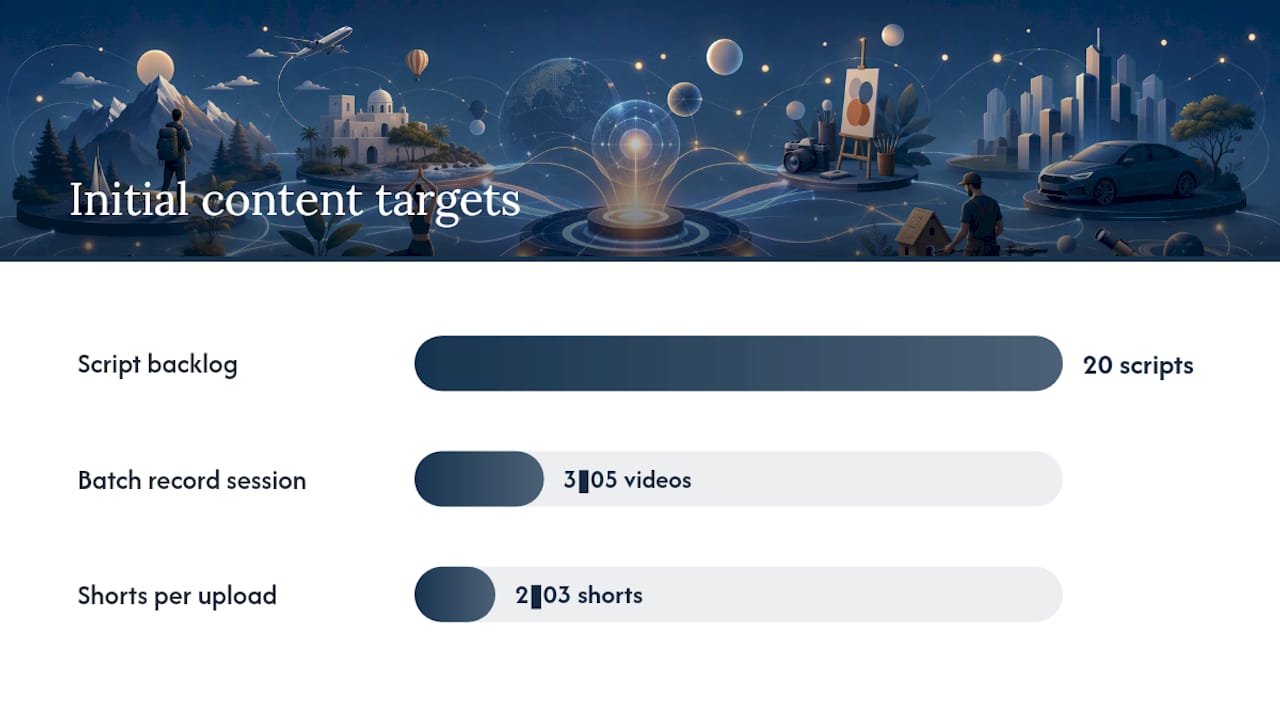
Once you’ve picked a format, resist the urge to test three niches at once. Commit to one format and one niche for a backlog of at least 20 scripts before judging whether it’s working. Twenty videos is roughly the point where the algorithm has enough signal to show your content consistently, and it’s also enough volume for you to honestly compare your editing time against your retention numbers.
Pro Tip: Batch your script backlog first. Write all 20 scripts before you record a single video. Switching between writing mode and editing mode constantly is what burns out new faceless creators fastest.
Production Workflows TechVideoBlog Has Tested
Every faceless format reduces to a repeatable pipeline once you strip out the guesswork. Here’s how the four main formats break down in practice.
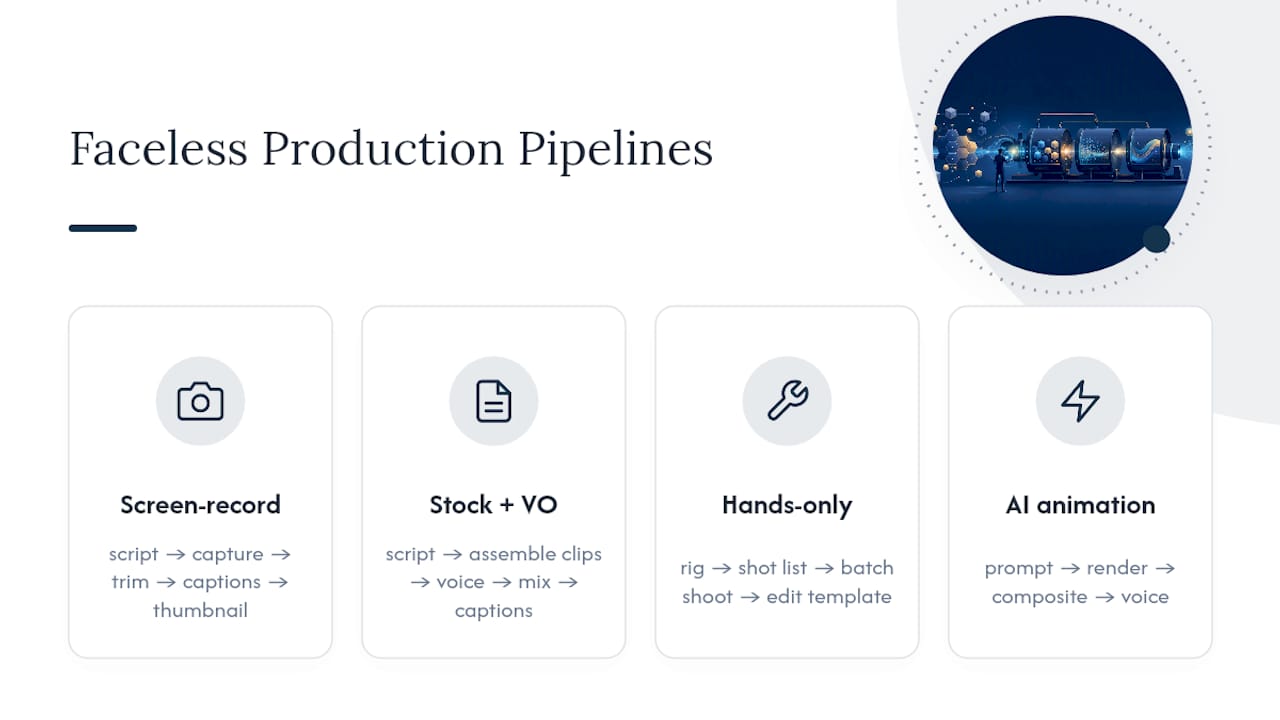
Screen-record tutorial pipeline: script → capture → trim → captions → thumbnail. Write a tight outline before you hit record, since unscripted screen recordings run long and ramble. Capture in one continuous take when possible, trim dead air in your editor, auto-generate captions, then design a thumbnail that shows the actual interface you’re teaching.
Stock footage + voiceover pipeline: script → assemble clips → voice → mix → captions. Draft the full script first, then pull matching stock clips scene by scene rather than editing footage you happened to find. Record or generate the voiceover, mix it against a low music bed, then caption the final cut for silent viewers.
Hands-only cooking or DIY pipeline: rig → shot list → batch shoot → edit template. A simple overhead phone mount and one soft light box covers most hands-only setups. Write a shot list before shooting so you capture close-ups and wide angles in one session, then reuse the same edit template (same intro length, same caption style) across every episode to cut post-production time.
AI-assisted animation pipeline: prompt → render → composite → voice. Draft your script, generate visual assets from your prompts, composite them into a timeline, then lay in narration last so pacing matches the finished visuals rather than the other way around.
Across all four pipelines, a handful of tool categories do most of the heavy lifting: screen recorders, a nonlinear editor with reusable templates, a captioning service, an AI voice generator, a stock footage library, and a thumbnail maker. Descript and similar tools are commonly recommended for handling script, AI voice, and rough editing in a single pass, which cuts down the number of apps you have to juggle. TechVideoBlog’s own testing of AI tools for faceless YouTube production has focused on exactly this kind of tool-stacking, since the biggest time sink for new creators is usually app-switching rather than the actual editing.
Track four numbers as you scale: time spent per finished minute of video, average retention percentage, thumbnail click-through rate, and how many Shorts you can pull from a single long-form upload. That last metric matters more than most new creators realize, since a single long-form video can seed multiple Shorts that test different hooks and pull new viewers back to the main upload.
Time-to-monetization callout: Creators focused on a single niche, rather than broad or unfocused topics, generally reach YouTube Partner Program milestones after several months of consistent, weekly uploads. There’s no shortcut around that runway. Niche focus and consistent publishing volume are what compress the timeline, not any single tool or trick.
If you’re leaning toward AI narration to save time, keep a human in the loop for fact-checking and tone. AI voice tools speed up production, but synthetic narration can introduce subtle factual or tonal errors that quietly hurt retention if nobody catches them before publishing.
Monetization Routes and Realistic Timelines
Faceless channels monetize through the same core channels as any other YouTube content, but the mix shifts depending on your niche.
- YouTube Partner Program (ads): requires meeting subscriber and watch-hour thresholds before ads activate, and typically takes several months of focused, niche-specific uploads to reach.
- Affiliate marketing: available immediately, no threshold required. Product-review, software-tutorial, and finance channels tend to see the fastest affiliate traction since viewers are already in buying mode.
- Sponsorships: brands often approach niche channels with a smaller but engaged audience well before that channel hits Partner Program numbers, especially in tech and productivity spaces.
- Channel memberships and digital products: work well for meditation, study-with-me, and animated-story channels where viewers want ongoing access or bonus content.
- Licensing your clips: compilation and B-roll-heavy channels can license footage to media outlets or other creators as a secondary income stream.
Niche selection drives which of these matters most. Finance, tech, and legal explainer channels draw a stronger ad rate per thousand views, which makes the Partner Program itself more lucrative once you qualify. Relaxation, ASMR, and music-loop channels usually carry a lower ad rate, but they compensate with far higher production volume since a single template can be reused endlessly.
The realistic sequence for most new faceless creators: affiliate income or a small sponsorship deal often arrives first, once you’ve built even modest niche authority, while Partner Program ad revenue tends to follow later after those consistent monthly upload milestones.
Your First Five Videos: A 7-Step Launch Checklist
- Validate your niche. Search your topic idea on YouTube and confirm there’s an active audience with recent uploads, not just old, stale content.
- Write a 20-script backlog. Draft outlines for all 20 videos before recording anything, so you never face a blank page on shoot day.
- Source your assets. Pull stock clips, sound effects, or set up your hands-only rig in one batch session rather than per video.
- Build one reusable template. Lock your intro length, caption style, and thumbnail layout so every future video reuses the same shell.
- Batch-record and batch-edit. Shoot or capture three to five videos in one sitting, then edit them in a single block using your template.
- Optimize titles, descriptions, and thumbnails. Write these with your target search terms in mind before you publish, not as an afterthought.
- Repurpose into Shorts. Cut two or three short clips from every long-form upload to test hooks and drive discovery, a workflow covered in more depth in TechVideoBlog’s guide to making Shorts with AI.
Bootstrappers can run this entire checklist on a phone, a free screen recorder, a free stock clip source, and a free captioning tool. None of the five steps above requires paid software to get your first upload live.
Pro Tip: Build your template before you build your first video, not after. Creators who lock a fixed intro, a caption style, and a thumbnail preset cut their editing time dramatically compared to those who redesign each upload from scratch.
Watch your 90-day numbers closely: upload consistency, average view duration, and click-through rate on thumbnails. Those three tell you faster than subscriber count whether your format choice is working.
Legal and Copyright Considerations for Faceless Content
Stock footage, music, and clip compilations carry the highest legal risk in faceless production, since it’s tempting to grab whatever footage matches your script without checking the license. Always confirm whether a clip is licensed for commercial use, and keep records of your licenses in case a claim ever surfaces. Royalty-free doesn’t always mean free for monetized use. Read the specific terms of whatever stock or music library you’re pulling from.
Compilation and reaction-style channels need to understand fair use isn’t a blanket protection. Adding brief commentary or critique over someone else’s clip can qualify, but reposting long, uncommented segments generally does not, and platforms will act on copyright claims regardless of your intent.
AI-generated voice and visuals raise a newer set of questions. Cloning a real person’s voice without consent, or generating visuals that closely mimic a living artist’s style, can expose you to legal claims separate from standard copyright law. When in doubt, use a licensed AI voice model built for commercial use rather than an unauthorized clone.
Finally, factual accuracy matters legally as well as ethically, particularly in true crime, finance, and health-adjacent niches, where misinformation can carry real consequences for viewers and real liability for you. None of this replaces legal advice for your specific situation, but treating licensing and sourcing as a checklist item, not an afterthought, avoids the vast majority of takedown notices new creators run into.
Perspective: Privacy, Scaling, and the Authenticity Trade-Off
Faceless channels trade a presenter’s charisma for something more durable: process. Privacy and scale are real advantages, but creators who skip the presenter still have to earn trust some other way, usually through sourcing, script accuracy, and consistent visual branding. AI speeds up rendering and narration in 2026, but it hasn’t replaced the need for a human to check facts and tone before publishing. Skip the presenter, not the homework.
— H
Skip the Trial and Error on Tool Selection
Picking a format is the easy part. Finding the right AI voice generator, screen recorder, or captioning tool without burning a week on free trials is where most new faceless creators lose momentum. A directory of hands-on reviewed AI video tools, with real pricing and workflow tests instead of marketing copy, covers the exact categories a faceless pipeline depends on.

The directory breaks down by category rather than by hype, so you can go straight to AI voice generators, screen recorders, stock libraries, captioning services, or Shorts repurposing tools depending on which pipeline you’re building. If you’re setting up narration for a stock-plus-voiceover channel, a guide like how to generate natural AI voiceovers pairs well with TechVideoBlog’s own tool comparisons on the same category. And if building trust without a face on screen is your bigger concern, proven strategies for building credibility online is worth a read alongside your script-writing process.
Start at the TechVideoBlog homepage and filter by the category matching your chosen format. You’ll shortlist a working tool stack in less time than it takes to read five separate blog reviews.
Sources
FAQ
What is the best content for a faceless YouTube channel?
Stock footage with voiceover, screen-recorded tutorials, and hands-only demonstrations tend to work best because they need minimal equipment and let you publish consistently without appearing on camera.
How many YouTube views do I need to make $3,000 a month?
It depends heavily on niche and ad rate rather than a fixed view count. Higher-CPM niches like finance and tech reach that figure with far fewer views than low-CPM niches like relaxation music, so tracking your own ad revenue per thousand views is more useful than chasing a universal number.
Do faceless channels make money?
Yes. Faceless channels monetize through the same routes as any other channel, including YouTube ads, affiliate marketing, sponsorships, and memberships, and niche-focused faceless channels often reach Partner Program milestones after several months of consistent uploads.
How many YouTube views do I need to make $10,000 a month?
Again, this scales with your niche’s ad rate and your mix of affiliate or sponsorship income rather than views alone. A finance or tech channel with a strong affiliate strategy can hit that figure with a smaller audience than a relaxation channel relying on ad revenue alone.
How long does it typically take to start earning from a faceless channel?
Most creators see the earliest affiliate or sponsorship income within the first few months of consistent, niche-focused uploads, while YouTube Partner Program ad revenue tends to follow after several months of steady publishing.